---
title: Adding Profiles and Generating Posters
description: Adding Safe Watch Photos
---
[Skip to content](https://kb.arms.com/dhq/adding-profiles-and-generating-posters#main-content)
English
Show submenu for translations

Open main navigation
Close main navigation
- English
Show submenu for translations
- Contact us
Contact us
How can we help you?
- There are no suggestions because the search field is empty.
1. [DHQ](https://kb.arms.com/dhq?hsLang=en)
2. [User Guides](https://kb.arms.com/dhq/user-guides?hsLang=en)
3. [Safe Watch](https://kb.arms.com/dhq/user-guides?hsLang=en#safe-watch)
# Adding Profiles and Generating Posters
### Adding Profiles and Generating Posters
Created by Greg Katz, Modified on Mon, 25 Aug, 2025 at 9:35 AM by Greg Katz
**Safe Watch Workflow: DHQ safe watch module is used for generating Missing/Wanted people posters.**
Below are the steps to work on the DHQ safe watch module
**Add new SafeWatch profile:**
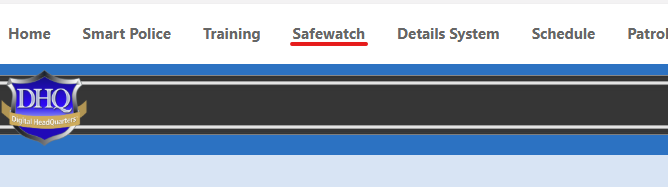
Find your agency's link to the SafeWatch module.
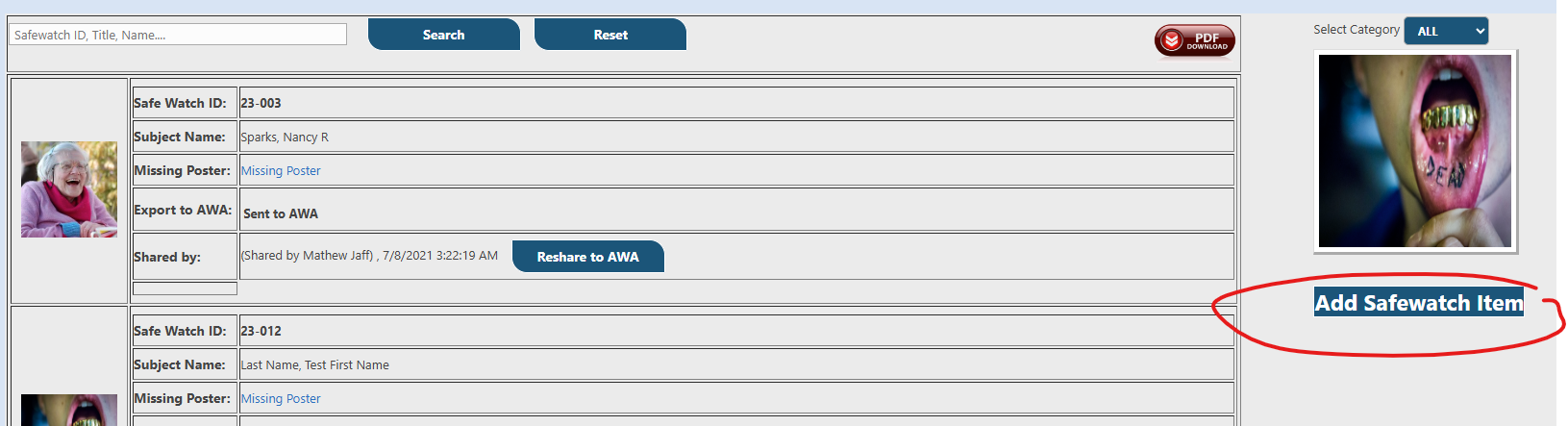
To add new SafeWatch profile, Just hit Add Safewatch Item link at right middle section under image rotator.
The data entry form will open.
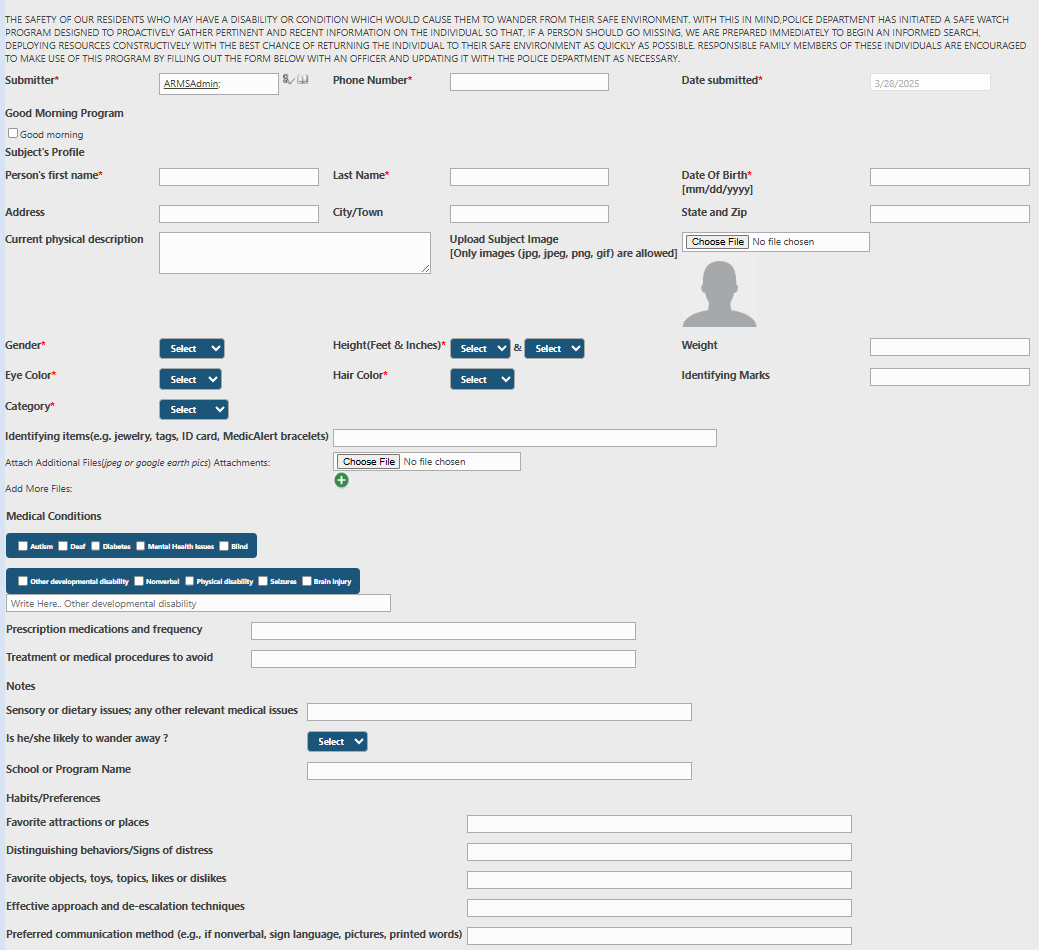
Set the values for all relevant fields and add attachments when required.
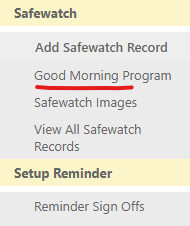
To add the individual to the "Good Morning Program" check the box:
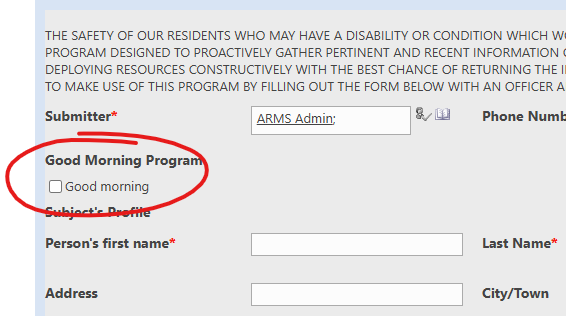
All records that have "Good Morning" checked will be added to the Good Morning Program list and provides a quick reference for Officers. This list can often be found on the main navigation. If not, contact support to add it.
**Edit Safewatch –** in order to edit SafeWatch profile just click on the image of that profile.
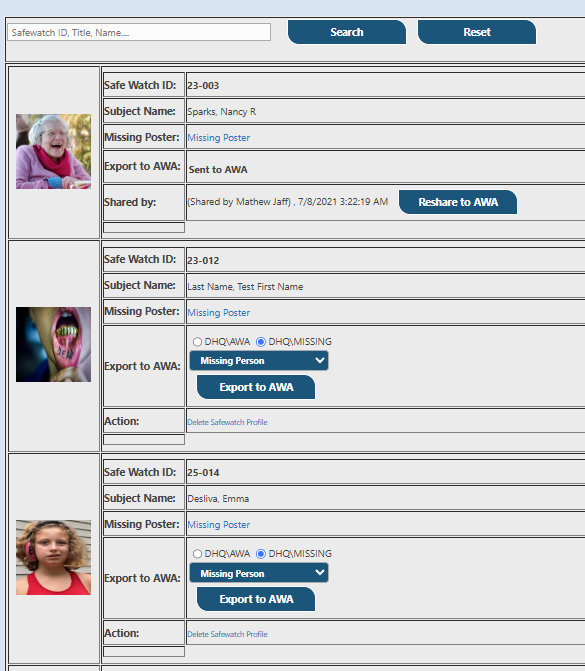
Edit the form as desired and click "Save" when complete.
Generating Posters
Now click on Notice poster or Wanted posted link.
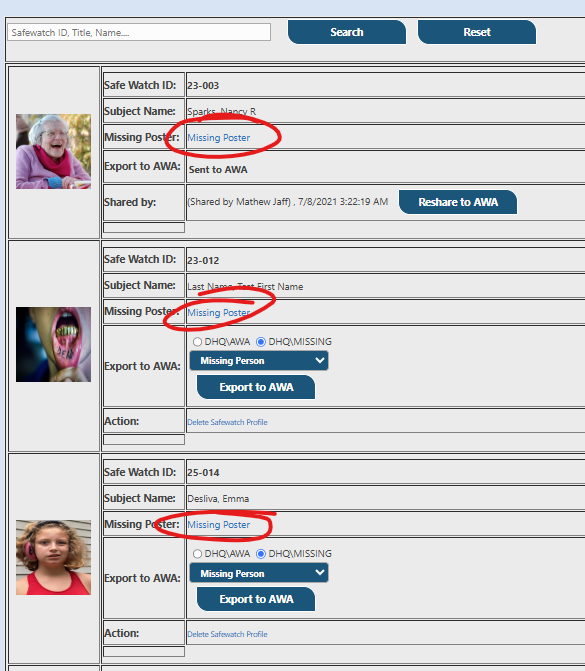
Once you click on Wanted poster or Missing poster it will generate Poster accordingly.
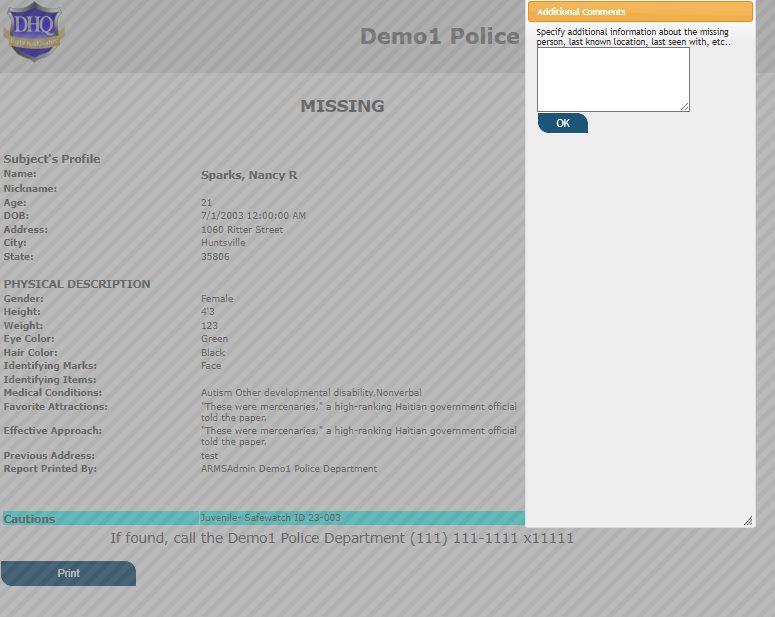
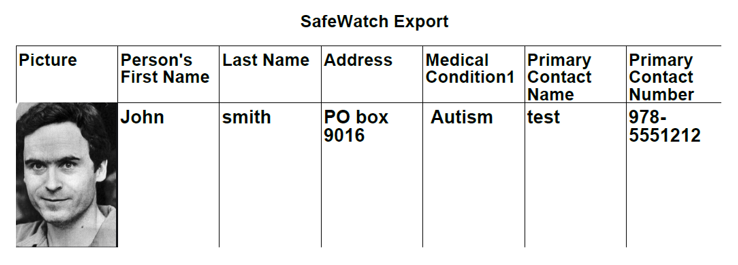
Export records in PDF with Image attached Just click on PDF Download button.
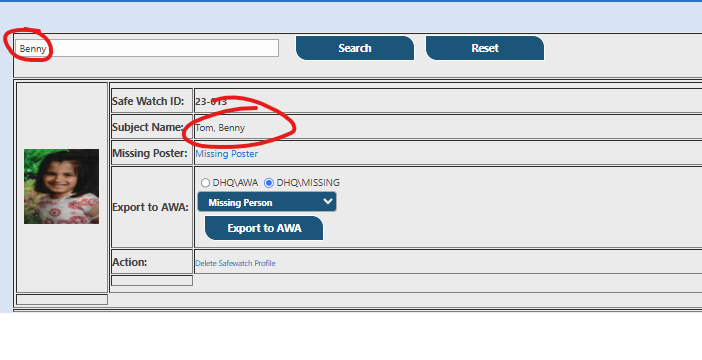
Searching Records from Safe watch home page based on Id, title and Name.
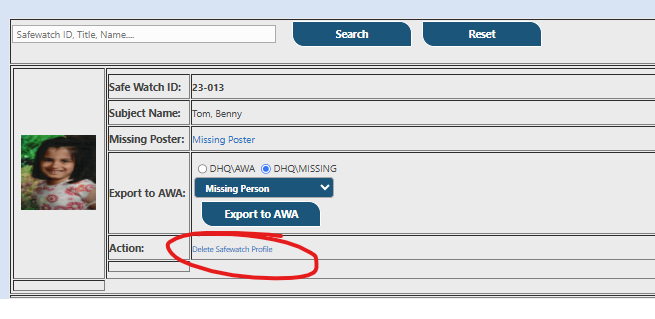
**Delete Safe watch Profile**: Only SafeWatch admin can delete SafeWatch profile, see below screen shot all safe watch admins can click on delete SafeWatch profile link and delete it completely from the system.
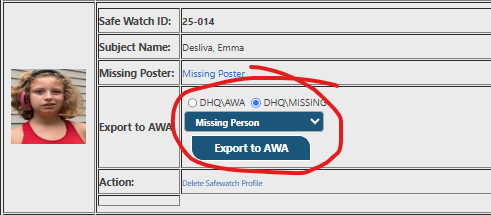
**AWA Share:** to share any SafeWatch profile (only SafeWatch Admin’s cans share the SafeWatch profile with all attachments to AWA rollcall section.
- [Administration Guides](https://kb.arms.com/dhq/administration-guides?hsLang=en#main-content)
- [AWA Roll Call](https://kb.arms.com/dhq/administration-guides?hsLang=en#awa-roll-call)
- [Cruiser Check](https://kb.arms.com/dhq/administration-guides?hsLang=en#cruiser-check)
- [Detail Bidding](https://kb.arms.com/dhq/administration-guides?hsLang=en#detail-bidding)
- [Document Sign Off](https://kb.arms.com/dhq/administration-guides?hsLang=en#document-sign-off)
- [Forms Based Authentication](https://kb.arms.com/dhq/administration-guides?hsLang=en#forms-based-authentication)
- [Microsoft Office Settings](https://kb.arms.com/dhq/administration-guides?hsLang=en#microsoft-office-settings)
- [Mobile App](https://kb.arms.com/dhq/administration-guides?hsLang=en#mobile-app)
- [Office 365/Azure Connection](https://kb.arms.com/dhq/administration-guides?hsLang=en#office-365-azure-connection)
- [Passwords](https://kb.arms.com/dhq/administration-guides?hsLang=en#passwords)
- [Permissions](https://kb.arms.com/dhq/administration-guides?hsLang=en#permissions)
- [Personnel Cards](https://kb.arms.com/dhq/administration-guides?hsLang=en#personnel-cards)
- [Smart Police](https://kb.arms.com/dhq/administration-guides?hsLang=en#smart-police)
- [Scheduling](https://kb.arms.com/dhq/administration-guides?hsLang=en#scheduling)
- [Training](https://kb.arms.com/dhq/administration-guides?hsLang=en#training)
- [Quartermaster](https://kb.arms.com/dhq/administration-guides?hsLang=en#quartermaster)
- [Register New User](https://kb.arms.com/dhq/administration-guides?hsLang=en#register-new-user)
- [User Guides](https://kb.arms.com/dhq/user-guides?hsLang=en#main-content)
- [AWA Roll Call](https://kb.arms.com/dhq/user-guides?hsLang=en#awa-roll-call)
- [Cruiser Check](https://kb.arms.com/dhq/user-guides?hsLang=en#cruiser-check)
- [Event Tracking](https://kb.arms.com/dhq/user-guides?hsLang=en#event-tracking)
- [Messaging](https://kb.arms.com/dhq/user-guides?hsLang=en#messaging)
- [Mobile App](https://kb.arms.com/dhq/user-guides?hsLang=en#mobile-app)
- [Safe Watch](https://kb.arms.com/dhq/user-guides?hsLang=en#safe-watch)
- [Smart Police](https://kb.arms.com/dhq/user-guides?hsLang=en#smart-police)
- [Scheduling](https://kb.arms.com/dhq/user-guides?hsLang=en#scheduling)
- [Training](https://kb.arms.com/dhq/user-guides?hsLang=en#training)
- [Quartermaster](https://kb.arms.com/dhq/user-guides?hsLang=en#quartermaster)
- [Document Sign Off](https://kb.arms.com/dhq/user-guides?hsLang=en#document-sign-off)
- [DHQ Modules](https://kb.arms.com/dhq/dhq-modules?hsLang=en)
[](http://arms.com)
[mailto:email@email.com](mailto:email@email.com)
Copyright © 2026, End2End Public Safety