DHQ Local and Area Wide Alert Mobile Application
Created by Greg Katz, Modified on Fri, 14 Nov, 2025 at 8:39 AM by Greg Katz
- Search for DHQ and download from the App Store. Once loaded click the open button.
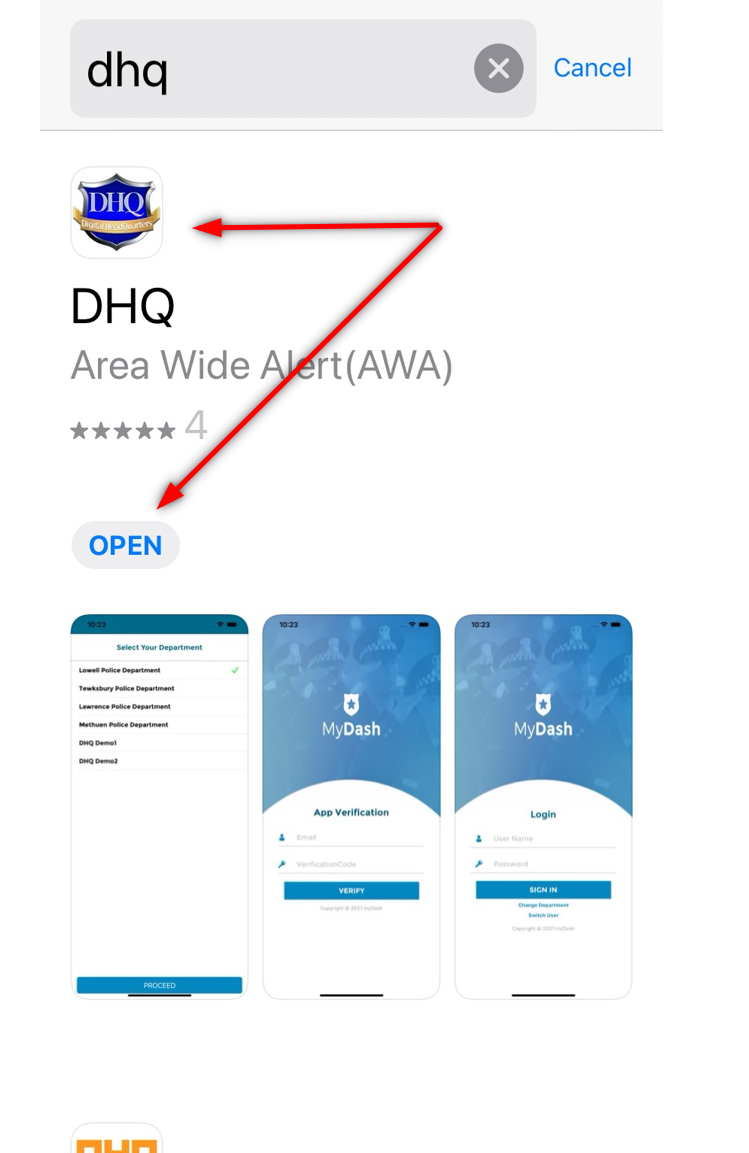
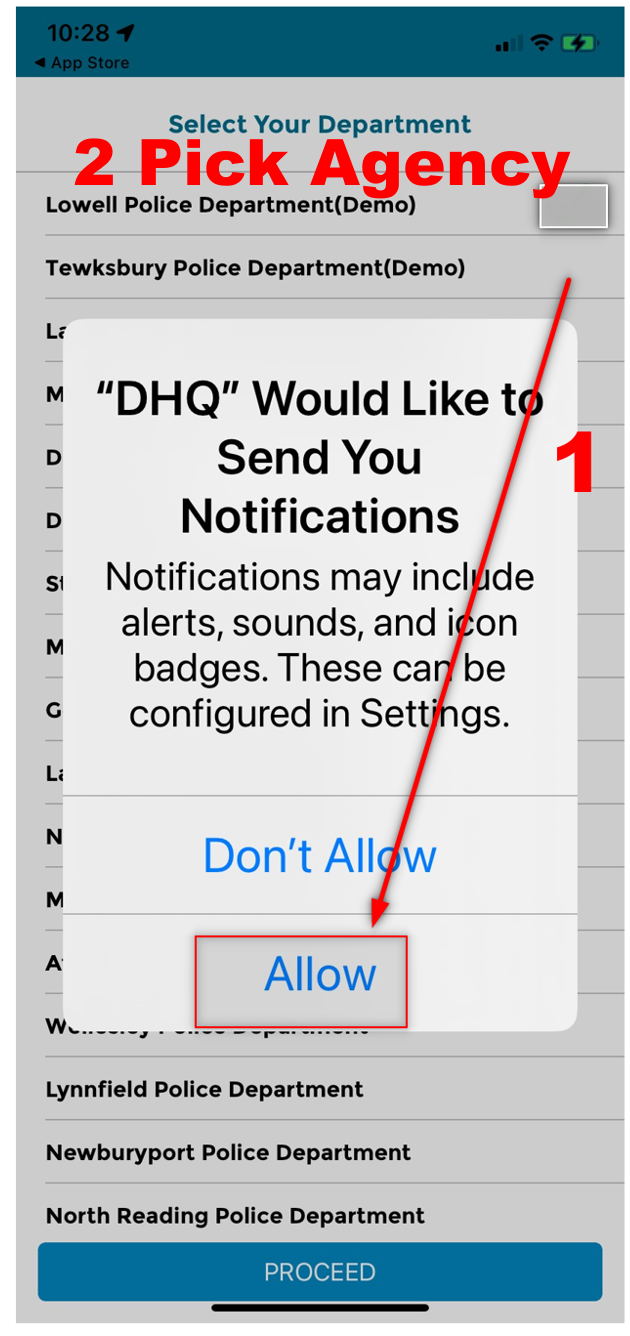
- Allow notifications and pick your department. Then click Proceed.
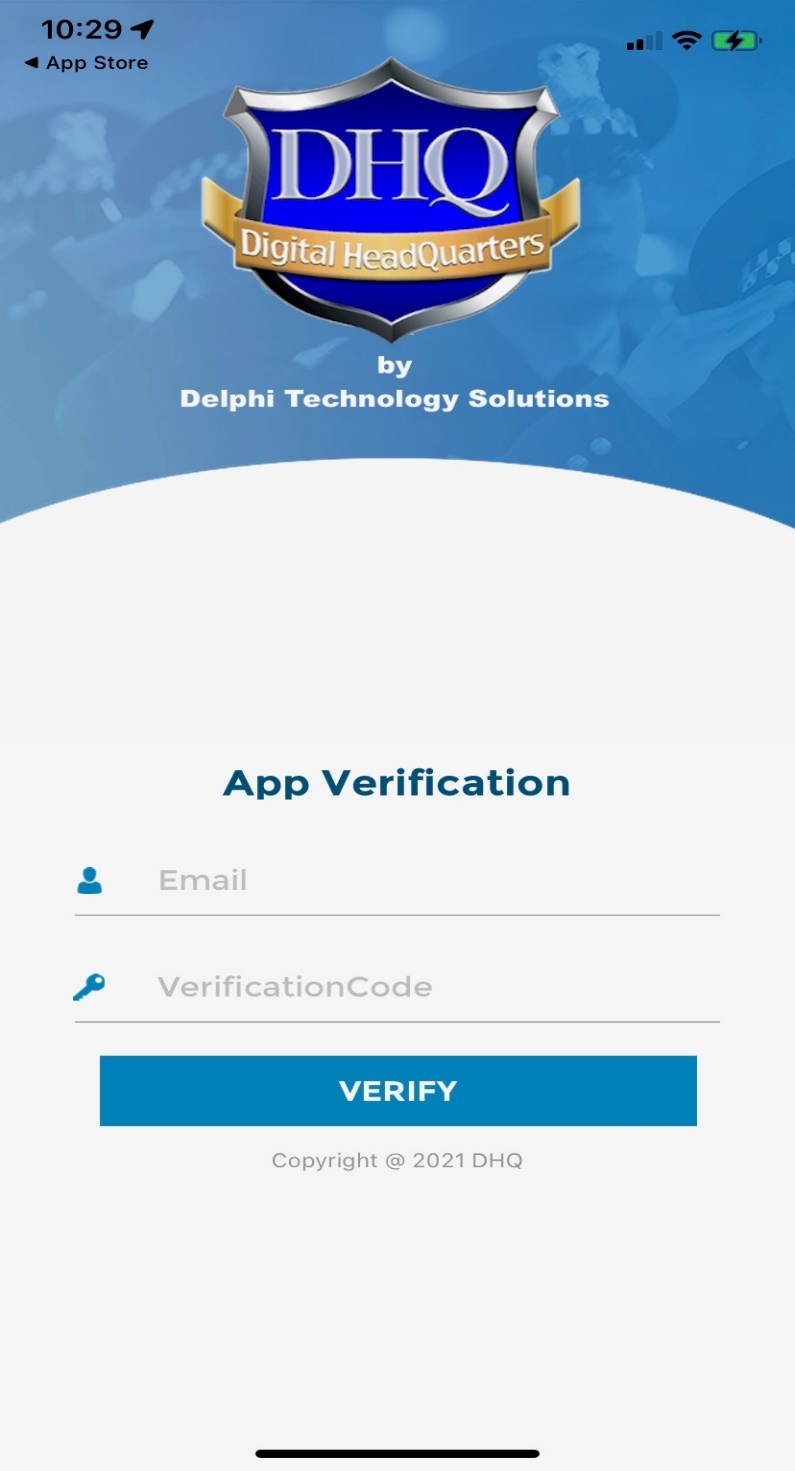
- To link the DHQ mobile app to your department, enter your department email address on the email line. For the verification code use the letter V and your Departments zip code (i.e., V01852). This is only required one time.
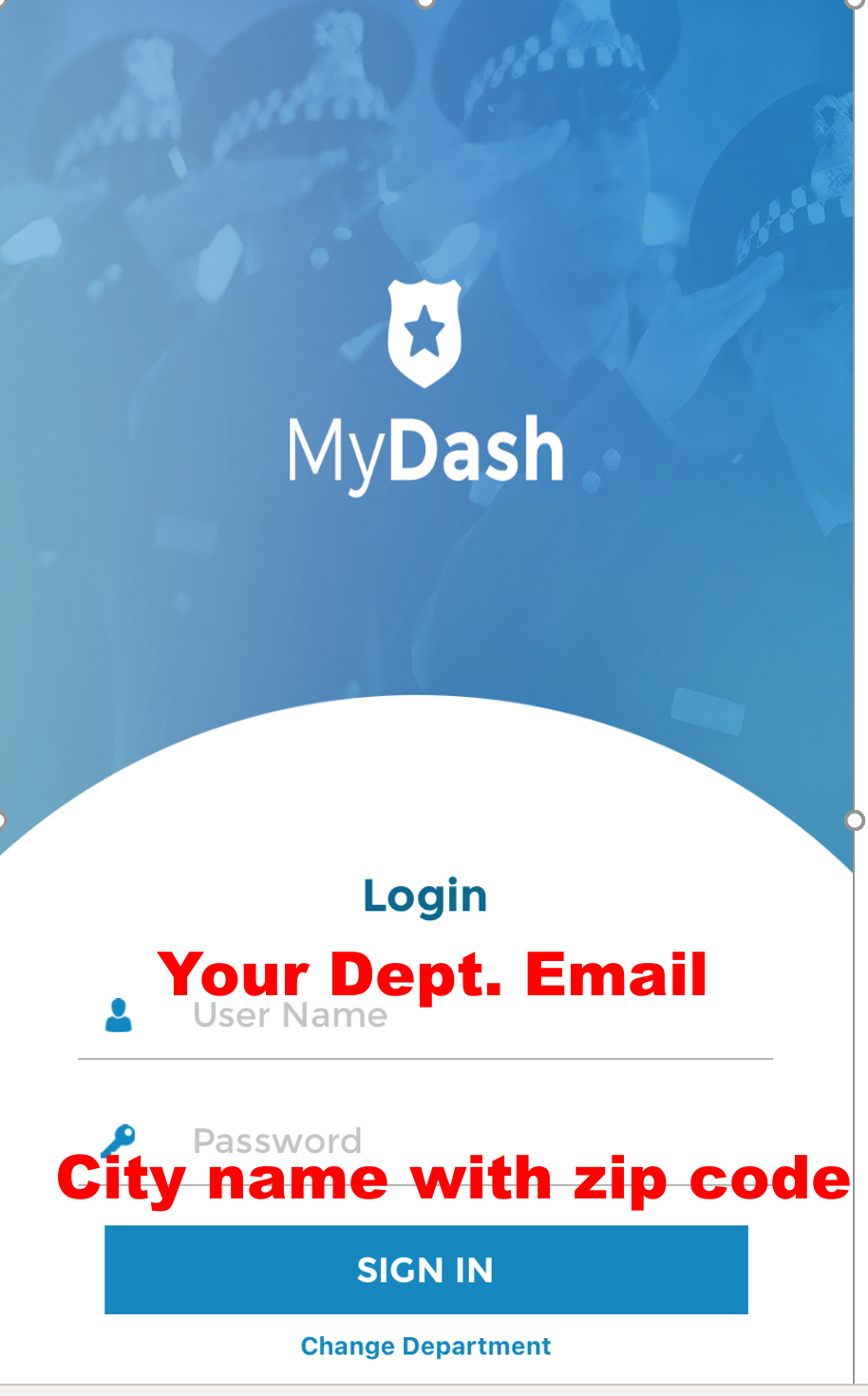
- Your username will be your department email address. Your starting password with be the name of your city followed by your department’s zip code (i.e., Lowell01852).
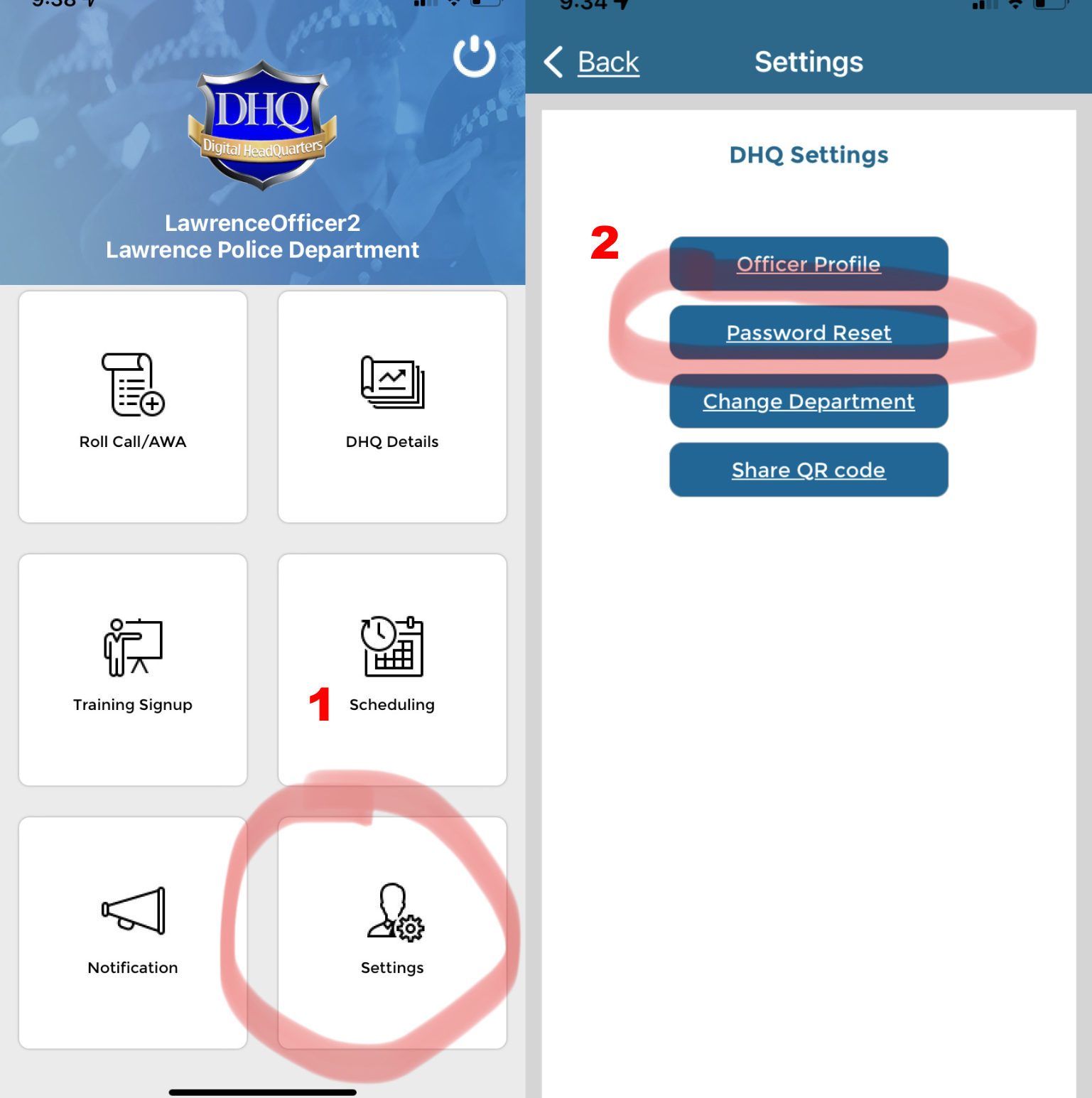
- After logging on, follow steps 1 and 2 to reset your password.
2. Open app and access Roll Call/AWA.
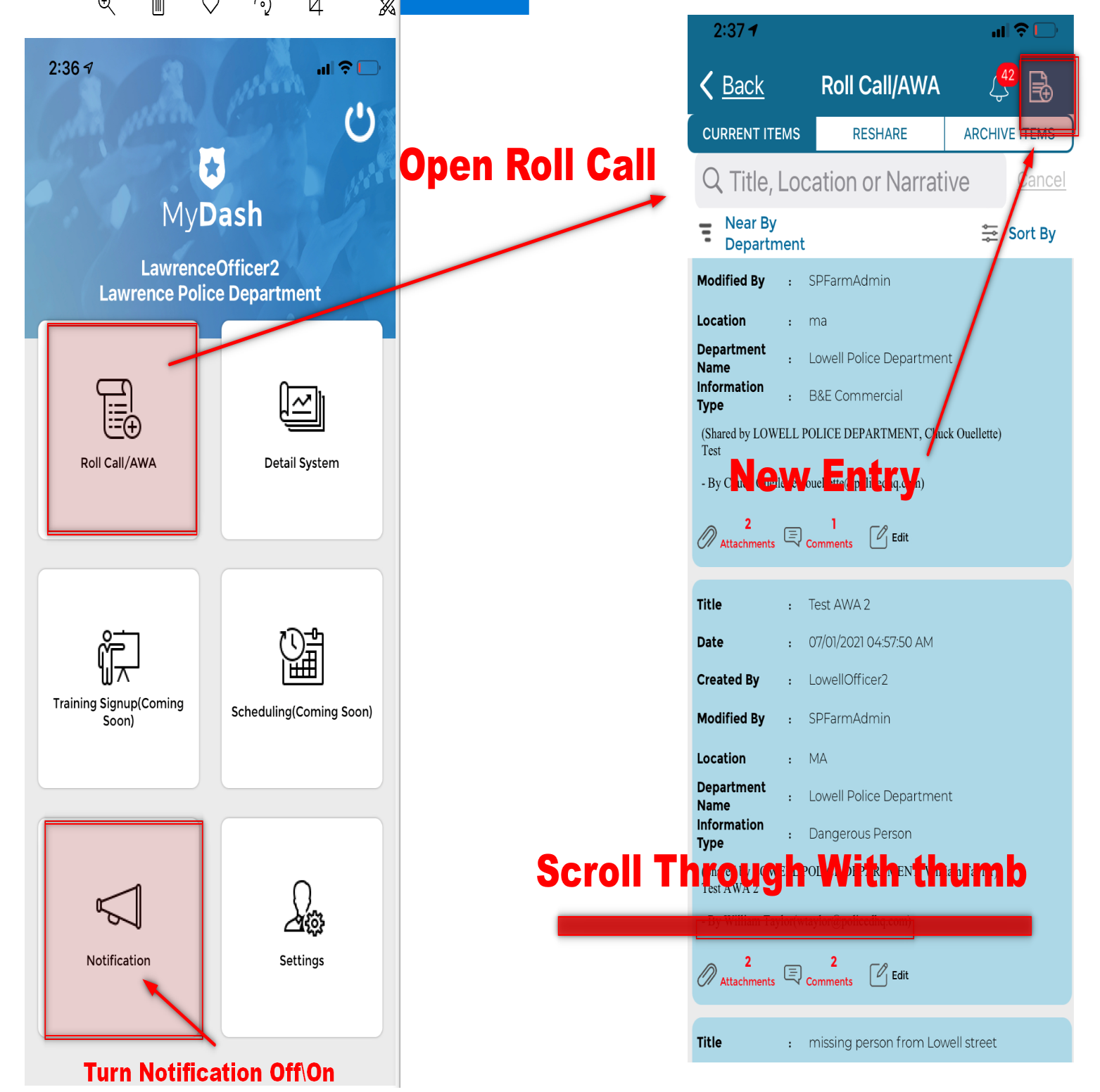
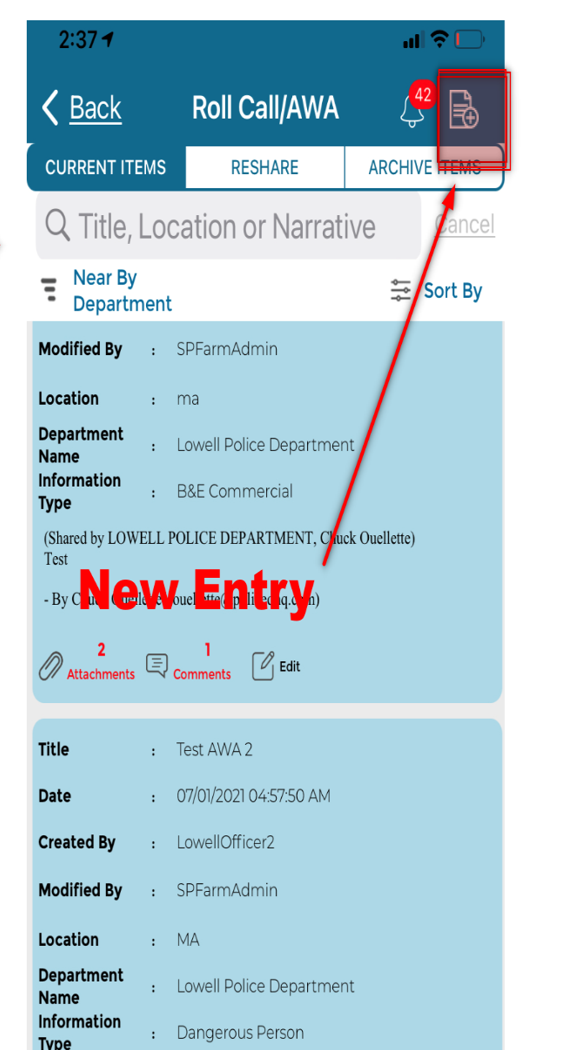
- Navigate through Roll Call Entries and tap with finger to open entry. Also tap on attachments or comments to view items.
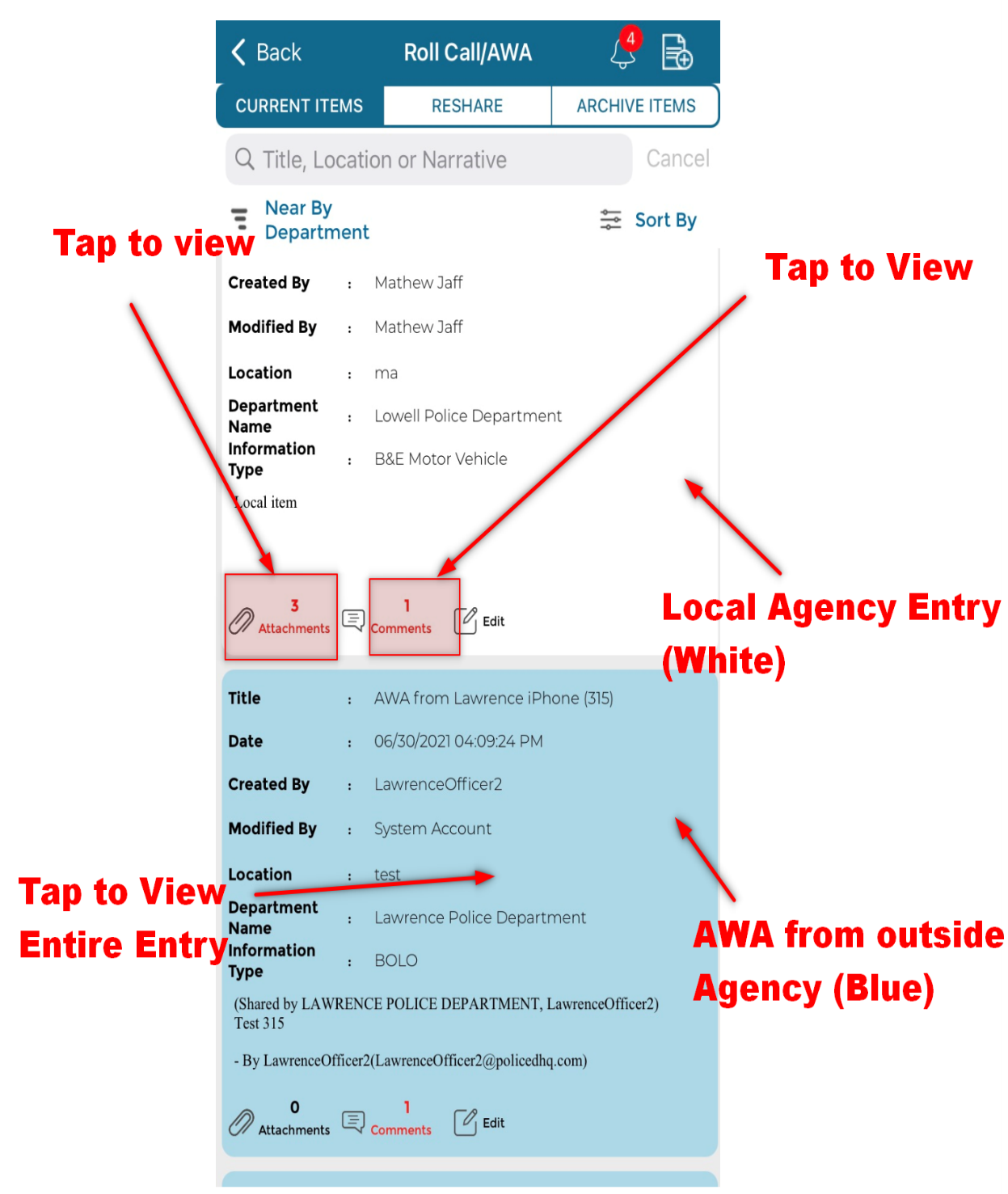
- Navigate through Roll Call Entries and tap with finger to open entry.
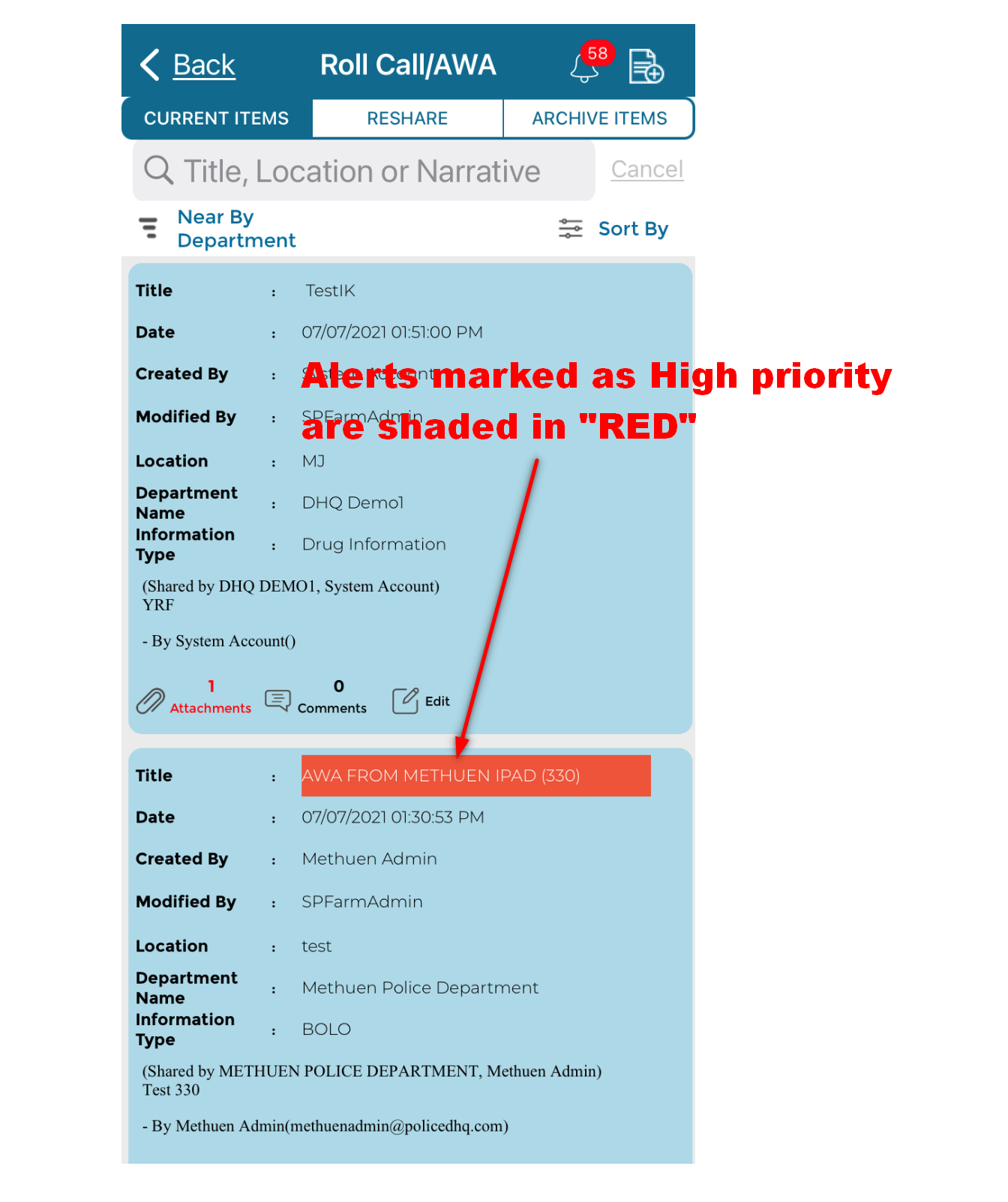
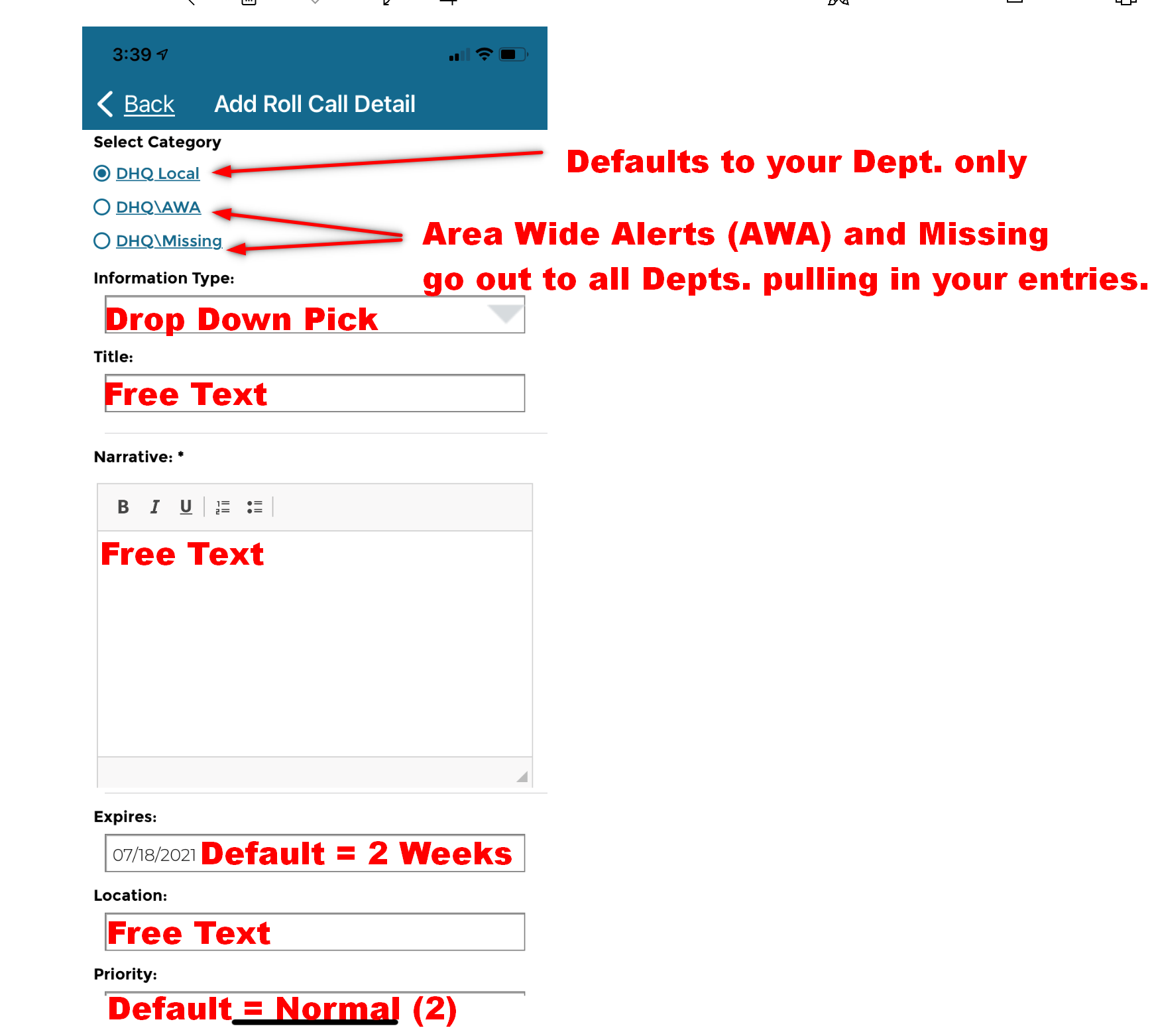
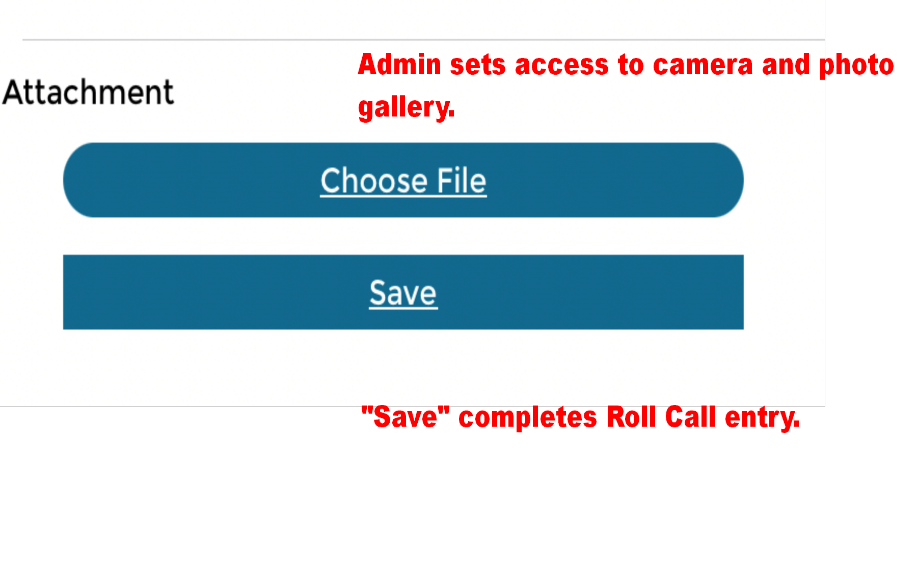
- New Roll Call entry