
In some environments Microsoft Office may add layers of security that prevents or delays users from opening some Office Documents.
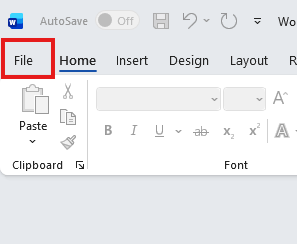
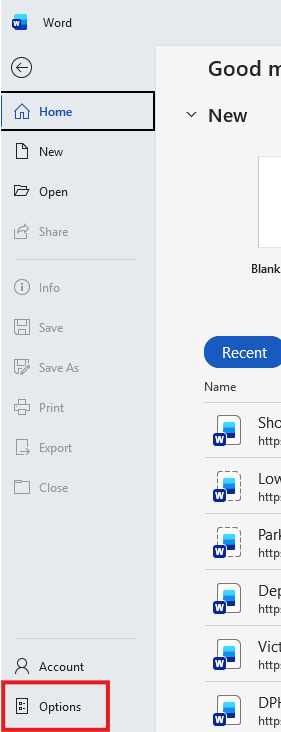
To add your DHQ site as a trusted catalog, open Microsoft Word then click on File > Options:
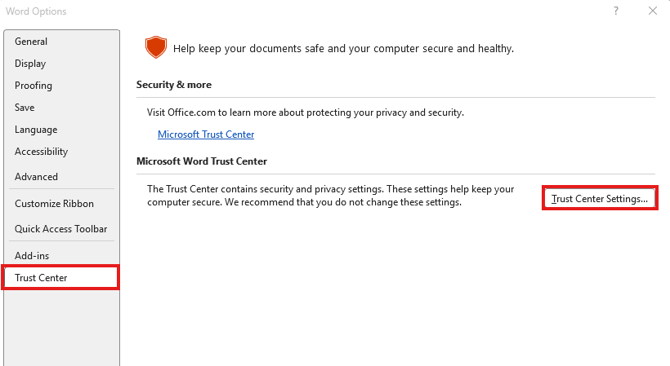
The "Word Options" window will open. Select "Trust Center" in the left pane, then select "Trust Center Settings":
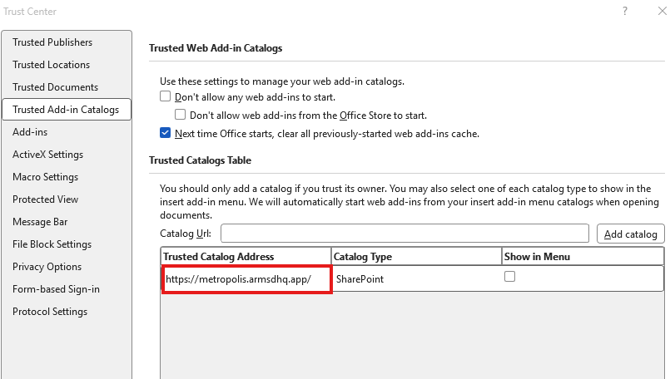
In the left pane select "Trusted Add-In Catalogs", enter your DHQ site URL and click "Add Catalog" then "OK".
These settings can be managed by group policy by your IT Administrator and applied across your network.