
Registering a New User
Created by Greg Katz, Modified on Wed, 25 Feb at 7:45 AM by Greg Katz
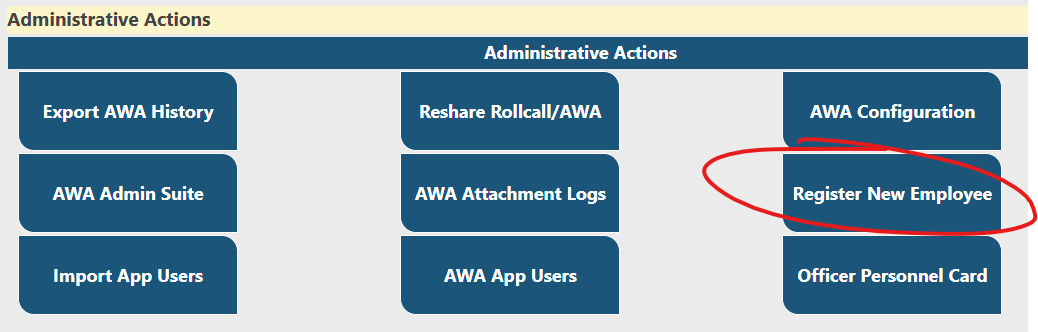
If your agency is using the DHQ user directory (Not O365, ADFS or Forms Based Authentication) you can add your users without support intervention. The local site admin can access the registration process directly from the Administrative Actions Menu:
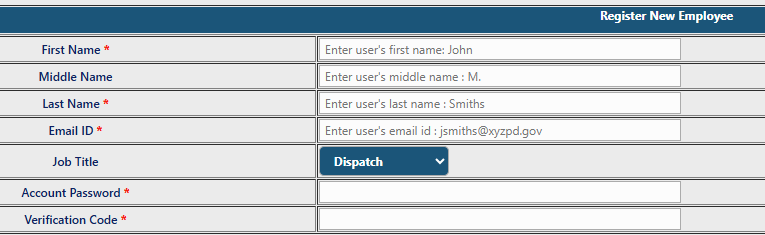
The top of the form contains the employees' basic details to include the password and verification code for mobile app activation. The verification code is used with the mobile app the first time the user connects to their agency.
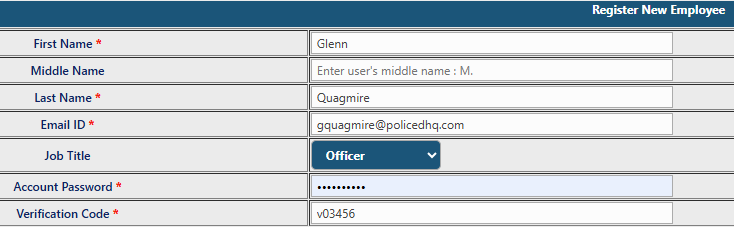
Fill in the appropriate fields and move to the group permissions details section:
To add site permissions the administrator has two options:
- Pick each group manually
- Clone permissions from an existing user
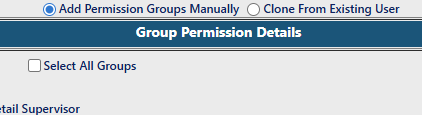
When selecting the Clone from Existing User option, a list of existing users will appear. Pick the user you wish to clone:

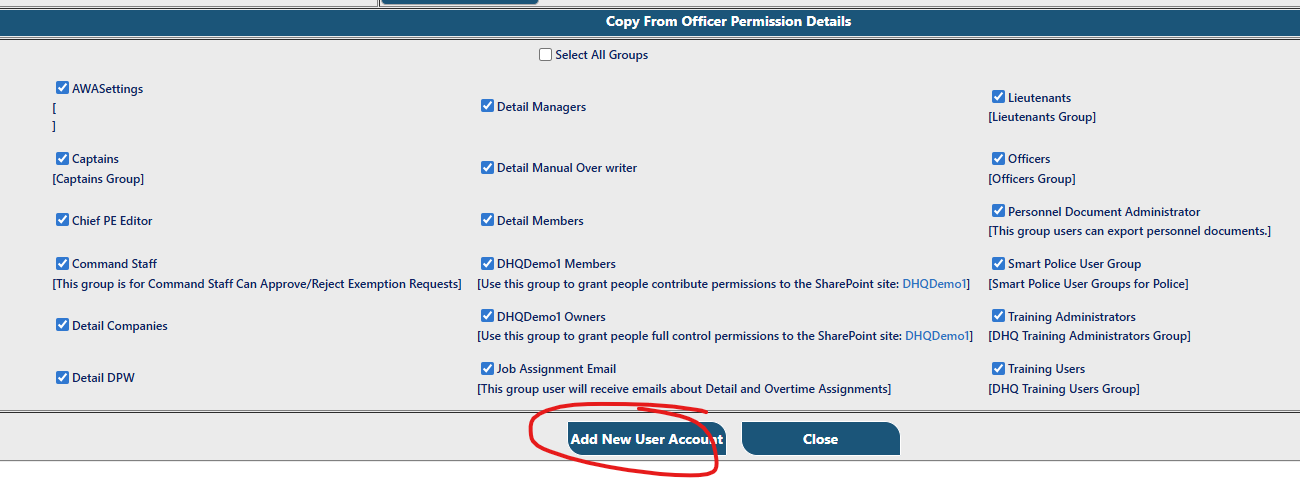
The cloned permissions will appear. Edits can be made to the cloned selections at this time. If everything appears in order, click Add New User Account:
Once the new user is added, the user is added to the DHQ site, a Personnel Card is added, as well as a Mobile App user record.