---
title: Invalid Variant Operation
description: In-Synch
---
[Skip to content](https://kb.arms.com/in-synch/invalid-variant-operation#main-content)
English
Show submenu for translations

Open main navigation
Close main navigation
- English
Show submenu for translations
- Contact us
Contact us
How can we help you?
- There are no suggestions because the search field is empty.
1. [In-Synch](https://kb.arms.com/in-synch?hsLang=en)
2. [Knowledge base3](https://kb.arms.com/in-synch/knowledge-base3?hsLang=en)
3. [How To](https://kb.arms.com/in-synch/knowledge-base3?hsLang=en#how-to)
# Invalid Variant Operation
No recent searches
Popular Articles

Sorry! nothing found for
### Invalid Variant Operation
Created by Russ Hartle, Modified on Fri, 14 Nov, 2025 at 2:58 PM by Russ Hartle
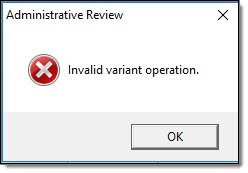
Occasionally, users may experience an “Invalid variant operation” error when trying to enter IBR information.
[](https://manula.s3.amazonaws.com/user/9801/img/invalid-variant-operation-001.jpg)
This error can also happen when switching between cases in Case Builder, accessing a case in Admin Review, and on very rare occasions can be experienced when opening a call in Call Log. All of these issues are caused by registry entries that are created under the “Computer\\HKEY\_CURRENT\_USER\\Software\\Microsoft\\WindowsNT\\CurrentVersion\\AppCompatFlags\\Layers” section. It is still unknown what Windows process and/or other installed software is causing these individual modules and/or the NIBRS.dll to become set to “run in compatibility mode” with an ignore clause. However, we have created a tool that will remove these entries if you are experiencing the “Invalid variant operation” error. Please follow instructions in the link below:
### This option may require an administrator account or an account with the rights to manipulate the computer’s registry.
1. Close all open RMS related modules and log out of the RMS toolbar.
2. Download the RegistryIgnoreRemoval tool from the following link:
[RegistryIgnoreRemoval.exe](https://drive.google.com/open?id=10GQlf9DslexAwtrrrrKwB9oVXmJSRdB_)
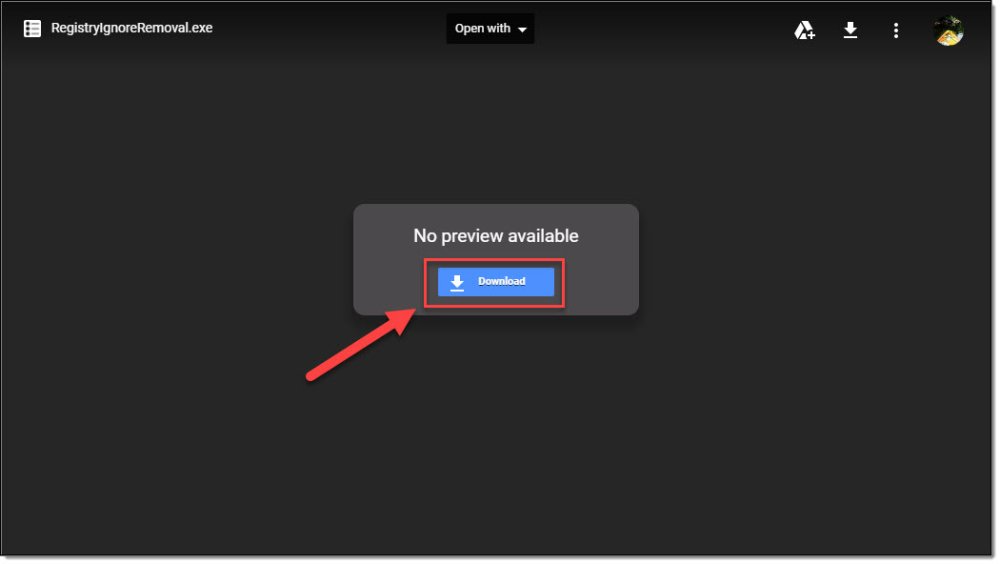
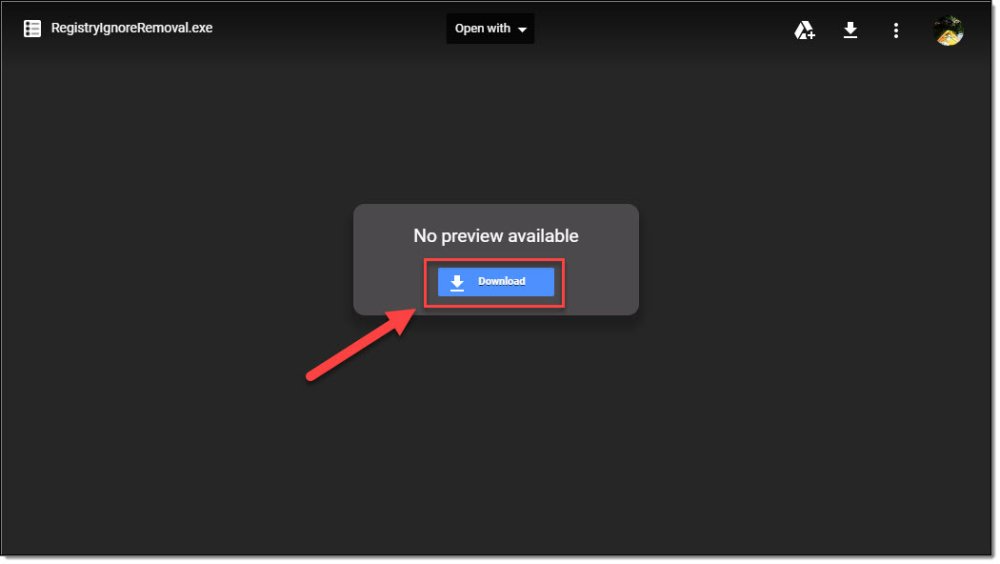
3. Select the “Download” button from the from the Download website.
[](https://manula.s3.amazonaws.com/user/9801/img/registryignoreremovaltool-001.jpg)
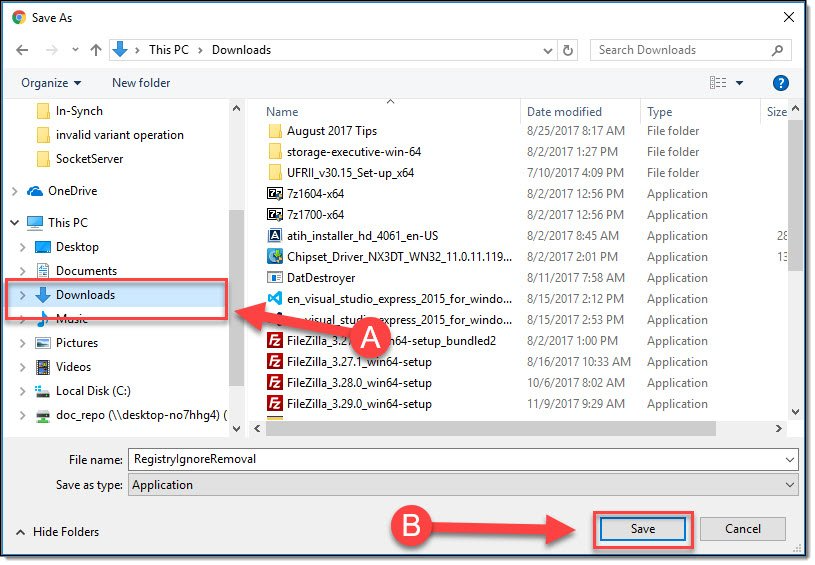
4. In the “Save As” window, select a storage location (A) and then select the “Save” button (B).
[](https://manula.s3.amazonaws.com/user/9801/img/registryignoreremovaltool-002.jpg)
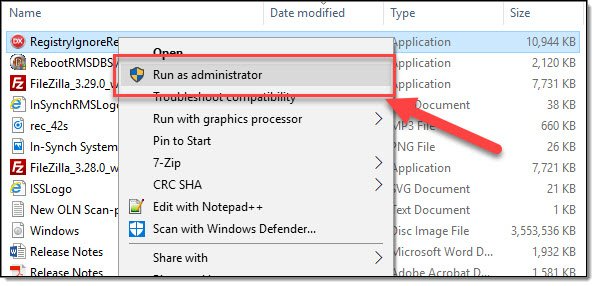
5. Navigate to the location where you saved the RegistryIgnoreRemoval tool, right-click on the executable, and then select “Run as Administrator”.
[](https://manula.s3.amazonaws.com/user/9801/img/registryignoreremovaltool-003.jpg)
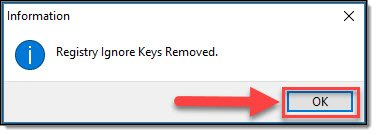
6. When the tool completes, select the “OK” button on the message box.
[](https://manula.s3.amazonaws.com/user/9801/img/registryignoreremovaltool-004.jpg)
7. Log back into the RMS and your issue should be resolved.
[](https://manula.s3.amazonaws.com/user/9801/img/registryignoreremovaltool-001.jpg)[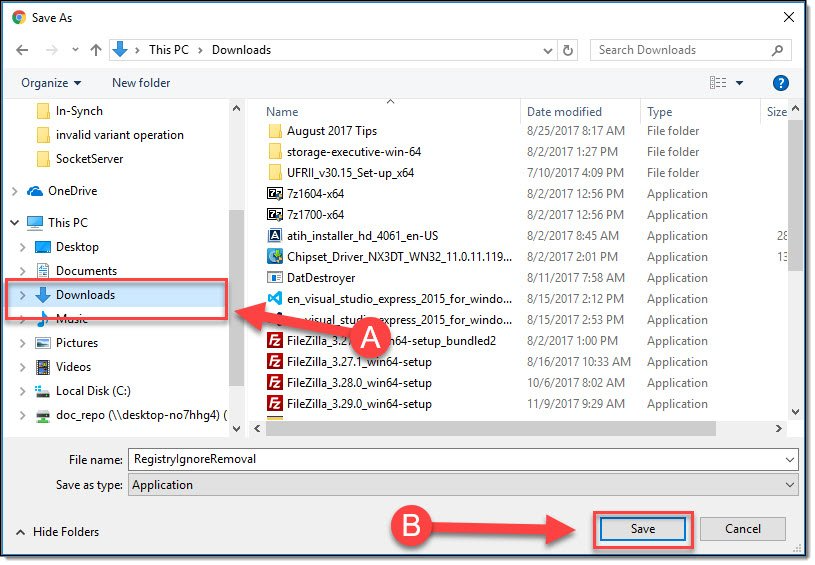](https://manula.s3.amazonaws.com/user/9801/img/registryignoreremovaltool-002.jpg)[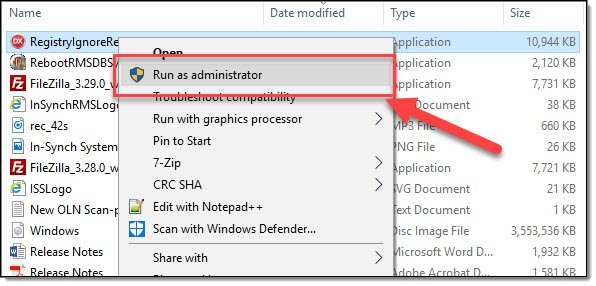](https://manula.s3.amazonaws.com/user/9801/img/registryignoreremovaltool-003.jpg)[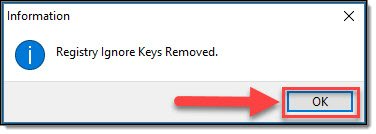](https://manula.s3.amazonaws.com/user/9801/img/registryignoreremovaltool-004.jpg)
Was this article helpful?
That’s Great!
Thank you for your feedback
Sorry! We couldn't be helpful
Thank you for your feedback
Let us know how can we improve this article! \*
Feedback sent
We appreciate your effort and will try to fix the article
**X**
- [Release Notes](https://kb.arms.com/in-synch/release-notes?hsLang=en#main-content)
- [Version 4.8](https://kb.arms.com/in-synch/release-notes?hsLang=en#version-4-8)
- [Knowledge base3](https://kb.arms.com/in-synch/knowledge-base3?hsLang=en#main-content)
- [How To](https://kb.arms.com/in-synch/knowledge-base3?hsLang=en#how-to)
- [Knowledge base2](https://kb.arms.com/in-synch/knowledge-base2?hsLang=en#main-content)
- [Modules](https://kb.arms.com/in-synch/knowledge-base2?hsLang=en#modules)
- [Knowledge base1](https://kb.arms.com/in-synch/knowledge-base1?hsLang=en#main-content)
- [State Reporting](https://kb.arms.com/in-synch/knowledge-base1?hsLang=en#state-reporting)
- [Internal Wiki](https://kb.arms.com/in-synch/knowledge-base1?hsLang=en#internal-wiki)
- [State Specific Modules](https://kb.arms.com/in-synch/knowledge-base1?hsLang=en#state-specific-modules)
- [Release Notes](https://kb.arms.com/in-synch/knowledge-base1?hsLang=en#release-notes)
- [In-Synch RMS QuickStart Video Series](https://kb.arms.com/in-synch/knowledge-base1?hsLang=en#in-synch-rms-quickstart-video-series)
- [Error Messages](https://kb.arms.com/in-synch/knowledge-base1?hsLang=en#error-messages)
- [Knowledge base](https://kb.arms.com/in-synch/knowledge-base?hsLang=en#main-content)
- [Interfaces](https://kb.arms.com/in-synch/knowledge-base?hsLang=en#interfaces)
[](http://arms.com)
[mailto:email@email.com](mailto:email@email.com)
Copyright © 2026, End2End Public Safety