---
title: Probation Query Install Instructions
description: In-Synch
---
[Skip to content](https://kb.arms.com/in-synch/probation-query-install-instructions#main-content)
English
Show submenu for translations

Open main navigation
Close main navigation
- English
Show submenu for translations
- Contact us
Contact us
How can we help you?
- There are no suggestions because the search field is empty.
1. [In-Synch](https://kb.arms.com/in-synch?hsLang=en)
2. [Knowledge base1](https://kb.arms.com/in-synch/knowledge-base1?hsLang=en)
3. [Internal Wiki](https://kb.arms.com/in-synch/knowledge-base1?hsLang=en#internal-wiki)
# Probation Query Install Instructions
No recent searches
Popular Articles

Sorry! nothing found for
### Probation Query Install Instructions
Created by Russ Hartle, Modified on Tue, 15 Apr, 2025 at 10:04 AM by Russ Hartle
1. Copy the following files to the Program Files \\ In-Synch Directory (Program Files (x86) on 64-bit machines)
1. ProbationQuery.exe
2. ProbationWebService.dll
3. ProbationSetup.exe
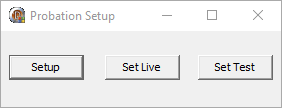
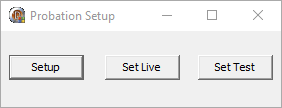
2. Run ProbationSetup
[](https://manula.s3.amazonaws.com/user/9801/img/probation-query-install-instructions-001.png)
1. Click Setup
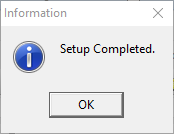
2. Wait Until You Receive the Success Message
[](https://manula.s3.amazonaws.com/user/9801/img/probation-query-install-instructions-002.png)
3. **IF YOU DON’T GET THIS MESSAGE CONTACT SUPPORT (1-800-243-6540)**
3. Open In-Synch.ini
4. Add the Following Section
[](https://manula.s3.amazonaws.com/user/9801/img/probation-query-install-instructions-001.png)[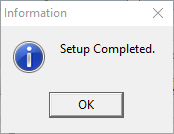](https://manula.s3.amazonaws.com/user/9801/img/probation-query-install-instructions-002.png)
1. If they haven’t done so already, have In-Synch Staff (1-800-243-6540) add the Dispatch icon to the toolbar (Only Needs to be done on one machine)
2. Make sure the proper user(s) or group(s) have the RMS.PROBATION\_QUERY right at a level of 7 in Security
3. Log into the RMS on this machine and click the CAD Interface icon
[](https://manula.s3.amazonaws.com/user/9801/img/probation-query-install-instructions-003.png)
4. The Probation Query App Should Open
[](https://manula.s3.amazonaws.com/user/9801/img/probation-query-install-instructions-004.png)
1. Type “Harold” in the First Name spot
2. Type “Smith” in the Last Name spot
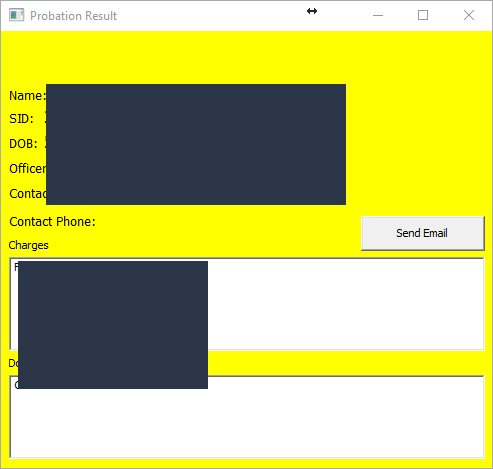
3. Click the Run Probation Query button (We are currently in Test mode)
4. Get a response back
[](https://manula.s3.amazonaws.com/user/9801/img/probation-query-install-instructions-005.png)
1. If you receive any errors Call In-Synch Support (1-800-243-6540)
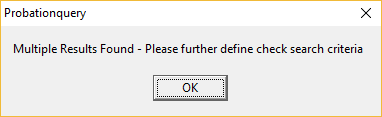
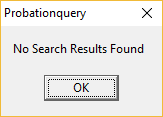
2. If the test data changes you may receive the following. They are also acceptable.
[](https://manula.s3.amazonaws.com/user/9801/img/probation-query-install-instructions-006.png)
[](https://manula.s3.amazonaws.com/user/9801/img/probation-query-install-instructions-007.png)
3. If the query is successful, we are ready to make the queries to the live system
5. Rerun Probation Setup
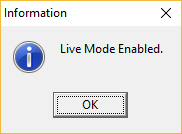
1. Click “Set Live”
[](https://manula.s3.amazonaws.com/user/9801/img/probation-query-install-instructions-008.png)
6. The application is now running against live data, please adhere to all data and user standards required by Probation and Agency Policy
[](https://manula.s3.amazonaws.com/user/9801/img/probation-query-install-instructions-003.png)[](https://manula.s3.amazonaws.com/user/9801/img/probation-query-install-instructions-004.png)[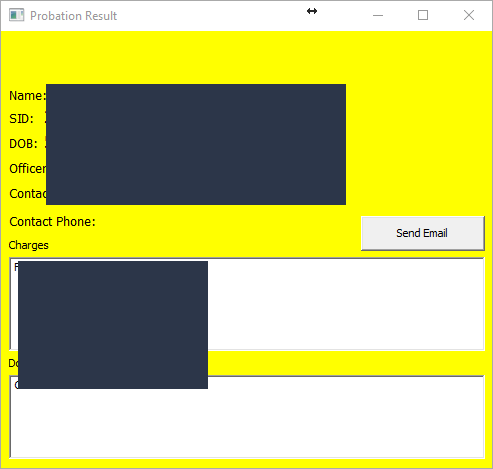](https://manula.s3.amazonaws.com/user/9801/img/probation-query-install-instructions-005.png)[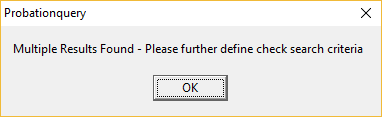](https://manula.s3.amazonaws.com/user/9801/img/probation-query-install-instructions-006.png)[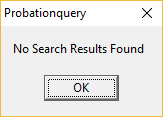](https://manula.s3.amazonaws.com/user/9801/img/probation-query-install-instructions-007.png)[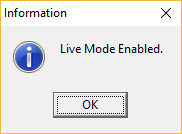](https://manula.s3.amazonaws.com/user/9801/img/probation-query-install-instructions-008.png)
Was this article helpful?
That’s Great!
Thank you for your feedback
Sorry! We couldn't be helpful
Thank you for your feedback
Let us know how can we improve this article! \*
Feedback sent
We appreciate your effort and will try to fix the article
**X**
- [Release Notes](https://kb.arms.com/in-synch/release-notes?hsLang=en#main-content)
- [Version 4.8](https://kb.arms.com/in-synch/release-notes?hsLang=en#version-4-8)
- [Knowledge base3](https://kb.arms.com/in-synch/knowledge-base3?hsLang=en#main-content)
- [How To](https://kb.arms.com/in-synch/knowledge-base3?hsLang=en#how-to)
- [Knowledge base2](https://kb.arms.com/in-synch/knowledge-base2?hsLang=en#main-content)
- [Modules](https://kb.arms.com/in-synch/knowledge-base2?hsLang=en#modules)
- [Knowledge base1](https://kb.arms.com/in-synch/knowledge-base1?hsLang=en#main-content)
- [State Reporting](https://kb.arms.com/in-synch/knowledge-base1?hsLang=en#state-reporting)
- [Internal Wiki](https://kb.arms.com/in-synch/knowledge-base1?hsLang=en#internal-wiki)
- [State Specific Modules](https://kb.arms.com/in-synch/knowledge-base1?hsLang=en#state-specific-modules)
- [Release Notes](https://kb.arms.com/in-synch/knowledge-base1?hsLang=en#release-notes)
- [In-Synch RMS QuickStart Video Series](https://kb.arms.com/in-synch/knowledge-base1?hsLang=en#in-synch-rms-quickstart-video-series)
- [Error Messages](https://kb.arms.com/in-synch/knowledge-base1?hsLang=en#error-messages)
- [Knowledge base](https://kb.arms.com/in-synch/knowledge-base?hsLang=en#main-content)
- [Interfaces](https://kb.arms.com/in-synch/knowledge-base?hsLang=en#interfaces)
[](http://arms.com)
[mailto:email@email.com](mailto:email@email.com)
Copyright © 2026, End2End Public Safety