---
title: DMV
description: DMV
---
[Skip to content](https://kb.arms.com/ticketrak/dmv#main-content)
English
Show submenu for translations

Open main navigation
Close main navigation
- English
Show submenu for translations
- [Customer Portal](https://helpdesk.arms.com/tickets)
[Customer Portal](https://helpdesk.arms.com/tickets?hsLang=en)
How can we help you?
- There are no suggestions because the search field is empty.
1. [TickeTrak](https://kb.arms.com/ticketrak?hsLang=en)
2. [TickeTrak Admin](https://kb.arms.com/ticketrak/ticketrak-admin?hsLang=en)
# DMV
### ***DMV***
***Note:*** *DMV is an optional module.*
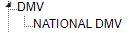
*DMV TreeView*
### **National DMV**
Enter the criteria settings for National DMV Inquiries.

*National DMV Settings*
Click **Add** to add a new Inquiry Criteria. Click the edit button (pencil icon) to edit an existing Inquiry Criteria. Click the X button to delete an Inquiry Criteria.
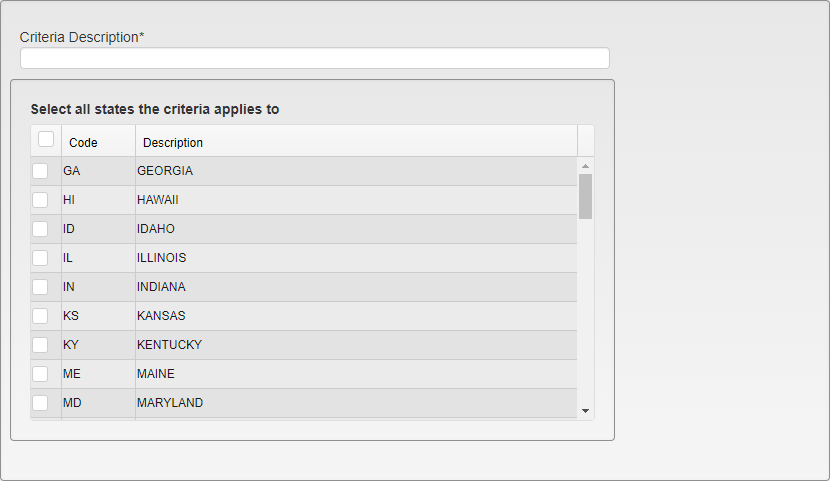
*Criteria Setup*
**Criteria Description** - Enter a description for the Inquiry Criteria.
**Select States** - Select the states that the Inquiry Criteria will apply to. Only Vehicles with license plates from the selected states will be listed when the Inquiry is run.
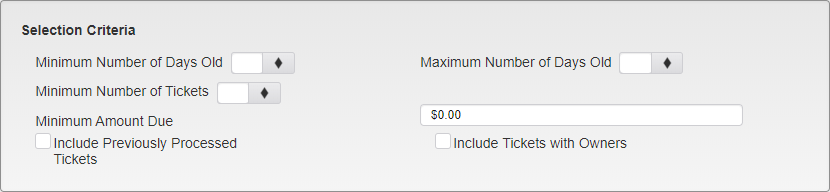
*Selection Criteria*
**Minimum Number of Days Old** - Enter the minimum number of days old a Ticket can be for its Vehicle information to be collected by the Inquiry.
**Maximum Number of Days Old** - Enter the maximum number of days old a Ticket can be for its Vehicle information to be collected by the Inquiry.
**Minimum Number of Tickets** - Enter the minimum number of Tickets associated with a Vehicle for the Vehicle information to be collected by the Inquiry.
**Minimum Amount Due** - Enter the minimum total amount due on all of the Tickets associated with a Vehicle for the Vehicle information to be collected by the Inquiry.
*Include Previously Processed Tickets* - Check this box to include Tickets that have previously been picked up by an Inquiry as part of the results.
*Include Tickets with Owners* - Check this box to include Tickets with an associated Person as part of the results.
- [TickeTrak Admin](https://kb.arms.com/ticketrak/ticketrak-admin?hsLang=en)
- [TickeTrak User](https://kb.arms.com/ticketrak/ticketrak-user?hsLang=en)
- [TickeTrak Mobile](https://kb.arms.com/ticketrak/ticketrak-mobile?hsLang=en)
- [Release Notes](https://kb.arms.com/ticketrak/release-notes?hsLang=en)
[mailto:email@email.com](mailto:email@email.com)
Copyright © 2026, End2End Public Safety