---
title: Manage Duplicates
description: Manage Duplicates
---
[Skip to content](https://kb.arms.com/ticketrak/manage-duplicates#main-content)
English
Show submenu for translations

Open main navigation
Close main navigation
- English
Show submenu for translations
- [Customer Portal](https://helpdesk.arms.com/tickets)
[Customer Portal](https://helpdesk.arms.com/tickets?hsLang=en)
How can we help you?
- There are no suggestions because the search field is empty.
1. [TickeTrak](https://kb.arms.com/ticketrak?hsLang=en)
2. [TickeTrak User](https://kb.arms.com/ticketrak/ticketrak-user?hsLang=en)
# Manage Duplicates
### ***Manage Duplicates***
### **People Merge**
The **People Merge** utility is used when there are duplicate records of the same Person in the system. This allows you to review both records side by side so that they can be merged into one and reduce the number of duplicates in the system.
Search for the **Person Name** or **Account ID** you are saving.
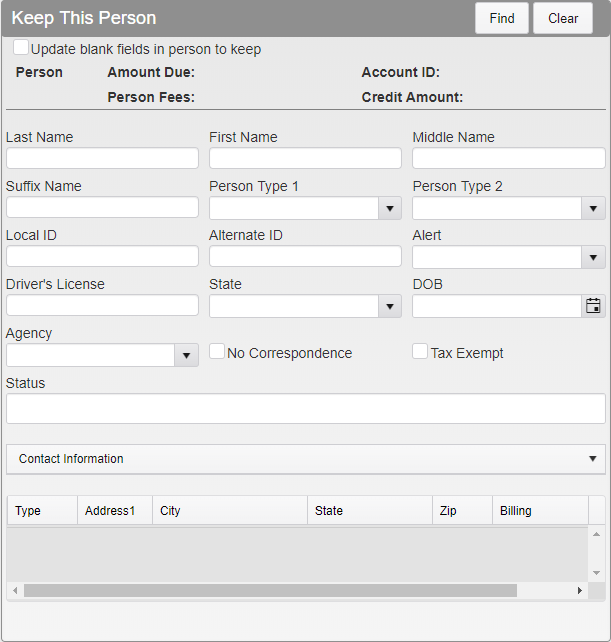
*People Merge Menu*
Search for and select the **Person Name** or **Account ID** you are merging.
Verify that the names are correct. Checking *Update blank fields* will fill in blank fields in the entry being kept with information from the entry being merged. Click **Merge**.
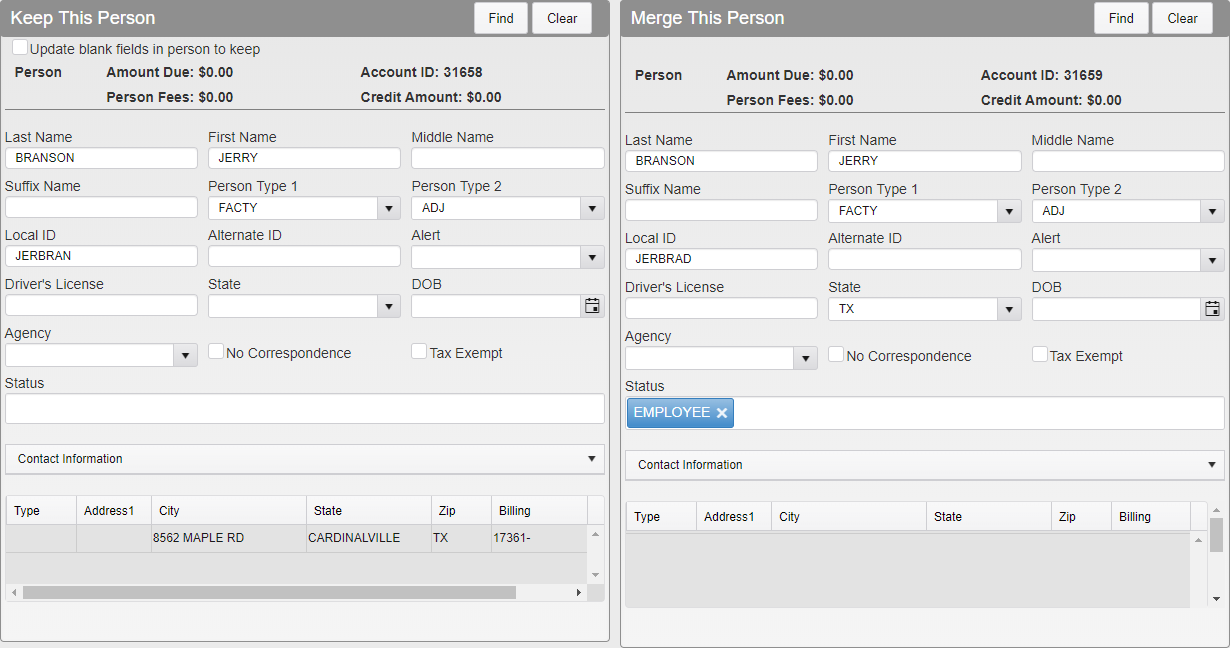
*People Merge Full Menu*
The **Person** module will open, showing you what the merged record will include.
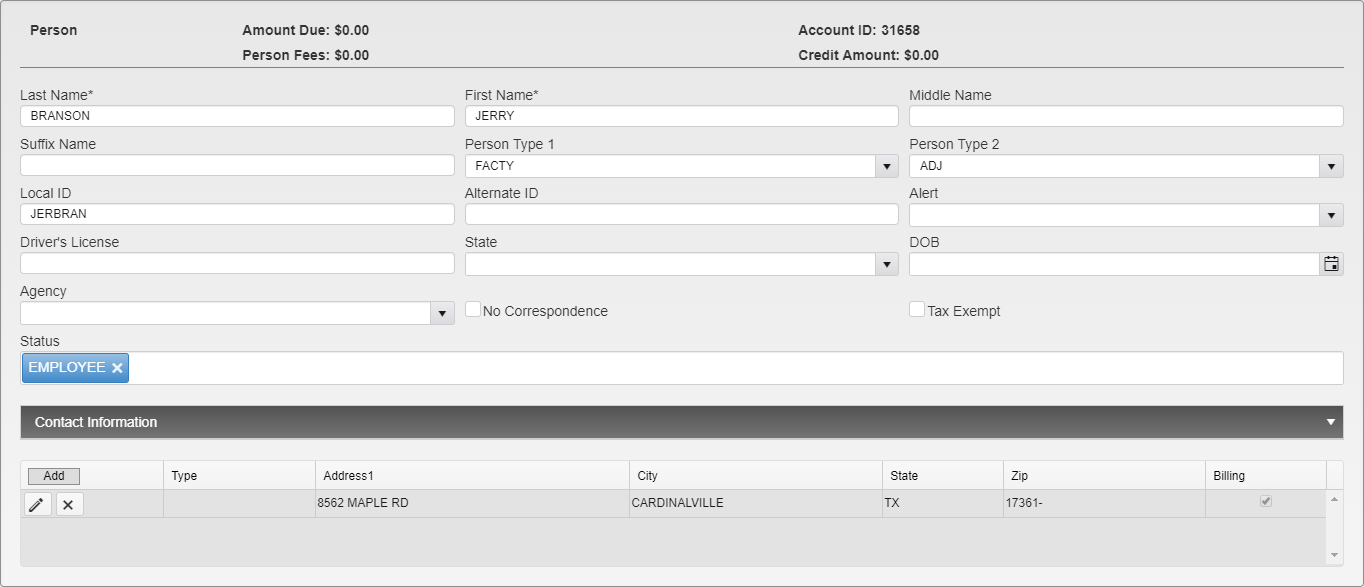
*Person Module in People Merge*
Make any changes needed. Click on the X button to delete an address. Click **Save** to finalize and save the record.

*Address Deletion Sample*
***Note:*** *Any Vehicles or Addresses linked to the merged Person will automatically link to the newly merged Person account, unless they were edited during the merge.*
### **Vehicle Merge**
The **Vehicle Merge** utility is used when there are duplicate records of the same Vehicle in the system. This allows you to review both records side by side so that they can be merged into one and reduce the number of duplicates in the system.
Search for the **License Plate** you are saving.
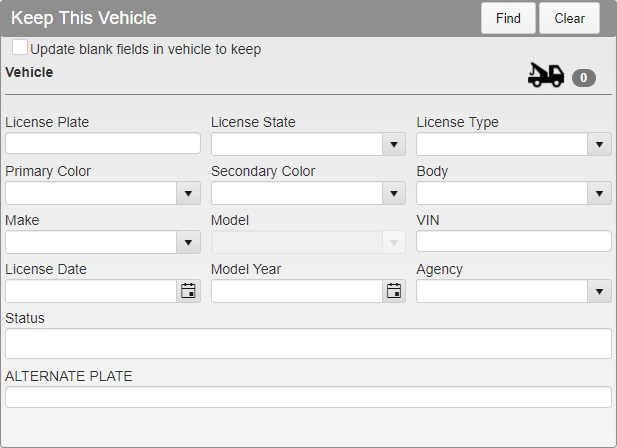
*Vehicle Merge Menu*
Search for and select the **License Plate** you are merging.
Verify that the plates are correct. Checking *Update blank fields* will fill in blank fields in the entry being kept with information from the entry being merged. Click **Merge**.
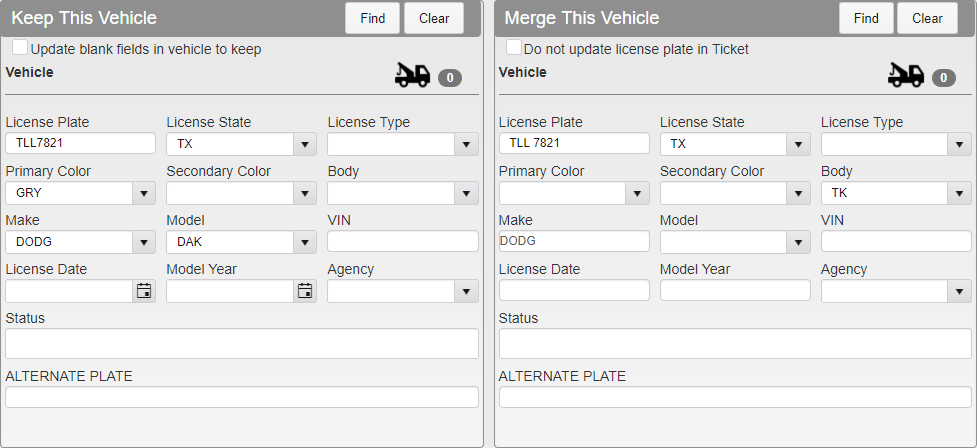
*Vehicle Merge Full Menu*
The **Vehicle** module will open, showing you what the merged record will include.
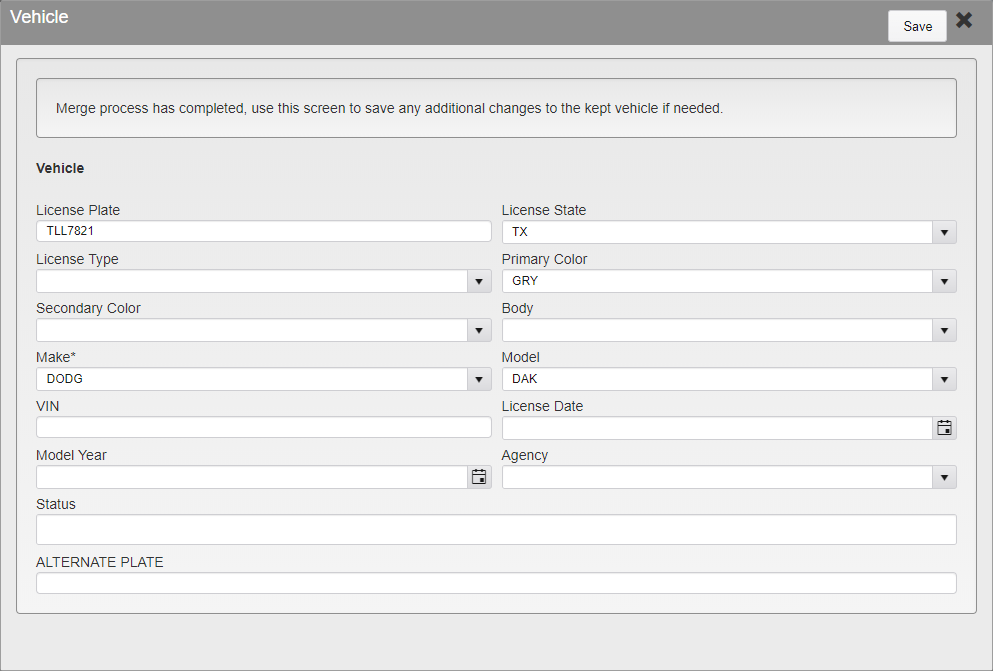
*Vehicle Module in Vehicle Merge*
Make any additional changes as needed. Click **Save** to finalize and save the record.
- [TickeTrak Admin](https://kb.arms.com/ticketrak/ticketrak-admin?hsLang=en)
- [TickeTrak User](https://kb.arms.com/ticketrak/ticketrak-user?hsLang=en)
- [TickeTrak Mobile](https://kb.arms.com/ticketrak/ticketrak-mobile?hsLang=en)
- [Release Notes](https://kb.arms.com/ticketrak/release-notes?hsLang=en)
[mailto:email@email.com](mailto:email@email.com)
Copyright © 2026, End2End Public Safety