
No recent searches
Popular Articles

Sorry! nothing found for
Adding a New Database Preference
Created by Russ Hartle, Modified on Tue, 1 Apr, 2025 at 2:02 PM by Russ Hartle
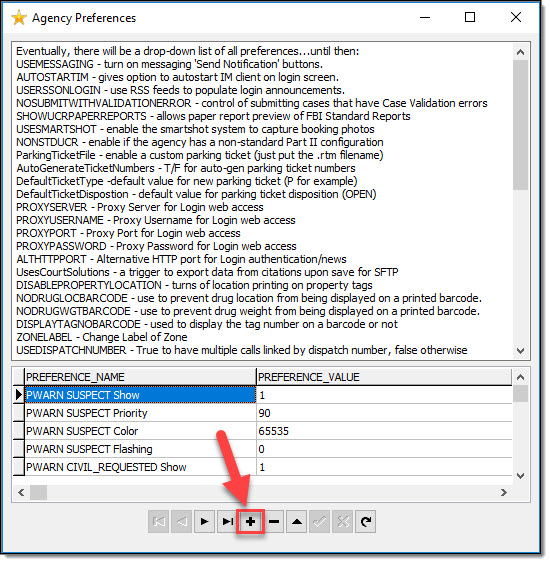
To enter a new preference, select the “+” button at the bottom of the Agency Preferences window.
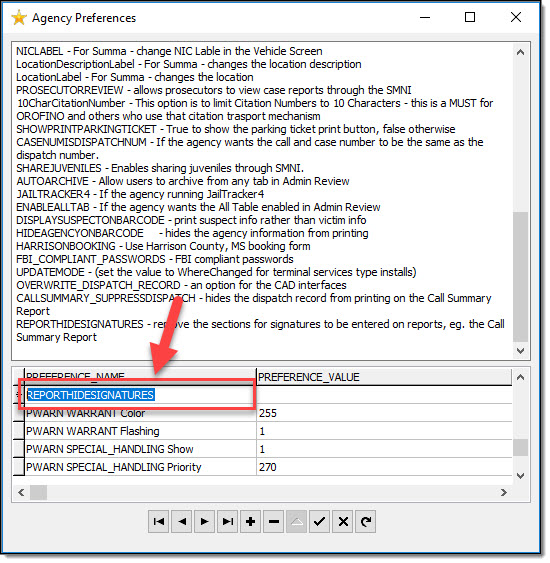
Copy and Paste (or manually type) the Preference Name into the new line.
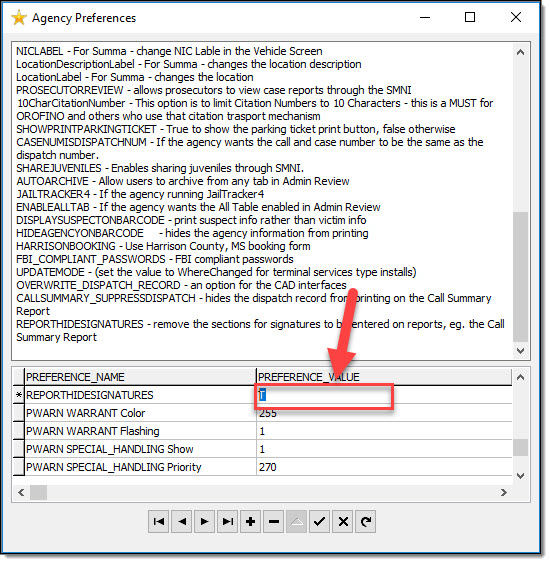
Enter the Preference Value into the new line.
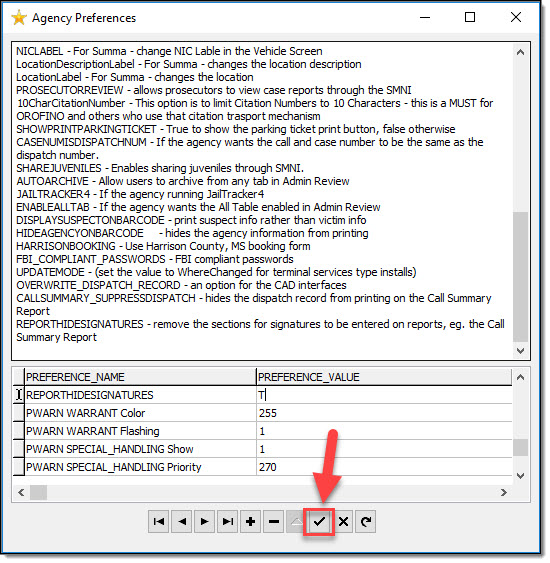
Select the “Check Mark” button to finish adding the preference to the grid.
!Tips:
Most preferences will have values of “T” or “F” (True or False), but there are some preferences that use other values.
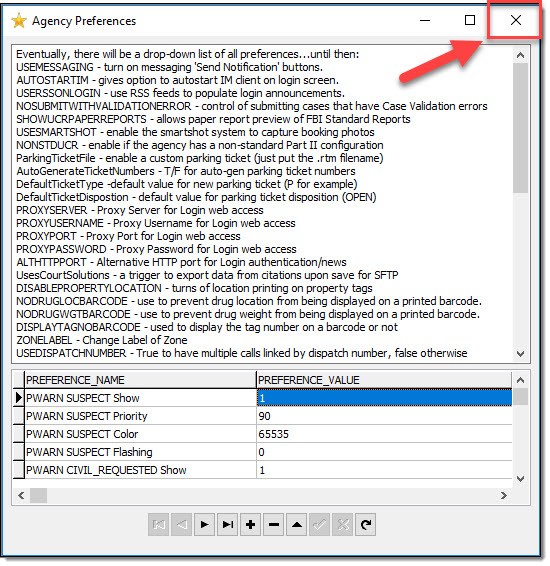
Once you have finished adding any needed preferences, close the Agency Preferences window by using the “X” in the upper right-hand corner.
Follow the instructions supplied in the Warning window. (Close all applications, RMS toolbar, and restart all RMS associated services.)

Was this article helpful?
That’s Great!
Thank you for your feedback
Sorry! We couldn't be helpful
Thank you for your feedback
Let us know how can we improve this article!
Feedback sent
We appreciate your effort and will try to fix the article
X