
No recent searches
Popular Articles

Sorry! nothing found for
Adding a Warning
Created by Russ Hartle, Modified on Tue, 24 Jun, 2025 at 2:33 PM by Russ Hartle
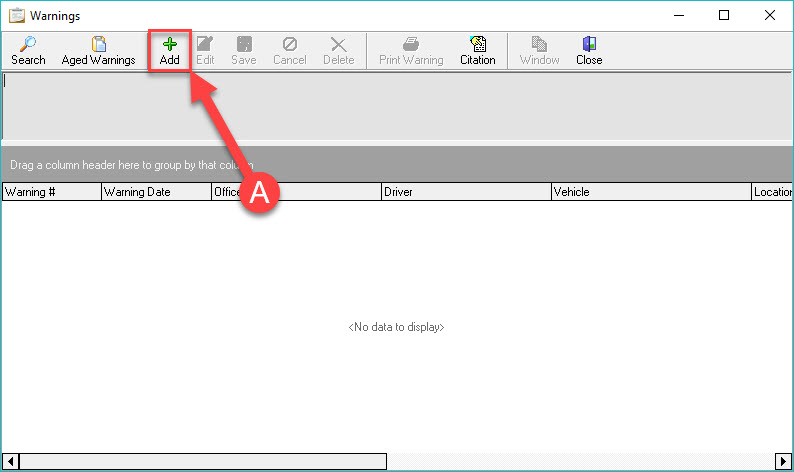
To add a Warning to the RMS system, with the Warning module open, press the ‘Add’ button (A).
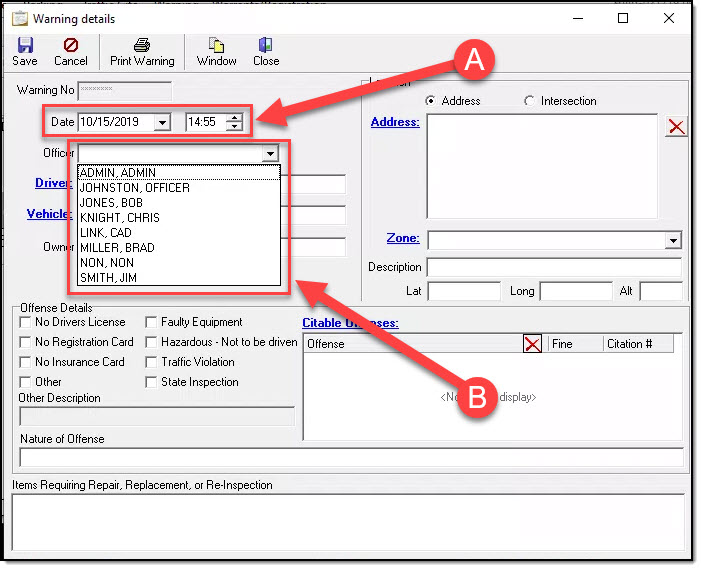
This will open the Warning details window where you can fill in the details of the Warning. Fill in the date/time, driver, vehicle, and if it requires a follow up (A). Then set the location of the warning (B). Next, enter the Offense Details, including the Crimes Codes you would have cited the driver for ( C ). Finally, add notes on what needs to be repaired, replaced, or Re-Inspected (D).
*Tips:
The Crimes Codes you link on a Warning will be what a driver is cited for if the Warning ages into a Citation.
Was this article helpful?
That’s Great!
Thank you for your feedback
Sorry! We couldn't be helpful
Thank you for your feedback
Let us know how can we improve this article!
Feedback sent
We appreciate your effort and will try to fix the article
X