
No recent searches
Popular Articles

Sorry! nothing found for
Citations from Warnings
Created by Russ Hartle, Modified on Tue, 24 Jun, 2025 at 2:34 PM by Russ Hartle
Warnings can generate either a Traffic or a Non-Traffic citation. This is determined by the Crimes Code used on the Warning.
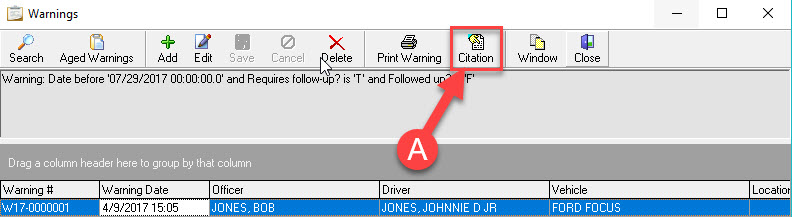
To create a citation from a warning, press the Citation Button, and every warning that is overdue (and has not been marked as Followed up) will be turned into Citation (A).
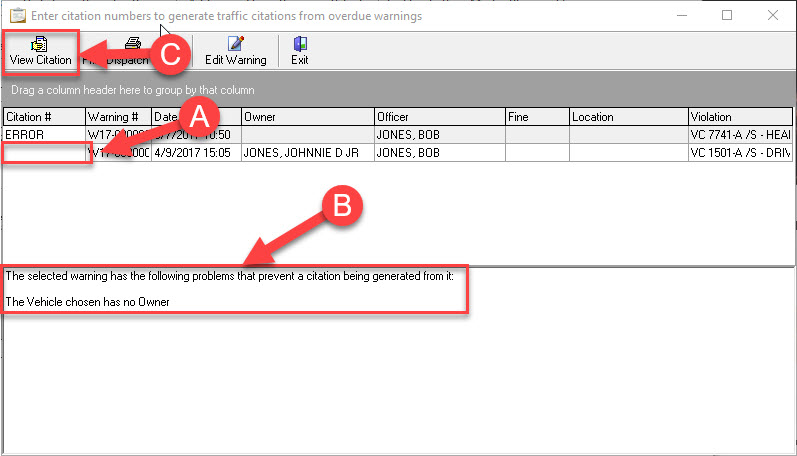
The Warning Citation module opens, where you can enter the Citation number for the overdue Warning(s) (A). If there is an error that stops the citation from being created, it shows ‘Error’ in the Citation# field and displays the reason in the text field (B). Once you have entered the Citation #, you can preview the citation by pressing the View Citation button ( C ).
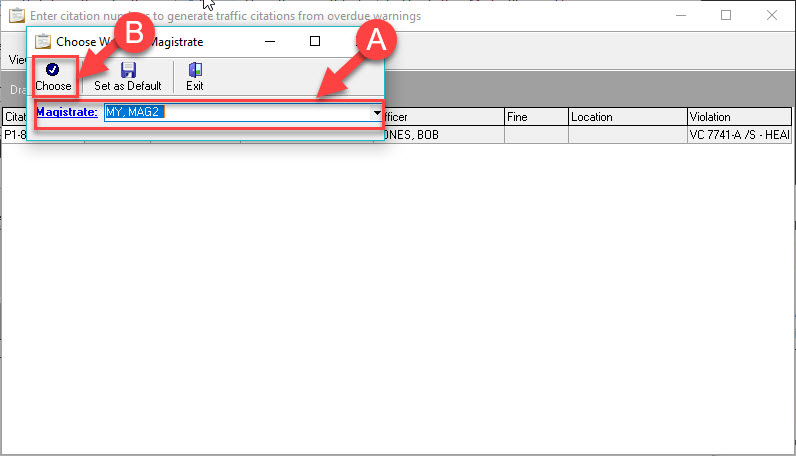
When the system goes to view the citation, you may be asked to set a magistrate for the Citation. To do this, select the correct Magistrate from the drop down list (A), and then press Choose (B).
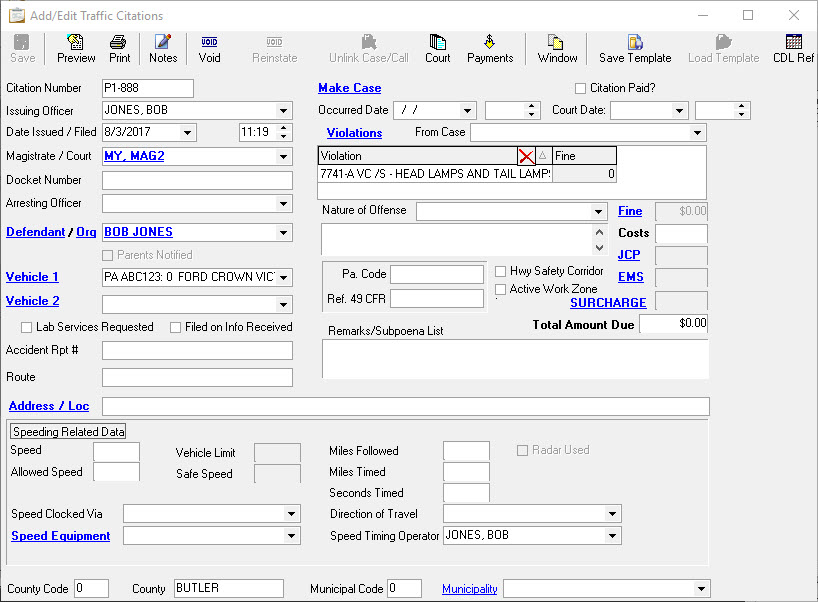
This will then open the Add/Edit Citation window.
!Did You Know?
By default, Citations generated from a Warning use the Vehicle Owner as the Defendant. If the Citation needs to be filed against the Driver, you can generate the Citation, and then change the Defendant through the Add/Edit Citation window.
Was this article helpful?
That’s Great!
Thank you for your feedback
Sorry! We couldn't be helpful
Thank you for your feedback
Let us know how can we improve this article!
Feedback sent
We appreciate your effort and will try to fix the article
X