
No recent searches
Popular Articles

Sorry! nothing found for
Clearing a Served Warrant
Created by Russ Hartle, Modified on Tue, 24 Jun, 2025 at 2:42 PM by Russ Hartle
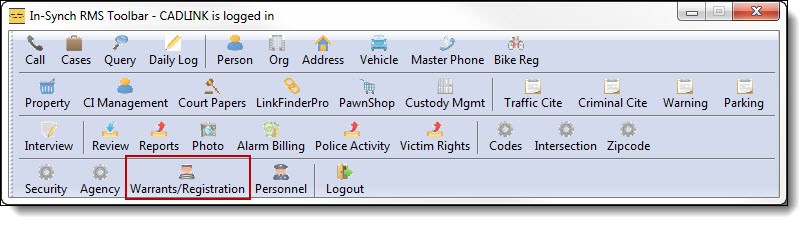
1. Once a warrant has been served, it must be listed as “Served” in the RMS to prevent notification. Click on the “Warrants and Registration” button from the main RMS toolbar.
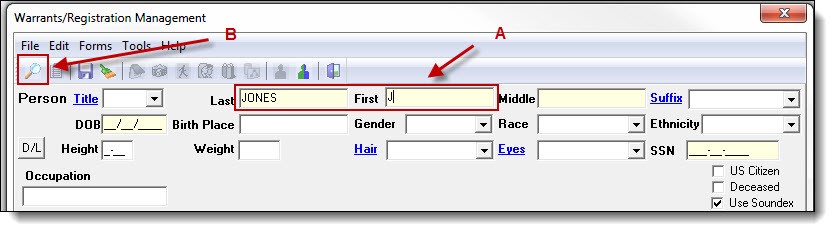
2. Enter part of the person’s last name, first name, or both (A), and then click the “Search” button (B).
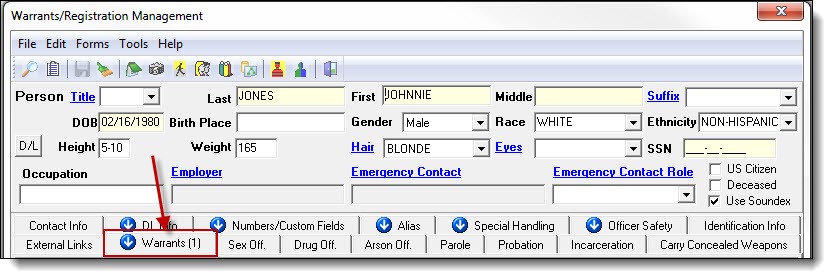
3. Once a person record has been chosen, click the Warrants tab.
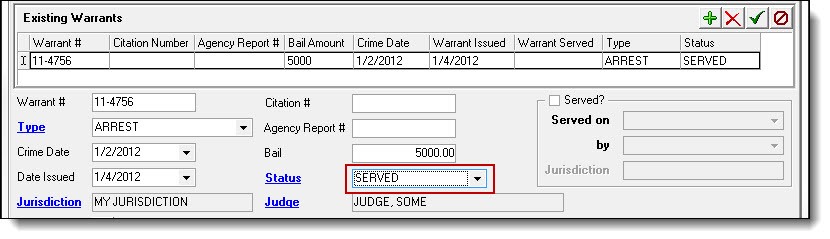
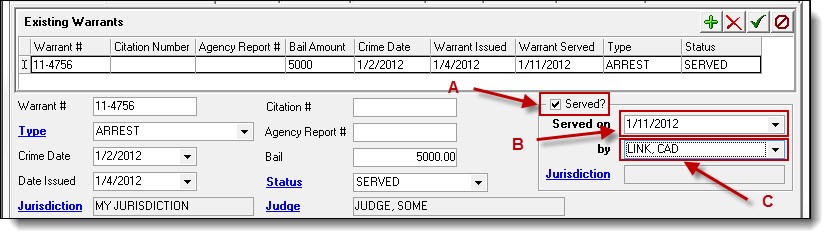
4. Change the status to “Served” using the drop down list.
5. Users must also select the” Served?” checkbox (A), enter the warrant served date (B), an officer serving the warrant (C.) from the corresponding drop down lists.
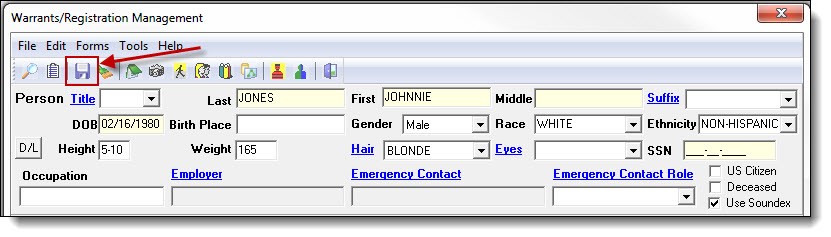
6. Save the update information by clicking the “Save” button at the top of the Warrant/Registration window.
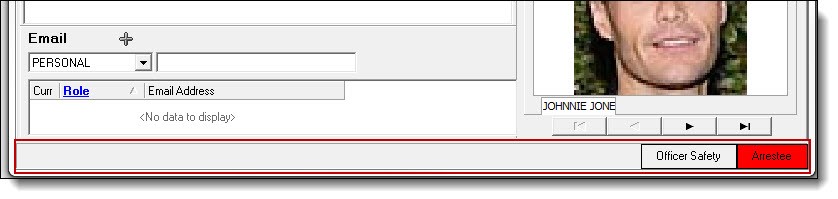
7. Once the record has been saved, the active warrant warning will no longer be associated with the person record. However, the history of the warrant will still be available through the person’s Master Name Index.
Was this article helpful?
That’s Great!
Thank you for your feedback
Sorry! We couldn't be helpful
Thank you for your feedback
Let us know how can we improve this article!
Feedback sent
We appreciate your effort and will try to fix the article
X