
No recent searches
Popular Articles

Sorry! nothing found for
Contact Information Tab
Created by Russ Hartle, Modified on Wed, 10 Sep, 2025 at 3:47 PM by Russ Hartle
Contact Information Tab
1. The Contact Information tab displays the informant’s addresses, phone numbers, email addresses, and photos. These items are pulled into CI Management from the contact’s person record. Edits must be made to the person record in order to reflect in the CI Management module.
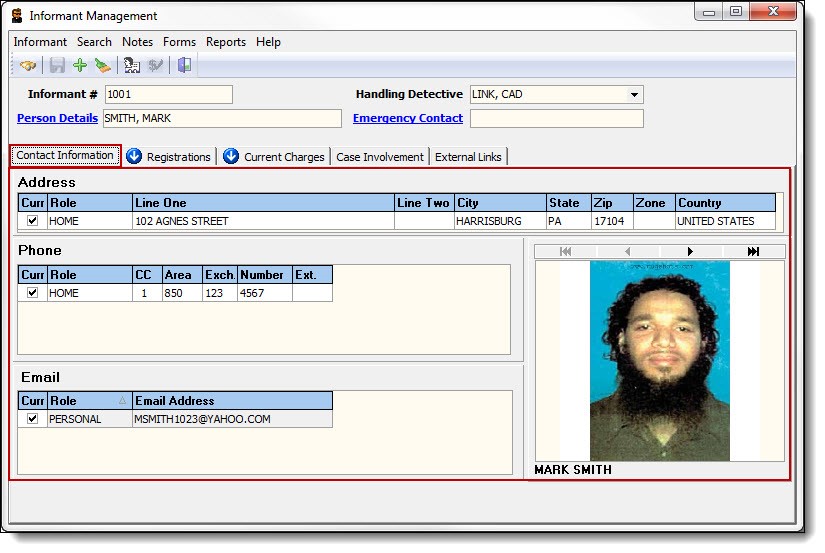
2. To view or edit the informant’s person record, click the blue words “Person Details”.

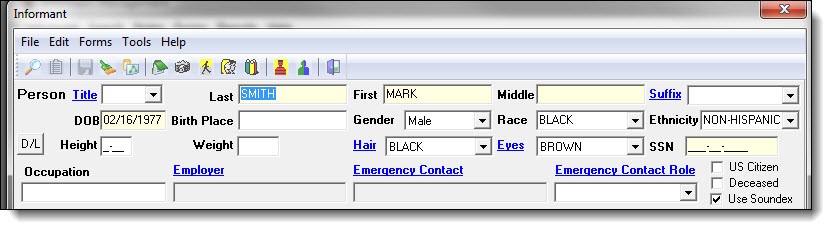
3. The informant’s person record will open in the Person Management window.
!Did You Know?
By opening the person record, you can add or edit addresses, phone numbers, photos, etc. You can also view associations, affiliations, and the person’s Master Name Index.
Was this article helpful?
That’s Great!
Thank you for your feedback
Sorry! We couldn't be helpful
Thank you for your feedback
Let us know how can we improve this article!
Feedback sent
We appreciate your effort and will try to fix the article
X