
No recent searches
Popular Articles

Sorry! nothing found for
Creating a New Intersection
Created by Russ Hartle, Modified on Fri, 12 Sep, 2025 at 3:32 PM by Russ Hartle
Creating a New Intersection
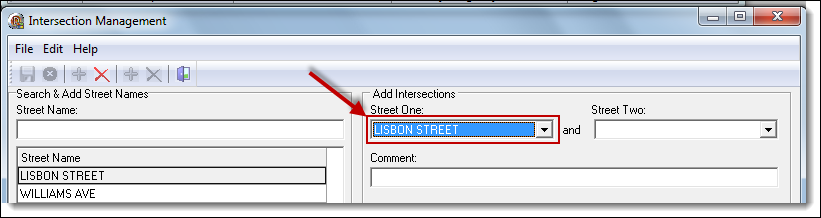
1. With the street names entered, select the main road as “Street One” in the Add Intersections section.
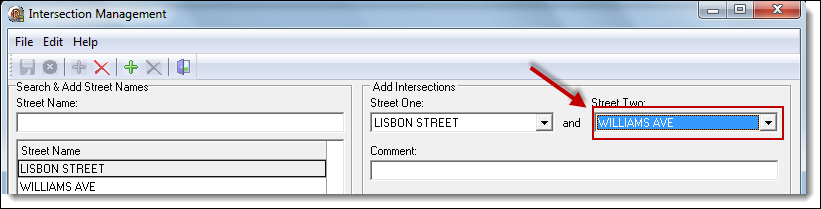
2. Select the first intersecting road as “Street Two”.
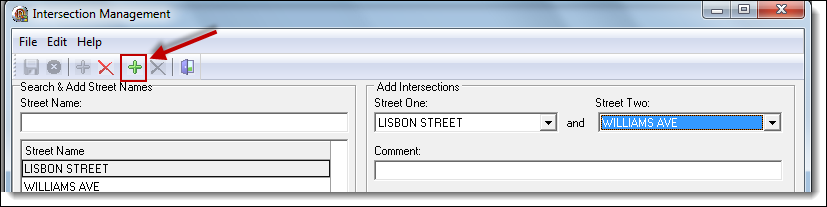
3. Click the “Add Intersection” button to add the intersection to the list.
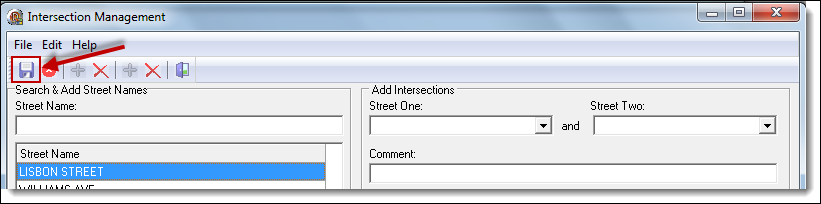
4. Click the “Save” button to save the intersection.
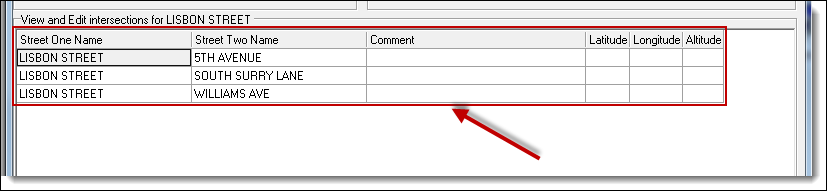
5. Repeat steps 1-4 above to create the additional two intersections. Once complete, the three intersections will be displayed in the grid.
*Tips:
Latitude, Longitude, Altitude, and Comments can be recorded about each intersection.
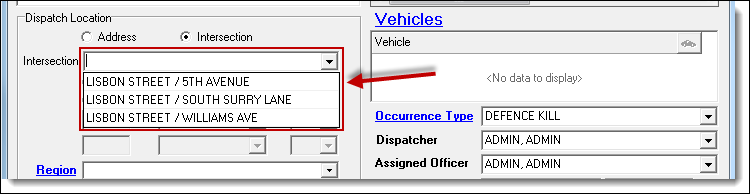
6. The intersections are then available for use in Calls, Cases, etc.
Was this article helpful?
That’s Great!
Thank you for your feedback
Sorry! We couldn't be helpful
Thank you for your feedback
Let us know how can we improve this article!
Feedback sent
We appreciate your effort and will try to fix the article
X