
No recent searches
Popular Articles

Sorry! nothing found for
Creating a New Query
Created by Russ Hartle, Modified on Fri, 20 Jun, 2025 at 2:40 PM by Russ Hartle
In general, the procedure for creating a new query is:
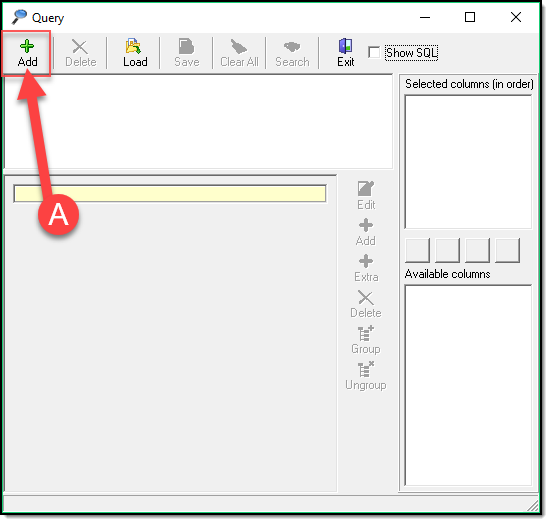
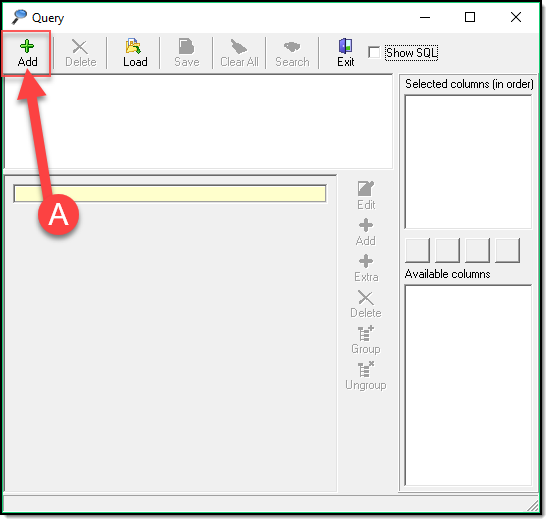
- Click the top Add (A) button to add a major category.
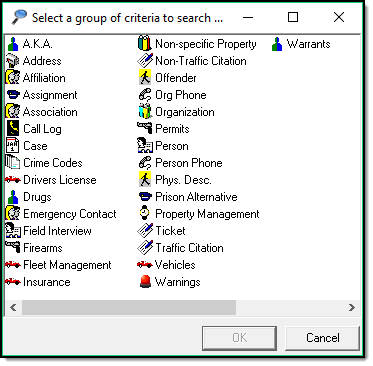
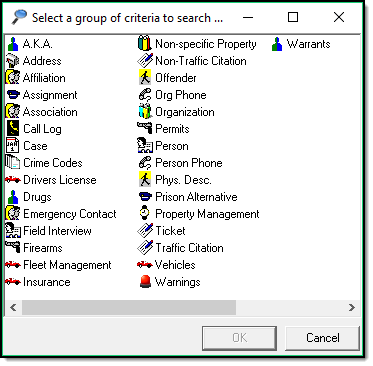
- Choose your criteria from the criteria builder section and click OK.
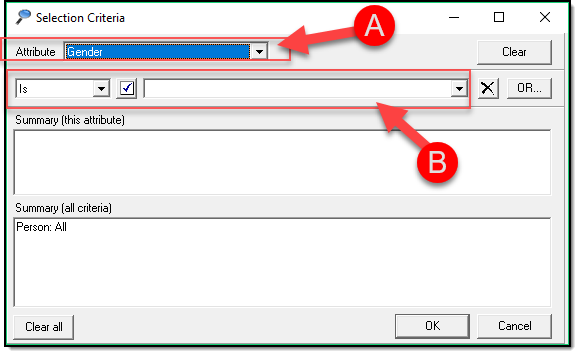
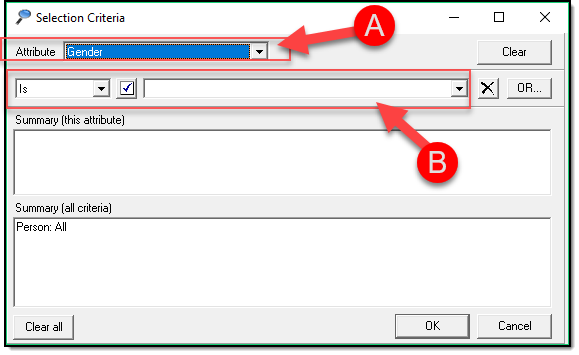
- Define your Attribute (A) and define its Criteria (B)
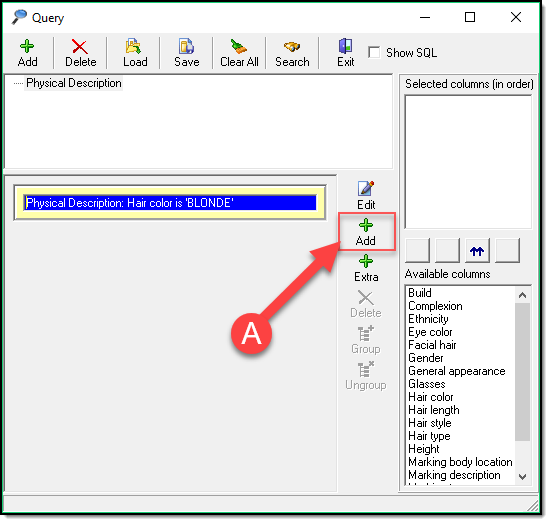
- Build the display hierarchy by adding levels with the Bottom Add Button (A). This adds an Or between search criteria.
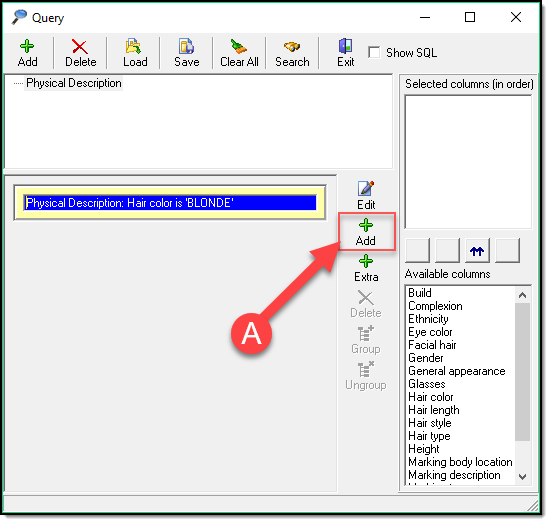
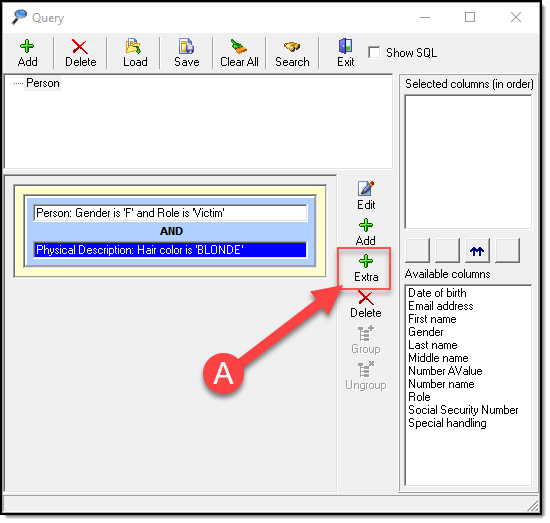
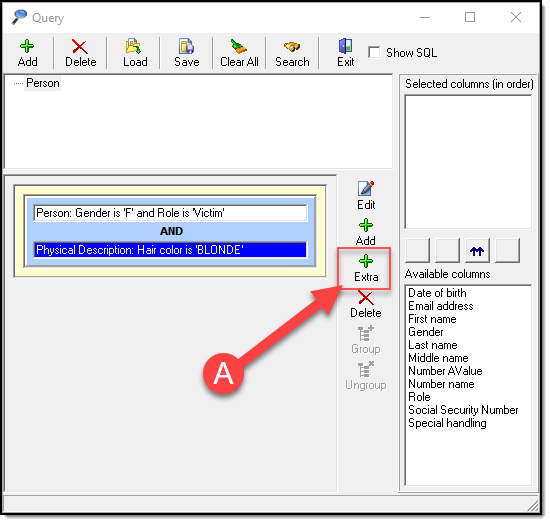
- Add Extra Criteria by clicking the Add Extra button (A) and repeating steps 2-3. This adds an And between search criteria.
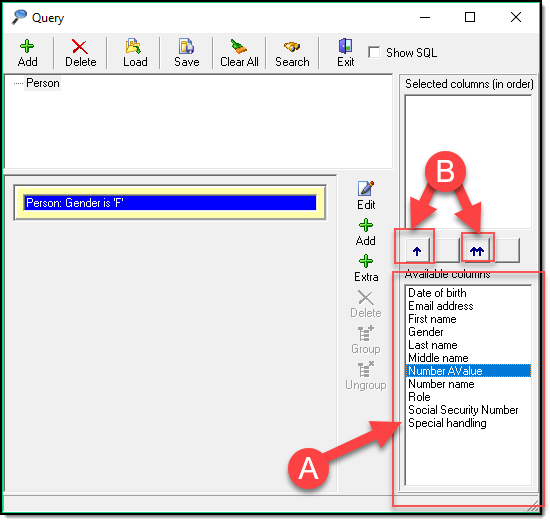
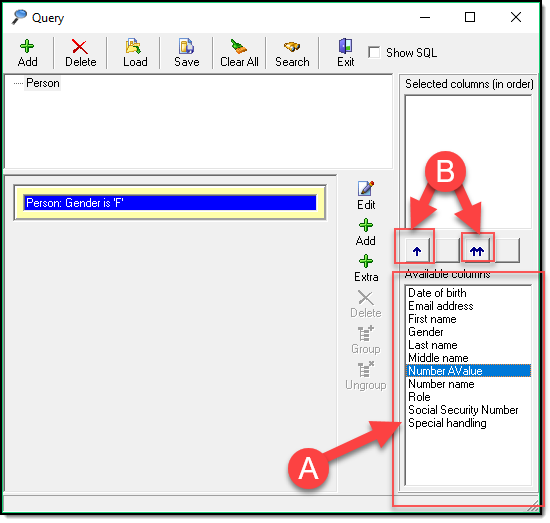
- Select the display fields(lower right) you would like to return (A) and use the individual selection arrow (this is useful if you only want to return specific fields) or all selection arrow (B) to move the results to the upper section.
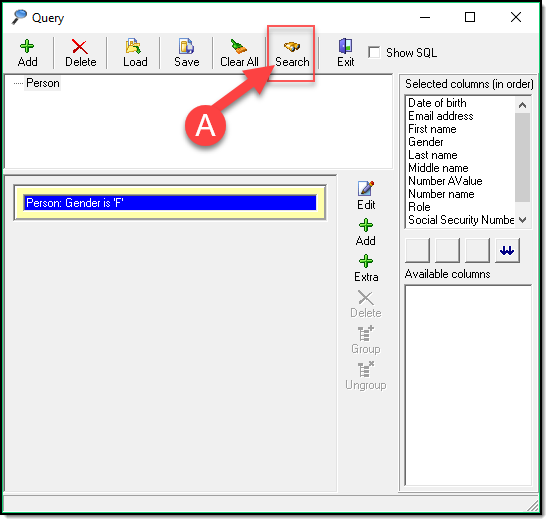
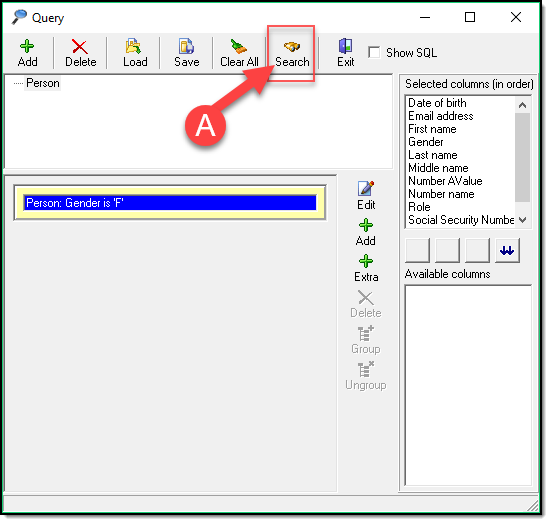
- Click Search (A) to run your query.
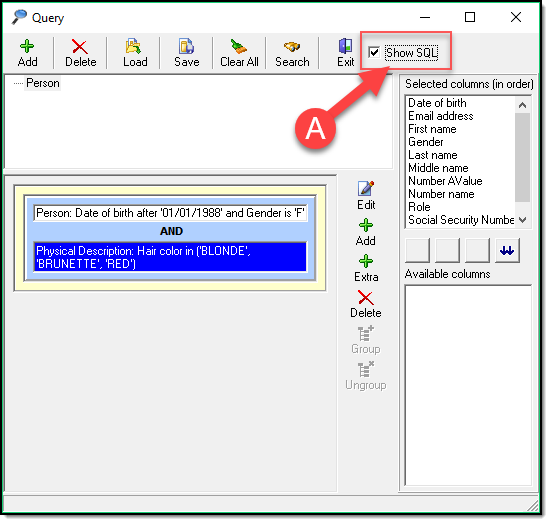
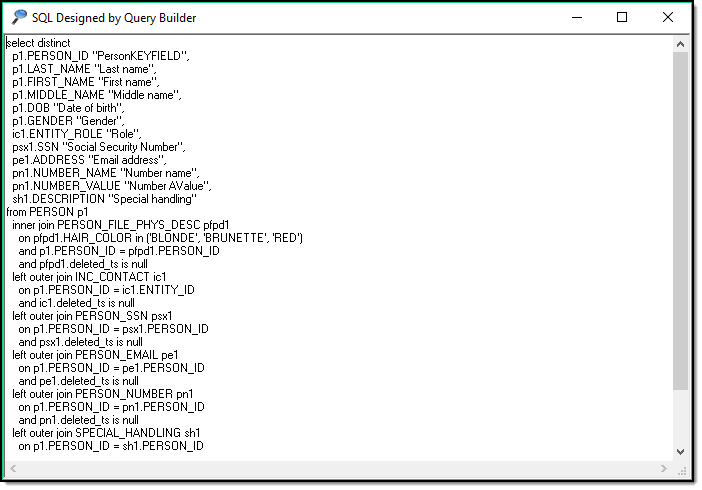
The “Show SQL” (A) check box is for use by advanced users only. This generates a SQL statement for your given query.
Was this article helpful?
That’s Great!
Thank you for your feedback
Sorry! We couldn't be helpful
Thank you for your feedback
Let us know how can we improve this article!
Feedback sent
We appreciate your effort and will try to fix the article
X