
No recent searches
Popular Articles

Sorry! nothing found for
Creating a Username and Password
Created by Russ Hartle, Modified on Fri, 12 Sep, 2025 at 3:43 PM by Russ Hartle
Creating a Username and Password
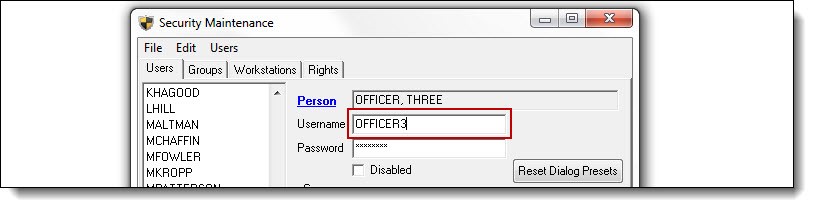
1. By default, the RMS gives the person a username of “USER1”. Click in the Username field, and enter a new username. The username will appear to be in all CAPS; this is just the font type. It is not case sensitive, and there are no restrictions on length or format.
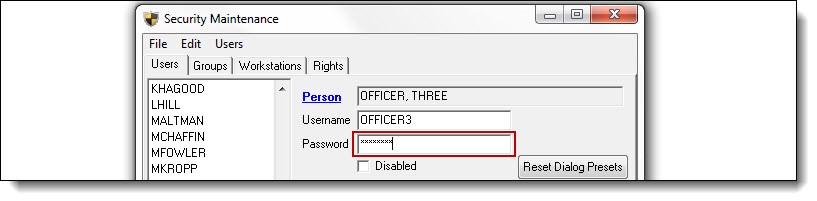
2. Enter a password for the user. The password is encrypted, masked, and is case sensitive. By default, there are no restrictions on length or format.
!Did You Know?
CJIS security procedures are available to be implemented agency wide for login passwords. Contact your trainer or the In-Synch Systems Helpdesk at 1-800-243-6540 x ext. 1 for more information.
Was this article helpful?
That’s Great!
Thank you for your feedback
Sorry! We couldn't be helpful
Thank you for your feedback
Let us know how can we improve this article!
Feedback sent
We appreciate your effort and will try to fix the article
X