
No recent searches
Popular Articles

Sorry! nothing found for
Criminal Complaint/Juvenile Allegation - Offenses, Contacts, and Affidavit Tabs
Created by Kris Wahler, Modified on Thu, 1 May, 2025 at 10:18 AM by Kris Wahler
Offenses, Contacts, and Affidavit Tabs
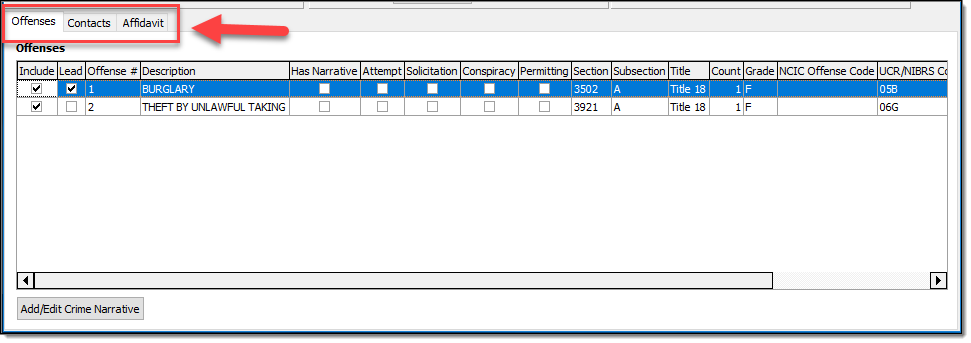
To allow for more information to be viewable and to create an easier workflow, the Offenses, Contacts, and Affidavit data has been moved to separate tabs on the CC/JA Configuration windows.
Add/Edit Crime Narratives
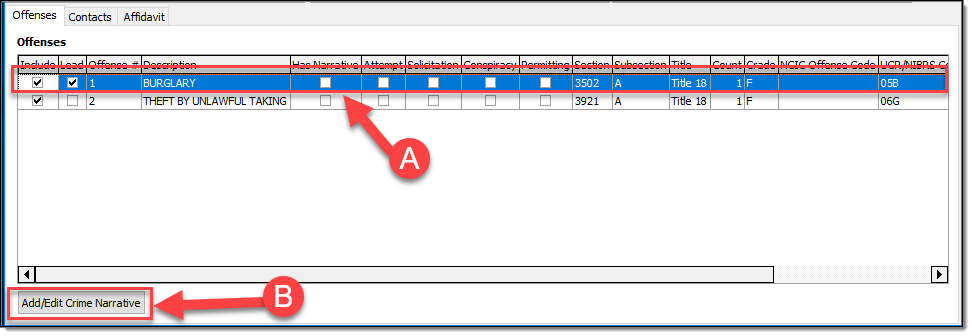
The Add/Edit Crime Narratives function can be found on the Offenses Tab. Highlight an Offense in the grid (A) and then select the “Add/Edit Crime Narrative” button (B) to open the narrative editor.
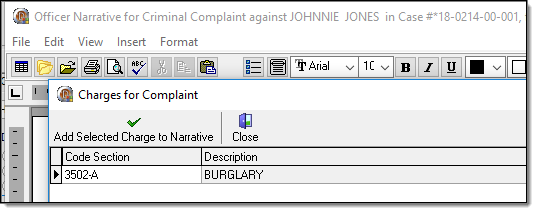
The Offense Narrative window will open with the standard options (Copy/Paste, Import Charging Guidelines, etc.).
Attempt, Solicitation, and Conspiracy
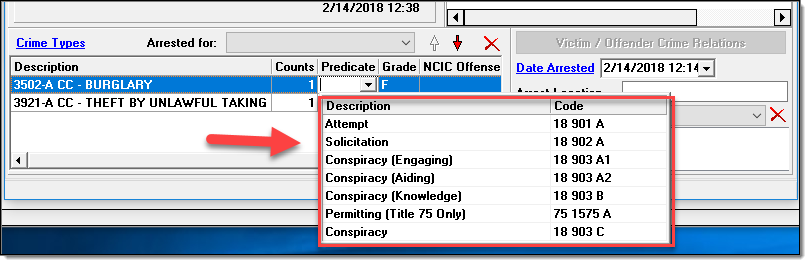
The “Conspiracy Engaging”, “Conspiracy Aiding”, and “Conspiracy Knowledge” fields have been removed from the Offenses grid in favor of a singular “Conspiracy” field.


These fields all referred to an older version of the CC/JA and are no longer recorded separately. The “Attempt”, “Solicitation”, “Conspiracy”, and “Permitting” fields are still controlled by the “Predicate” drop down list found under the Case Contacts window.
Include/Exclude Offenses on the Complaint/Allegation
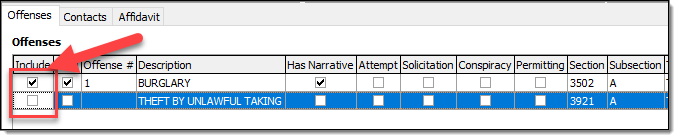
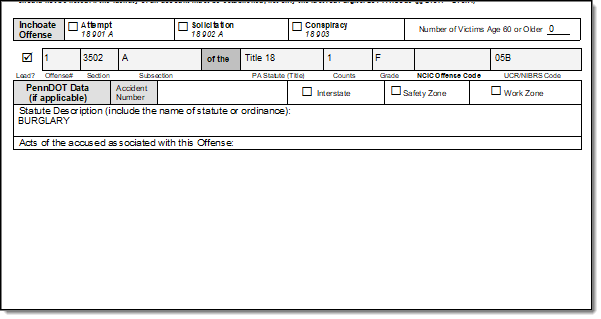
With the ability to create multiple CC/JA’s per contact, there is now an option to select which offense(s) display on a CC/JA. In the Offenses grid, an “Include” checkbox has been added to each of the listed offenses. By default, all offenses are set to be included.
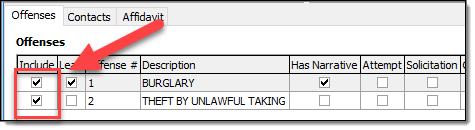
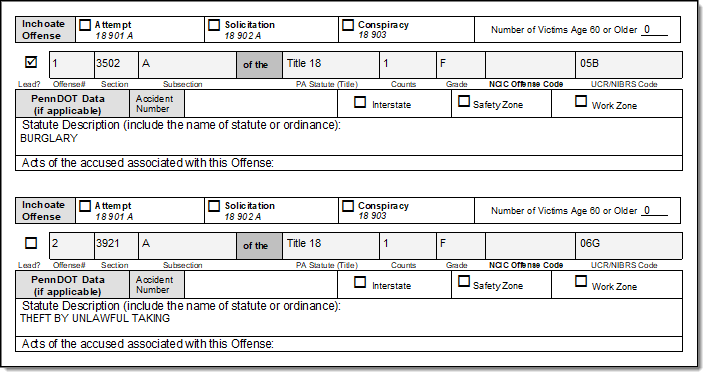
To omit an offense (or offenses) from the printed CC/JA, deselect the “Include” checkbox next to the desired offense. This feature is useful if you need to file an additional CC/JA and only need to include the additional offense(s).
Contacts Tab
The Contacts Tab contains the Co-Defendants and Contacts to be Subpoenaed grids.
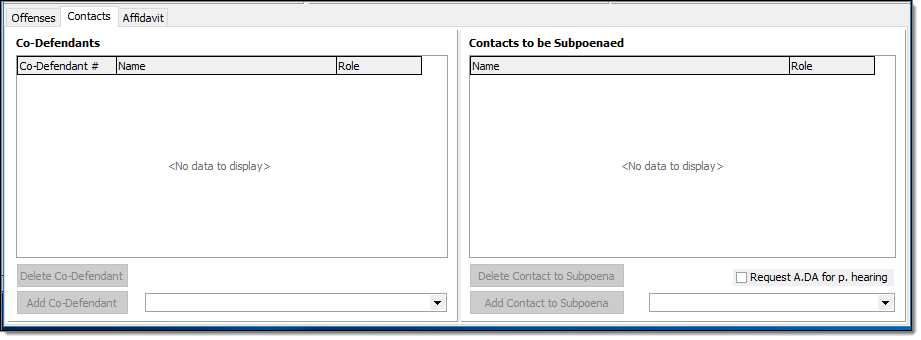
To add a Contact, select a name in the drop-down box, and click the corresponding 'Add' button.
Affidavit Tab
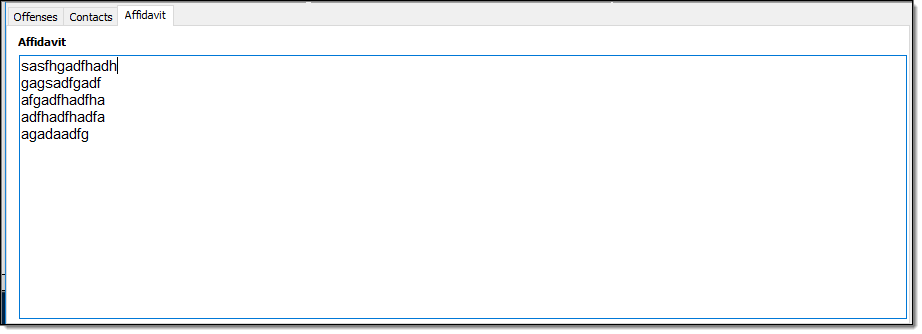
The Affidavit Tab contains a read-only version of the Affidavit narrative.
Was this article helpful?
That’s Great!
Thank you for your feedback
Sorry! We couldn't be helpful
Thank you for your feedback
Let us know how can we improve this article!
Feedback sent
We appreciate your effort and will try to fix the article
X