
No recent searches
Popular Articles

Sorry! nothing found for
Entering Special Handling Information
Created by Russ Hartle, Modified on Fri, 20 Jun, 2025 at 2:23 PM by Russ Hartle
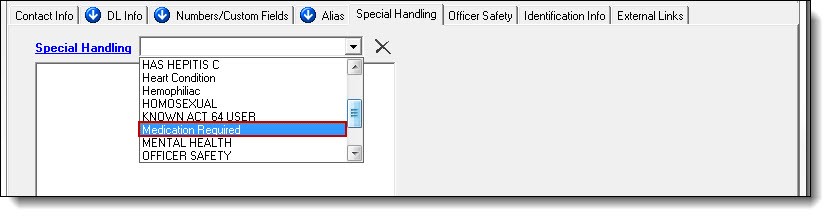
1. Click the Special Handling tab.

2. Select a Special Handling type from the drop down list.
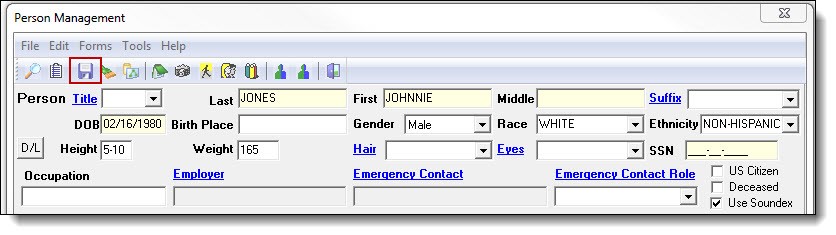
3. Save the changes to the person by clicking the “Save” button at the top of the Person Management window.
 !Did You Know?
- You can enter more than one Special Handling type by repeating step 2 above.
- You don’t need to save after each Special Handling type if multiples are being added, but be sure to save after the last Special Handling type has been selected.
Was this article helpful?
That’s Great!
Thank you for your feedback
Sorry! We couldn't be helpful
Thank you for your feedback
Let us know how can we improve this article!
Feedback sent
We appreciate your effort and will try to fix the article
X