
No recent searches
Popular Articles

Sorry! nothing found for
Events/Actions
Created by Russ Hartle, Modified on Thu, 3 Apr, 2025 at 3:09 PM by Russ Hartle
You are able to work with new or existing Custody Records to add Events/Actions.
Search or add a new Custody Record, and save.
Enter your date/time of the event (A), choose the type of event from the drop down list (B), enter notes on the event ( C ), and click Add (D).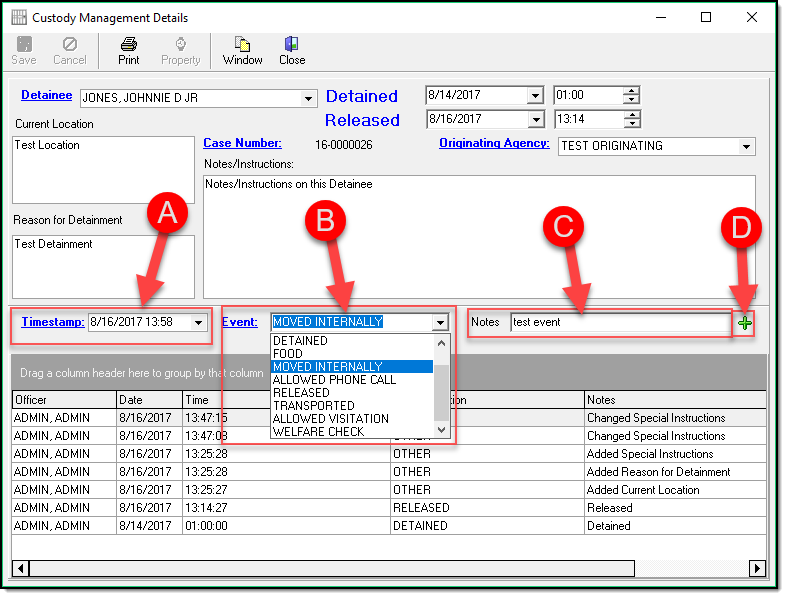
!Did You Know:
Your agency can add additional events by clicking the blue word Events to launch the pick list of events. You can then click Add (A), enter an ID (B), enter a Description ( C ), and click Save (D).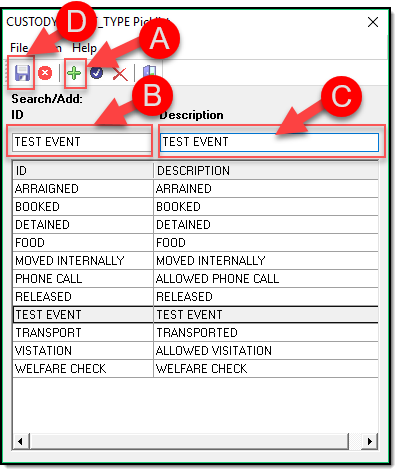
Custody Management keeps a log of all Events and changes made on each record.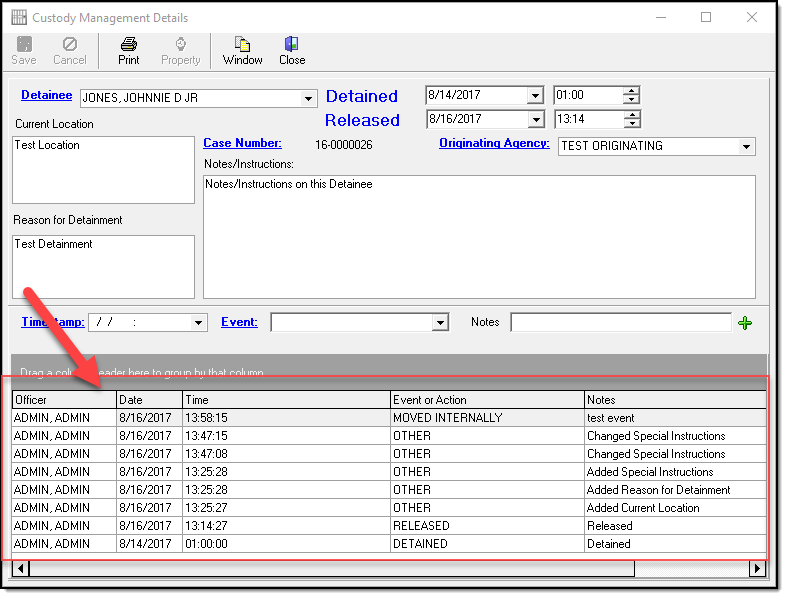
Was this article helpful?
That’s Great!
Thank you for your feedback
Sorry! We couldn't be helpful
Thank you for your feedback
Let us know how can we improve this article!
Feedback sent
We appreciate your effort and will try to fix the article
X