
No recent searches
Popular Articles

Sorry! nothing found for
Exporting the Fleet Management Grid to Excel
Created by Russ Hartle, Modified on Wed, 10 Sep, 2025 at 3:58 PM by Russ Hartle
Exporting the Fleet Management Grid to Excel
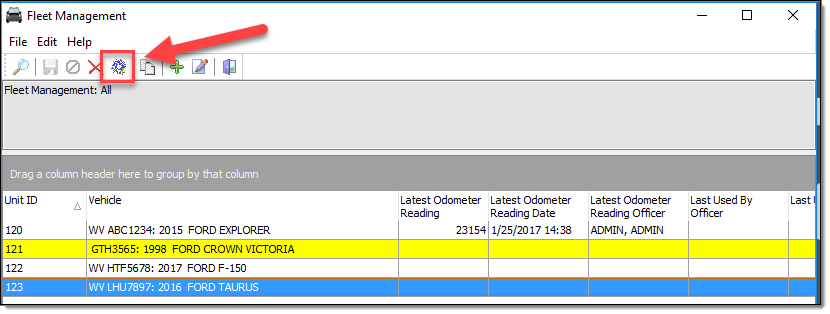
1. The Export to Excel function is used to export the data from the RMS to an Excel spreadsheet. From the main Fleet Management grid, select the “Export to Excel” button.
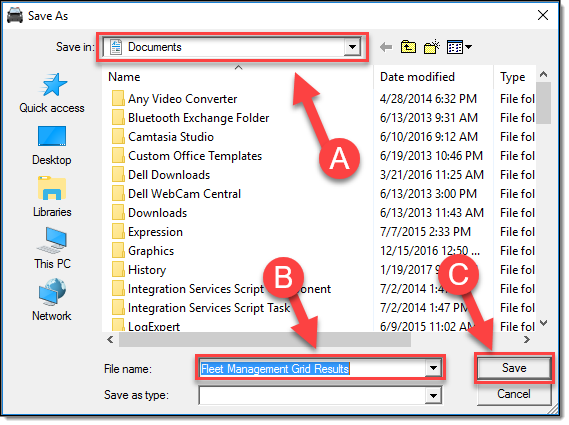
2. Browse to your save location (A), enter a filename (B), and then select the “Save” button ( C ).
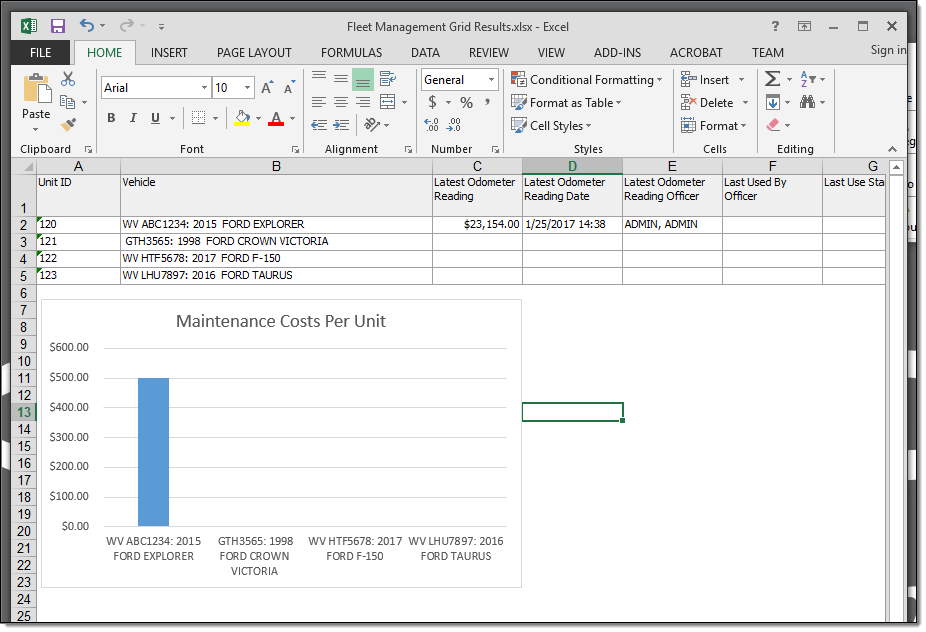
3. Using Excel’s built-in functions, you can sort/filter the data and create customized reports that contain charts or graphs.
Was this article helpful?
That’s Great!
Thank you for your feedback
Sorry! We couldn't be helpful
Thank you for your feedback
Let us know how can we improve this article!
Feedback sent
We appreciate your effort and will try to fix the article
X