
No recent searches
Popular Articles

Sorry! nothing found for
Getting Started\Searching for Property
Created by Russ Hartle, Modified on Thu, 11 Sep, 2025 at 3:45 PM by Russ Hartle
Getting Started
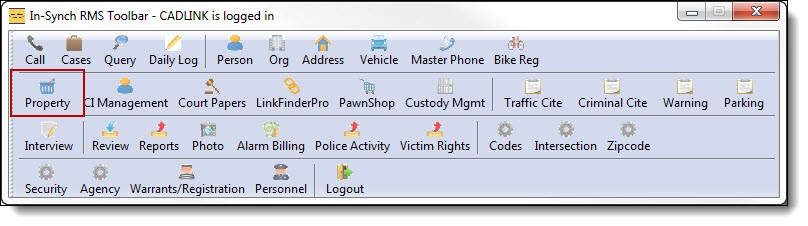
This guide is designed to show the most common functions of the Property Management module for In-Synch RMS. The property technician uses Property Management to check-in, check-out, and dispose of property items. This guide assumes property has been already entered into the calls/cases. Property Management is a security controlled module and is available to the Administrators security group. Individual users can be granted or denied access to the module. Users will open Property Management by clicking the word “Property” from the main RMS toolbar.
1. Click on the” Property” button from the main RMS toolbar.
Searching for Property
*Tips:
There are 3 ways to search for property; Incident Search, Advanced Search, and Scan Search.
Was this article helpful?
That’s Great!
Thank you for your feedback
Sorry! We couldn't be helpful
Thank you for your feedback
Let us know how can we improve this article!
Feedback sent
We appreciate your effort and will try to fix the article
X