
No recent searches
Popular Articles

Sorry! nothing found for
Linking the Citation to a Call/Case
Created by Russ Hartle, Modified on Fri, 20 Jun, 2025 at 2:52 PM by Russ Hartle
1. Click the blue words “Make Case” to open the linking options.

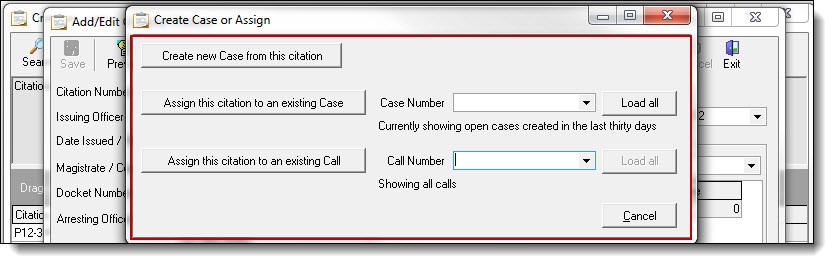
2. There are three choices from the “Create Case or Assign” window: Create new Case from this Citation, Assign this Citation to an existing Case, and Assign this Citation to an existing Call.
*Tips:
By default, calls and cases for the last 30 days will be displayed in the drop down lists. Use the “Load All” button if the call/case is outside of the 30-day range.
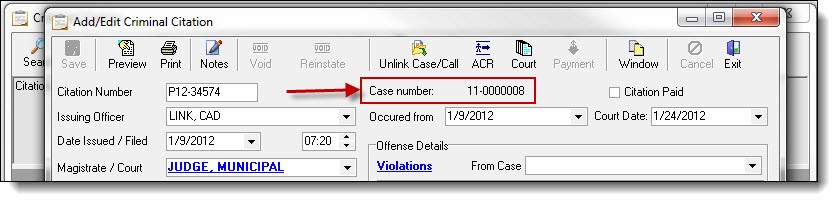
3. After selecting one of the Create Case or Assign choices, the corresponding call or case number will display on the citation.
Was this article helpful?
That’s Great!
Thank you for your feedback
Sorry! We couldn't be helpful
Thank you for your feedback
Let us know how can we improve this article!
Feedback sent
We appreciate your effort and will try to fix the article
X