
No recent searches
Popular Articles

Sorry! nothing found for
Managing Notices
Created by Russ Hartle, Modified on Thu, 3 Apr, 2025 at 3:19 PM by Russ Hartle
You have the following options in regards to managing notices (warnings and bills):
- Generate new warnings and bills.
- Reprint old notices or bills.
- Delete the last alarm bill.
To generate an alarm warning or bill:
1. Search for billable warnings.
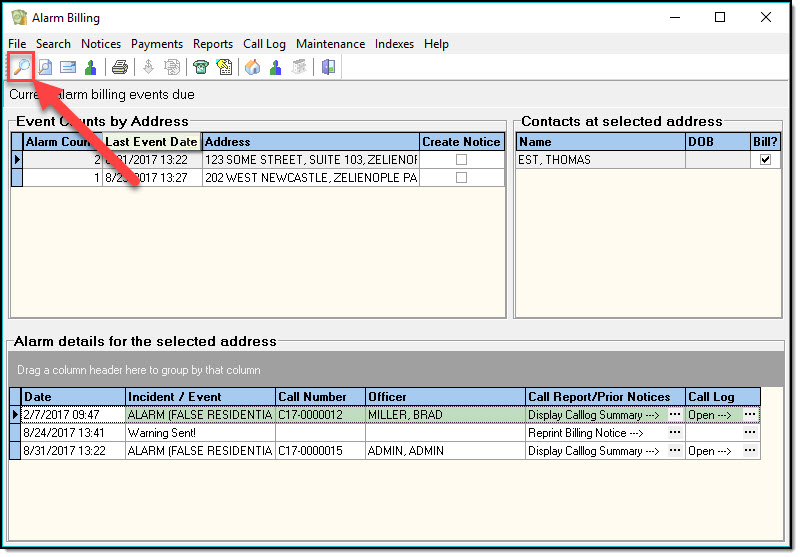
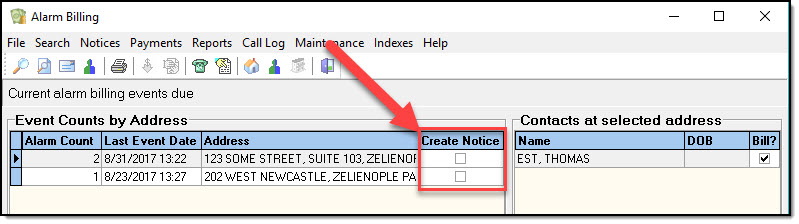
2. Check the checkbox next to each warning/bill you wish to generate.
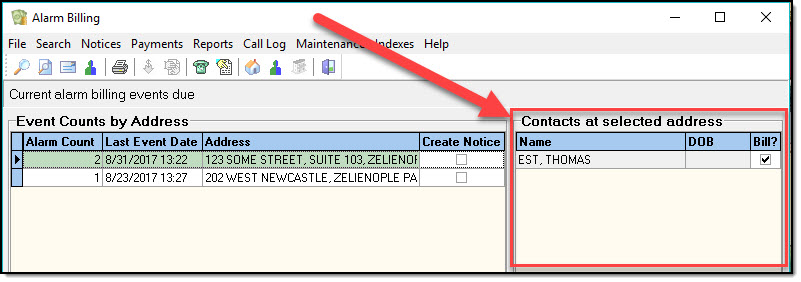
3. Pick the name of the billable person or organization at each address.
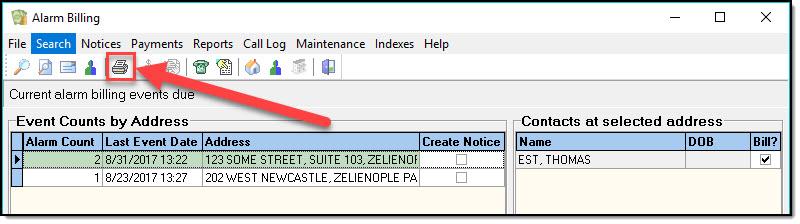
4. Click Create Notices/Bills from the Notices menu or the button-bar.
To reprint an existing notice:
1. Search for billable warnings.
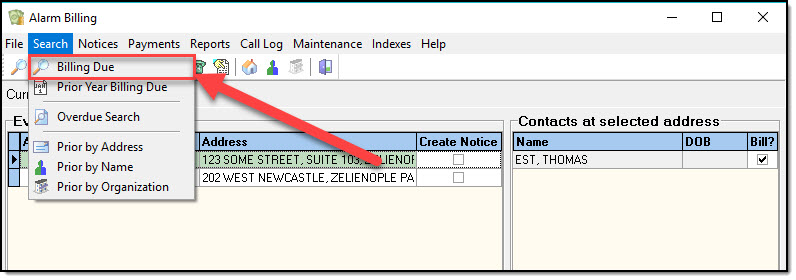
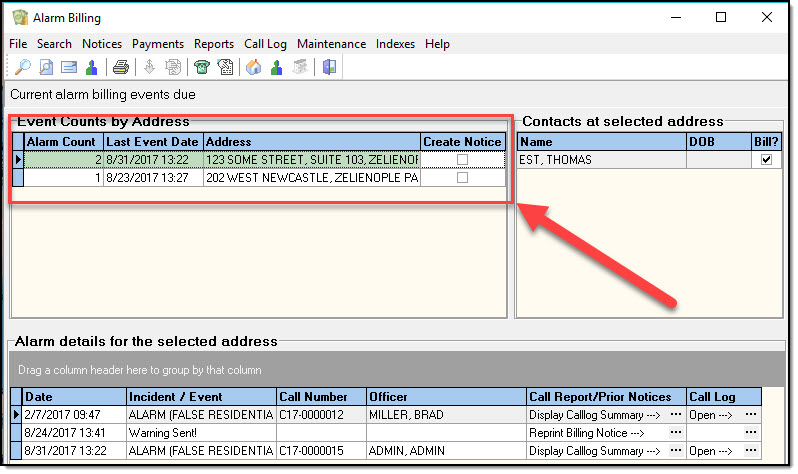
2. Highlight the billable-address in the Event Counts by Address panel.
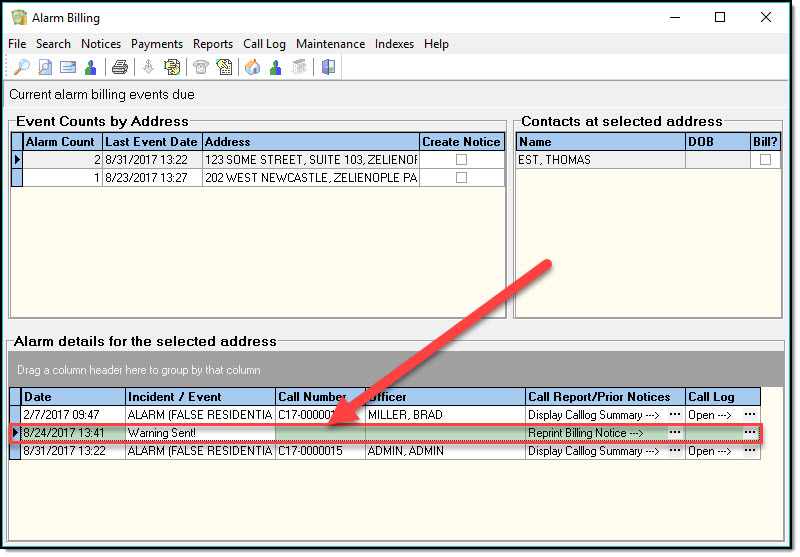
3. Highlight the row in the Alarm details for the selected address panel that represents the bill or warning you wish to reprint.
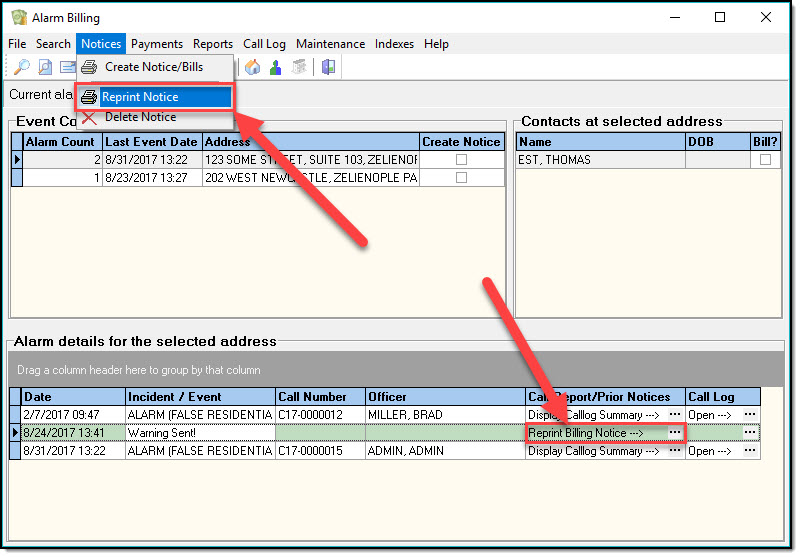
4. Click Reprint Notice from the Notices menu or the button-bar. You can also reprint the notice directly from the Alarm details for the selected address grid. Refer to the grid labels for instructions.
To delete the most recent alarm bill:
1. Search for billable warnings.
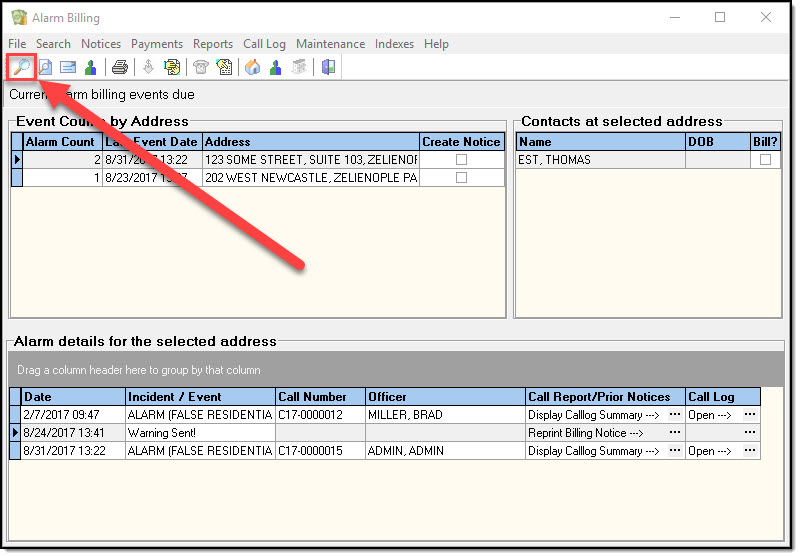
2. Highlight the billable address in the Event Counts by Address panel.
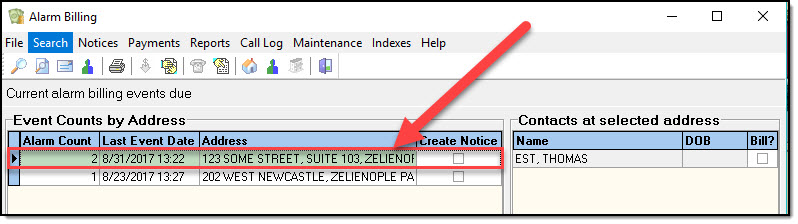
3. Highlight the row containing the most recent alarm bill for your highlighted address.
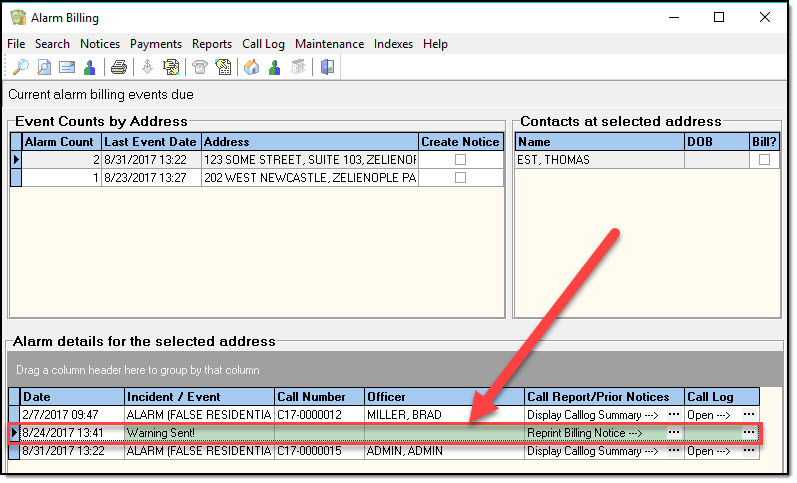
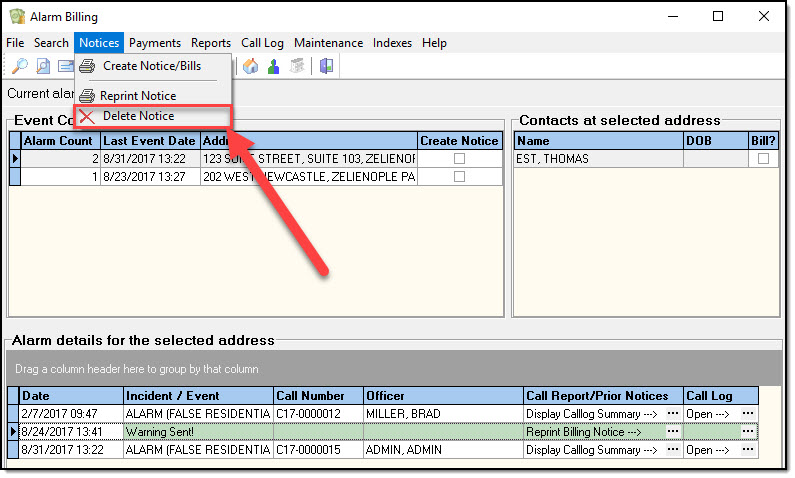
4. Click Delete Notice from the Notices menu or the button on the toolbar.
Was this article helpful?
That’s Great!
Thank you for your feedback
Sorry! We couldn't be helpful
Thank you for your feedback
Let us know how can we improve this article!
Feedback sent
We appreciate your effort and will try to fix the article
X