
No recent searches
Popular Articles

Sorry! nothing found for
Mississippi Booking Form - Report Generation
Created by Russ Hartle, Modified on Mon, 31 Mar, 2025 at 10:25 AM by Russ Hartle
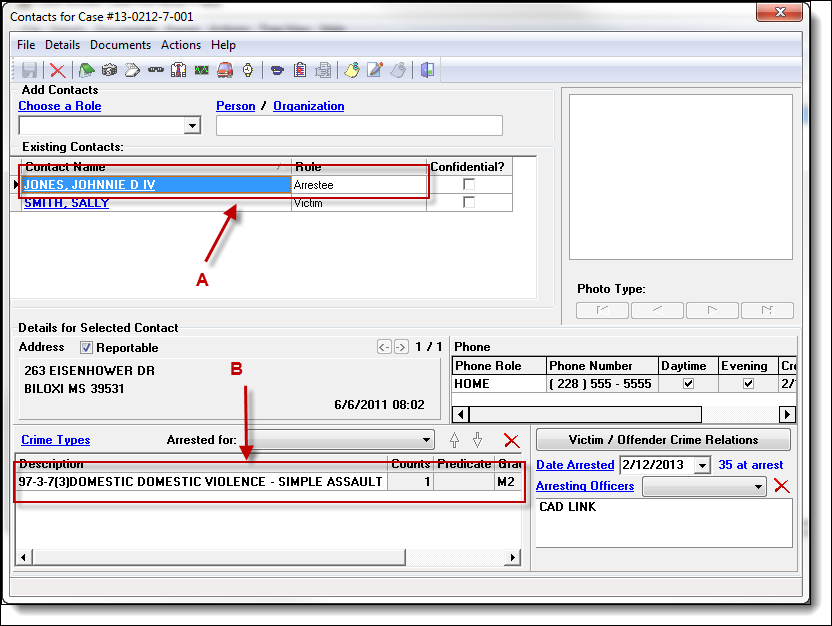
1.) In order to access the Booking Information window, you must have a contact with the role of “ARRESTEE” (A) and at least one crime associated with that contact (B).
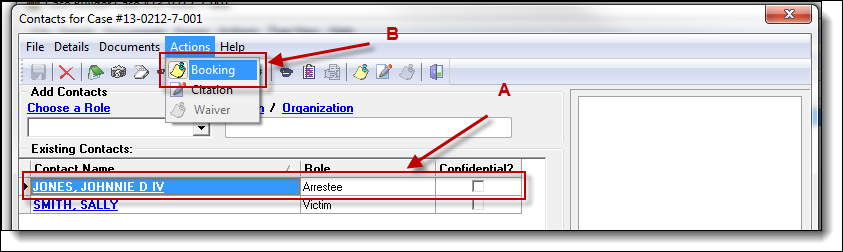
2.) Users can generate separate booking forms for each arrestee by highlighting the arrestee in the contact window grid (A) and then selecting “Booking” from the Actions drop down list (B).
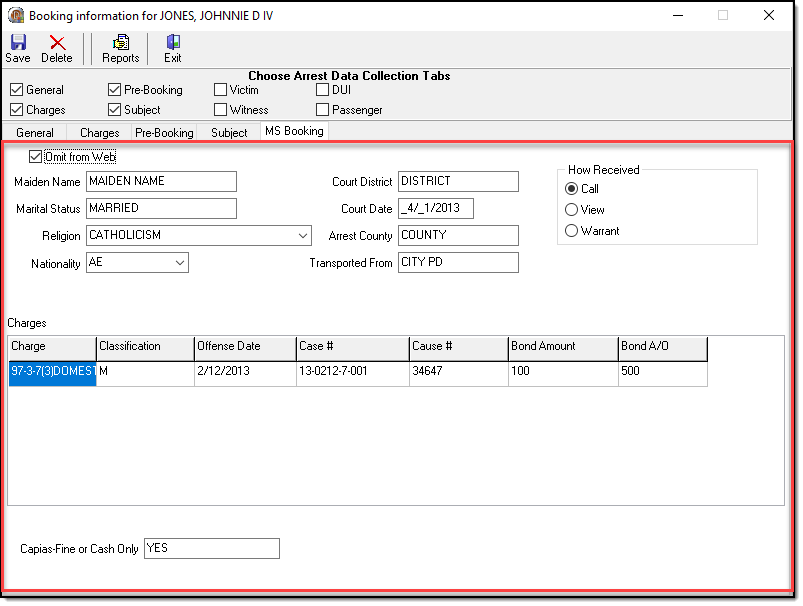
3.) Most of the form is populated by information entered into Person Management and Case Builder. A new “MS Booking” tab was created in the Booking Information window to capture any additional fields needed to complete the form.
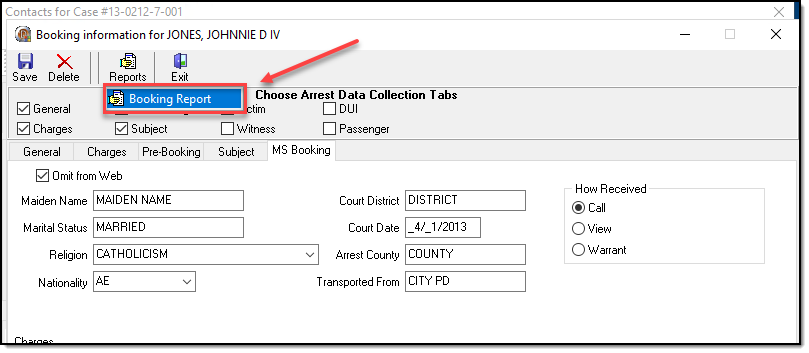
4.) The MS Booking form can be printed from the Booking Information window of Case Builder.
Was this article helpful?
That’s Great!
Thank you for your feedback
Sorry! We couldn't be helpful
Thank you for your feedback
Let us know how can we improve this article!
Feedback sent
We appreciate your effort and will try to fix the article
X