
No recent searches
Popular Articles

Sorry! nothing found for
Opening a Case
Created by Russ Hartle, Modified on Thu, 22 May, 2025 at 3:49 PM by Russ Hartle
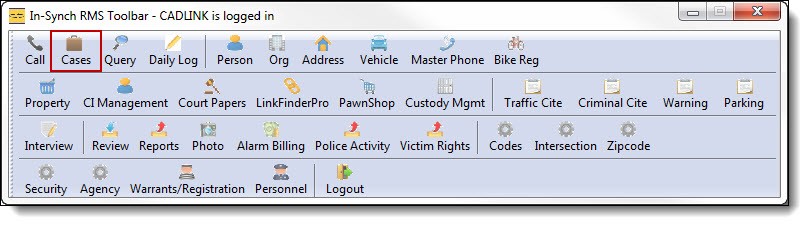
1. Click “Cases” on the main RMS toolbar to open Case Builder.
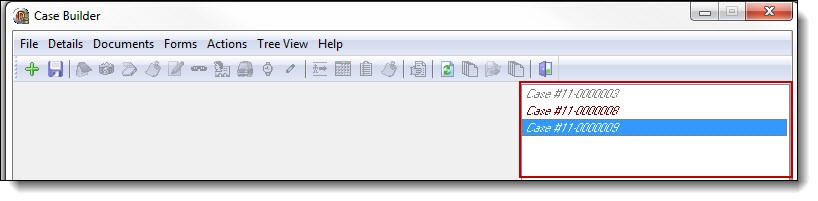
2. The right-hand side of the Case Builder window displays all cases that are currently assigned to an officer.
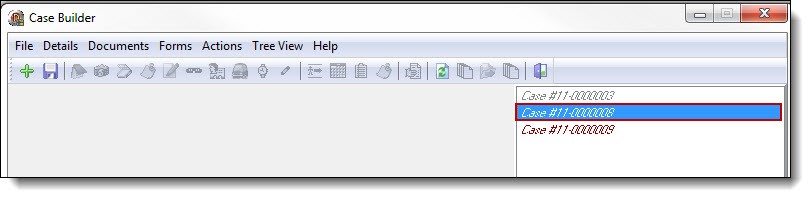
3. Double click the case number to open the case.
!Did You Know?
Any dates/times, contacts, vehicles, etc. entered into the call will populate into the case, reducing the need to duplicate data entry.
Was this article helpful?
That’s Great!
Thank you for your feedback
Sorry! We couldn't be helpful
Thank you for your feedback
Let us know how can we improve this article!
Feedback sent
We appreciate your effort and will try to fix the article
X