
No recent searches
Popular Articles

Sorry! nothing found for
PA Search Warrant - Adding Narratives
Created by Kris Wahler, Modified on Thu, 3 Apr, 2025 at 4:03 PM by Kris Wahler
Adding Narratives to the Search Warrant
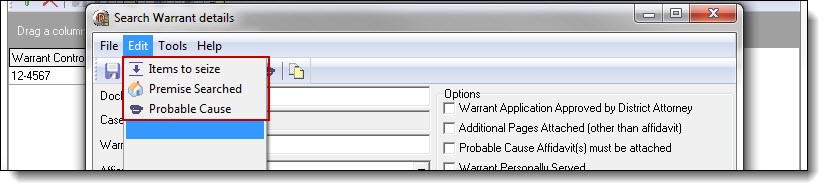
1. In addition to the items presented on the Search Warrant Details main screen, there are
three narrative editors that are accessed from the Edit menu for editing your List of Items To
Be Seized, Description of the Premise to be Searched, and Affidavit of Probable Cause.
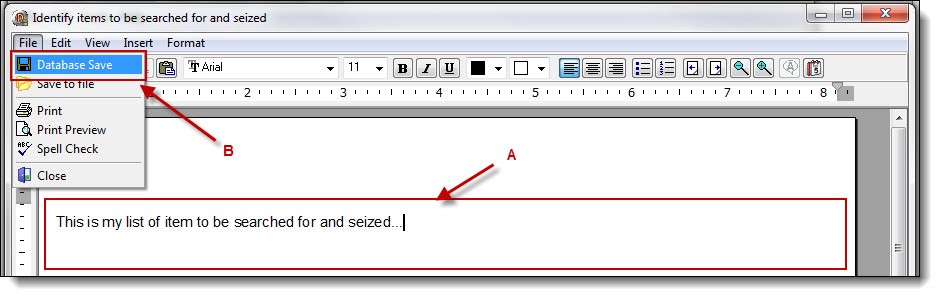
2. Selecting any of the choices will open a Narrative window. Enter the corresponding narrative text (A), and then click on the “Database Save” button (B) from the File drop down list.
*Tips:
Repeat steps 1-2 above to enter additional narratives for the search warrant.
Was this article helpful?
That’s Great!
Thank you for your feedback
Sorry! We couldn't be helpful
Thank you for your feedback
Let us know how can we improve this article!
Feedback sent
We appreciate your effort and will try to fix the article
X