
No recent searches
Popular Articles

Sorry! nothing found for
PA Search Warrant - Previewing & Printing
Created by Kris Wahler, Modified on Thu, 3 Apr, 2025 at 4:04 PM by Kris Wahler
Previewing and Printing a Search Warrant
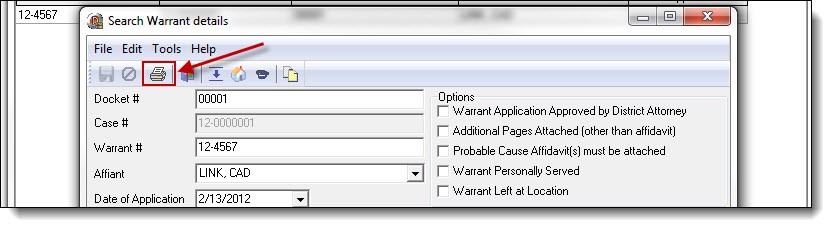
1. To preview the newly created search warrant, click the “Print Warrant” button from the top of the Search Warrant details window.
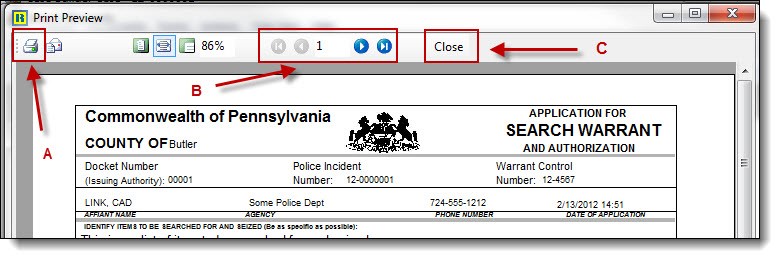
2. The “Print” button (A) is used to print the search warrant. The “Arrow” buttons (B) are used to navigate the pages of the print preview. The “Close” button ( C ) is used to close the print preview window and return to the Search Warrant details window.
Was this article helpful?
That’s Great!
Thank you for your feedback
Sorry! We couldn't be helpful
Thank you for your feedback
Let us know how can we improve this article!
Feedback sent
We appreciate your effort and will try to fix the article
X