
No recent searches
Popular Articles

Sorry! nothing found for
Resetting the Synch Service Manually
Created by Russ Hartle, Modified on Fri, 14 Nov, 2025 at 2:59 PM by Russ Hartle
This option may require an administrator account or an account with the rights to manipulate the computer’s services.
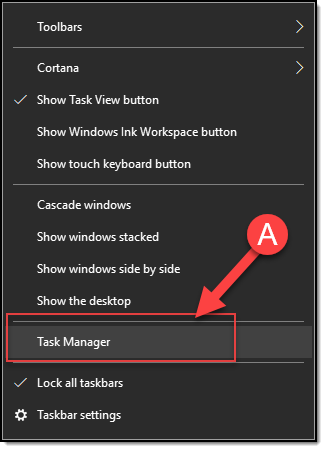
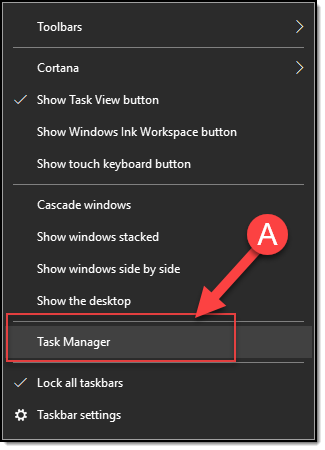
- Right-click on the Windows taskbar and select Task Manager (A)
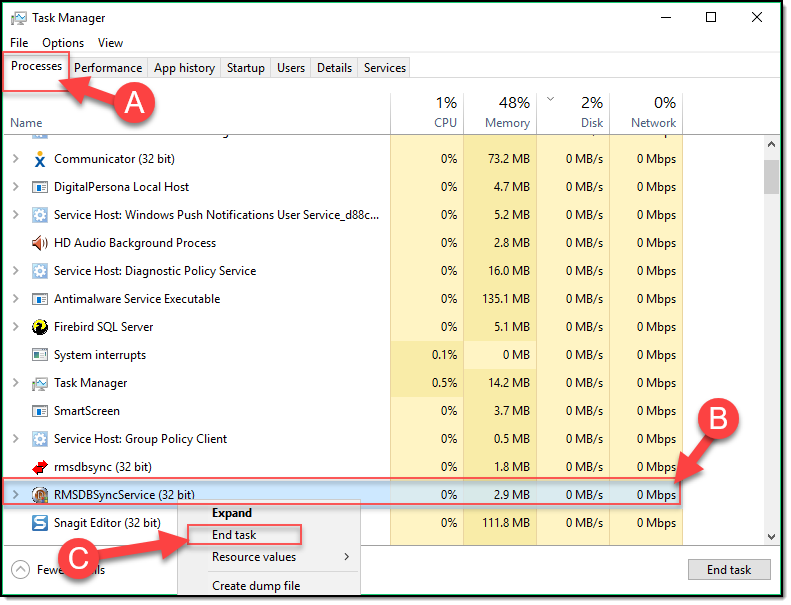
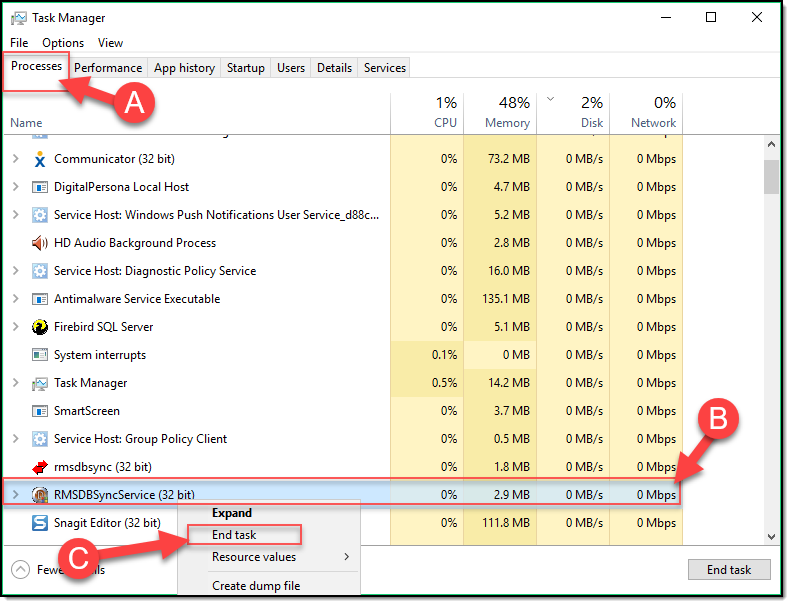
- Under the Processes Tab (A), select “RMSDBSyncService” (B) and then right-click and select “End Task” ( C ).
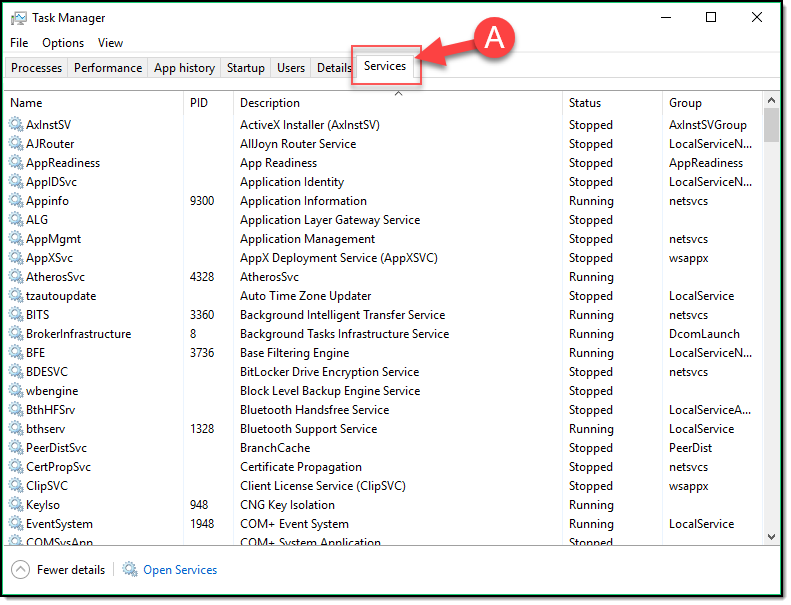
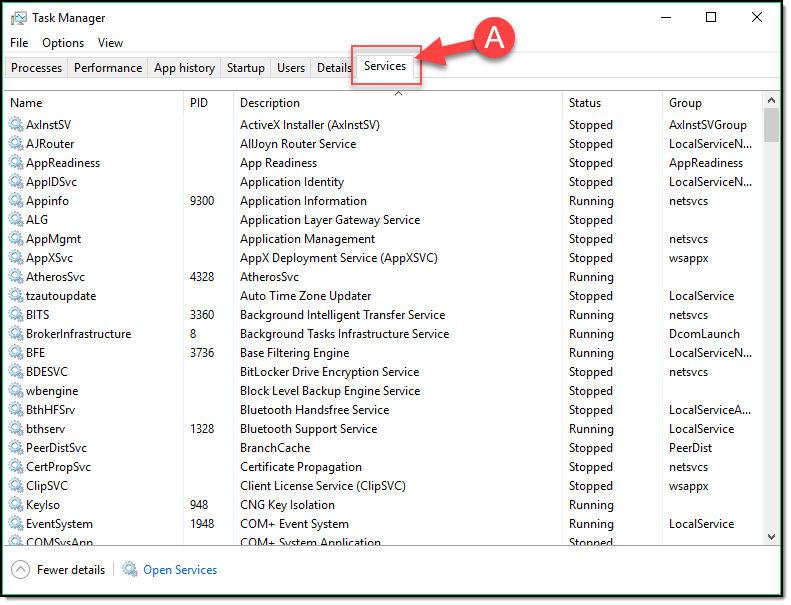
- Switch to the Services Tab (A)
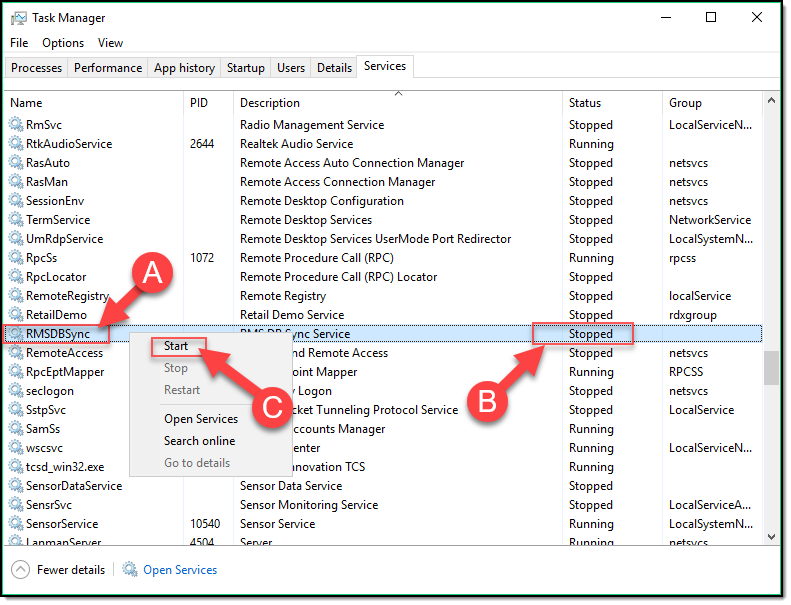
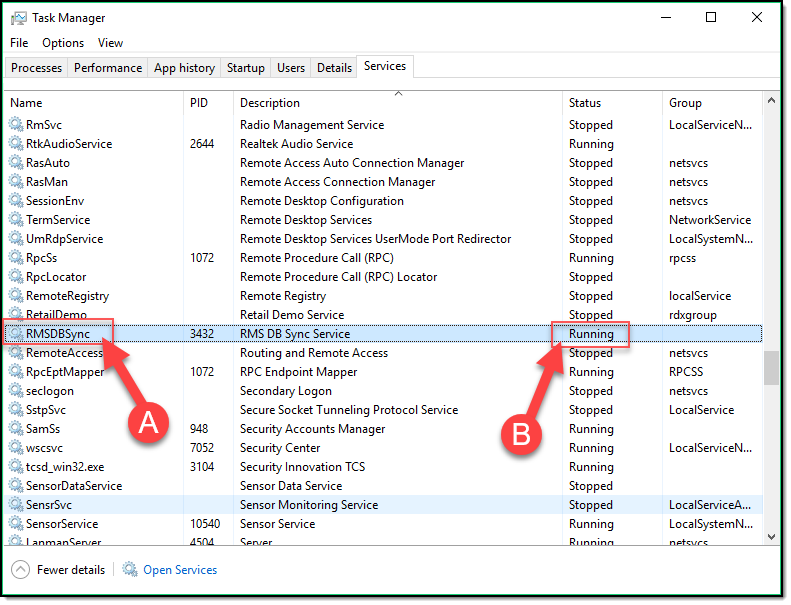
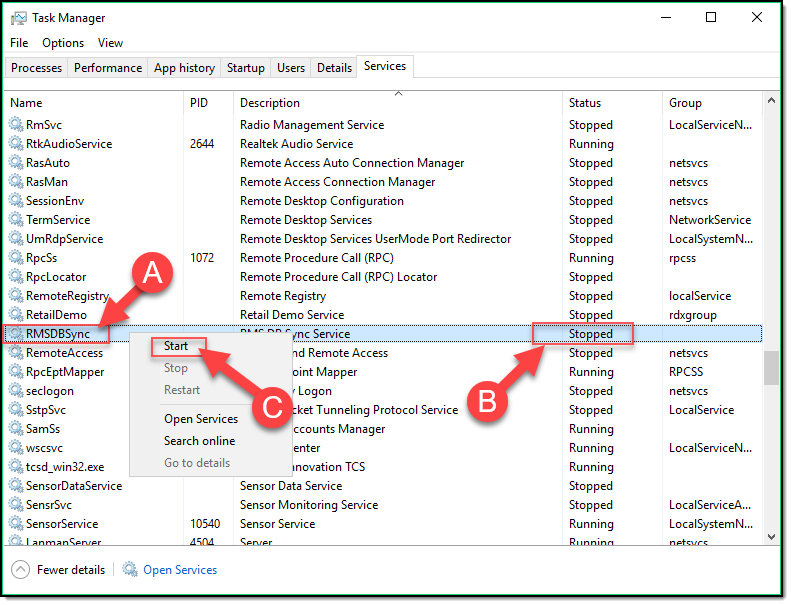
- Find the RMSDBSync Service (A), verify it says “Stopped”(B), and then right-lick and select “Start” ( C ).
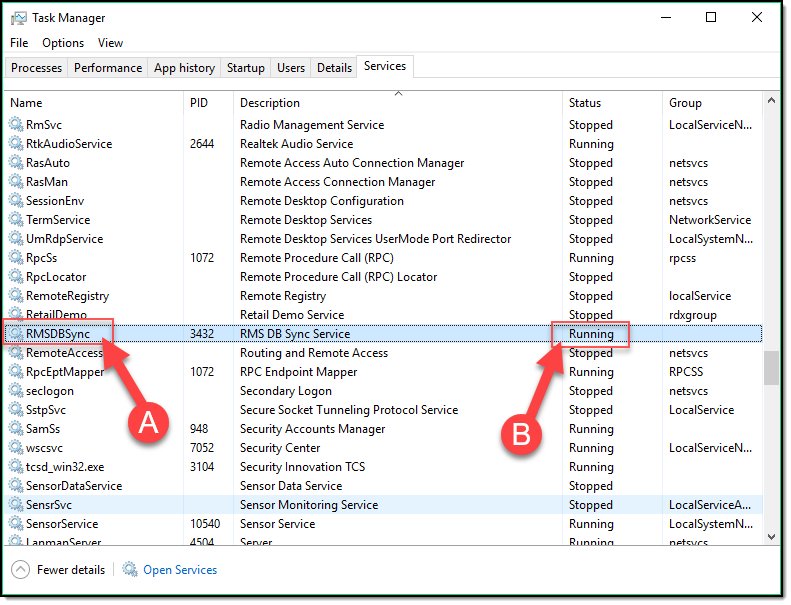
- Verify the RMSDBSync Service (A) now says “Running” (B) and then close the task manager window.
Once complete, your synchronizer service should be functional again.
Was this article helpful?
That’s Great!
Thank you for your feedback
Sorry! We couldn't be helpful
Thank you for your feedback
Let us know how can we improve this article!
Feedback sent
We appreciate your effort and will try to fix the article
X