
No recent searches
Popular Articles

Sorry! nothing found for
Scan Search
Created by Russ Hartle, Modified on Thu, 11 Sep, 2025 at 3:46 PM by Russ Hartle
Scan Search
1. The third search option is using an evidence scanner/evidence pack (optional). Select “Scan Entry” from the Property Management drop down list.
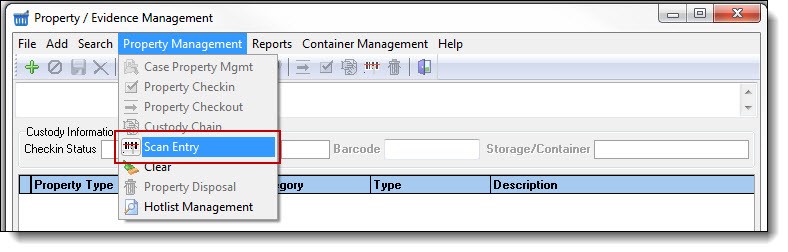
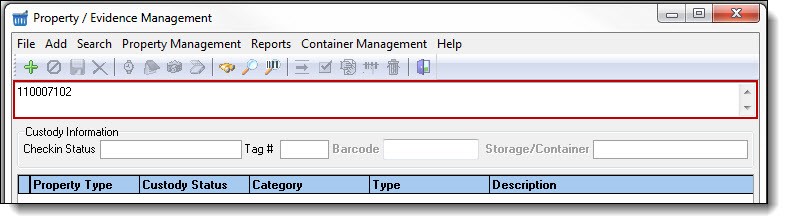
2. Use the barcode scanner to scan the property item’s barcode. Scanned items will be listed in the search criteria box.
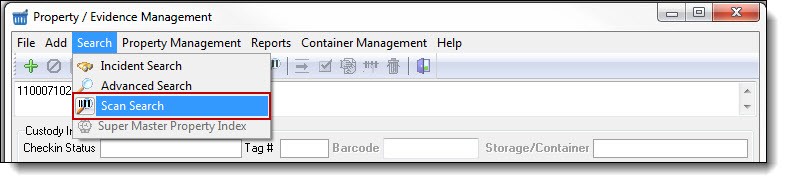
3. After the items have been scanned, select “Scan Search” from the Search drop down list.
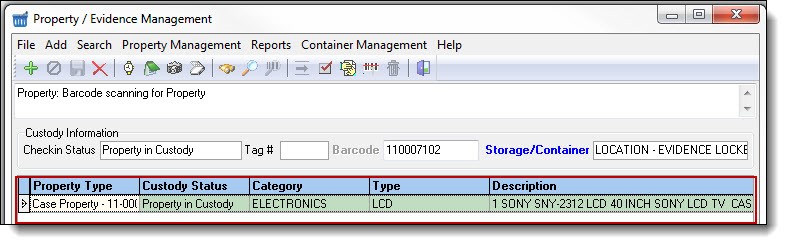
4. Any scanned property will be displayed in the Property grid.
!Did You Know?
Multiple property items can be scanned, and all of the property items will display in the Property Management grid. This is useful for checking in or checking out large quantities of property to court, the lab, etc.
!Did You Know?
Once your search results have returned you can use the Master Property Index button to view all details (calls, cases, citations, people, notes, photos etc.) the property is associated with.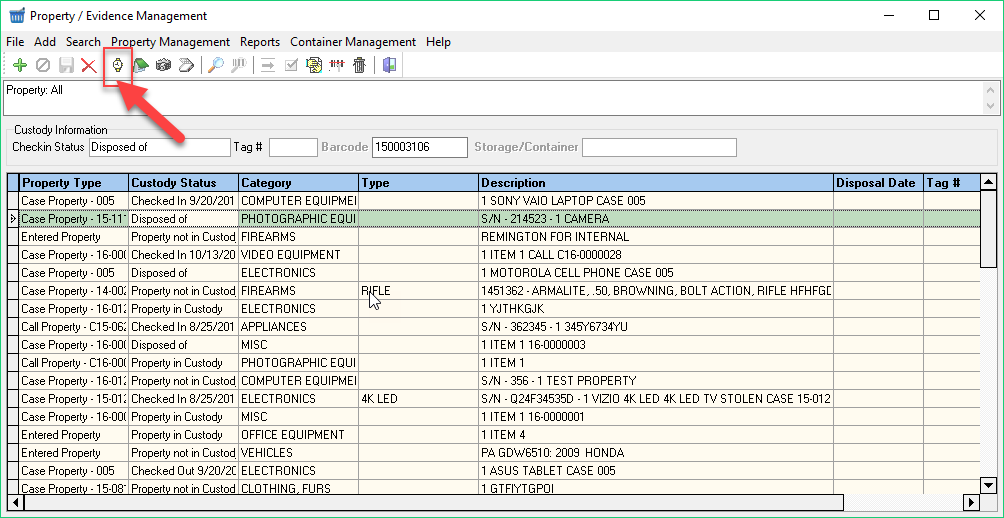
Was this article helpful?
That’s Great!
Thank you for your feedback
Sorry! We couldn't be helpful
Thank you for your feedback
Let us know how can we improve this article!
Feedback sent
We appreciate your effort and will try to fix the article
X