
No recent searches
Popular Articles

Sorry! nothing found for
Searching for an Existing Confidential Informant
Created by Russ Hartle, Modified on Wed, 10 Sep, 2025 at 3:50 PM by Russ Hartle
Searching for an Existing Confidential Informant
1. There are two ways to search for an informant; informant number or person search. Click the “Informant Search” button from the CI Management toolbar to begin a search.

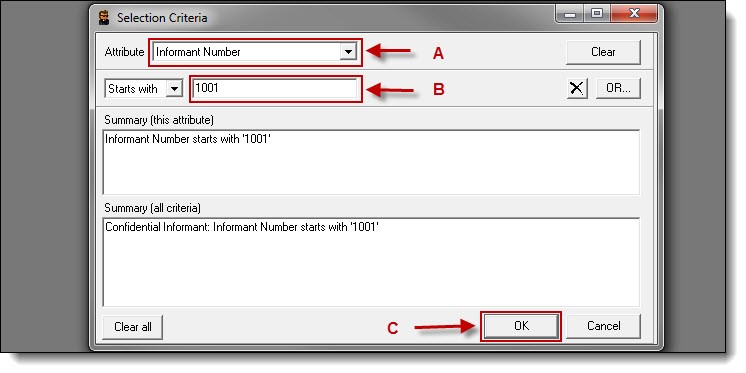
2. To search by informant number, select “Informant Number” from the attribute drop-down list (A), enter the number into the attribute criteria field (B) and then click the “OK” button ( C ).
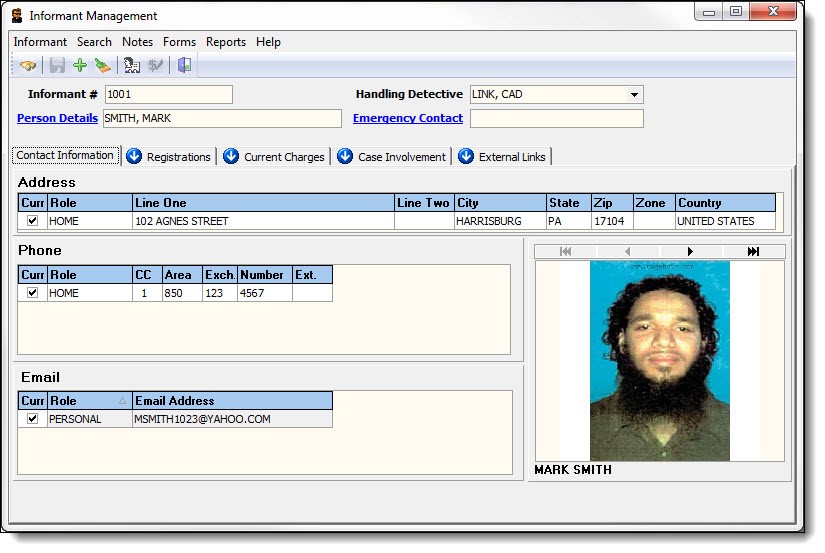
3. The informant record will populate into the CI Management window.
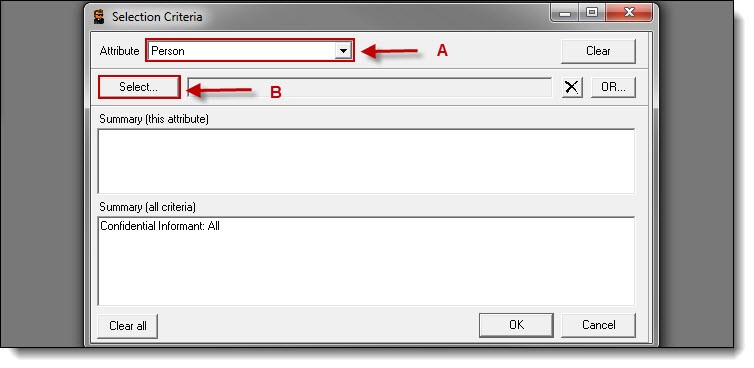
4. To search by person record, select “Person” from the attribute drop-down list (A) and then click the “Select” button (B).
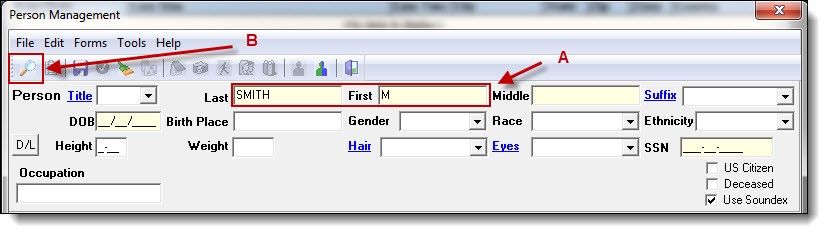
5. Enter part of the person’s last name, first name, or both (A), then click the “Search” button (B).
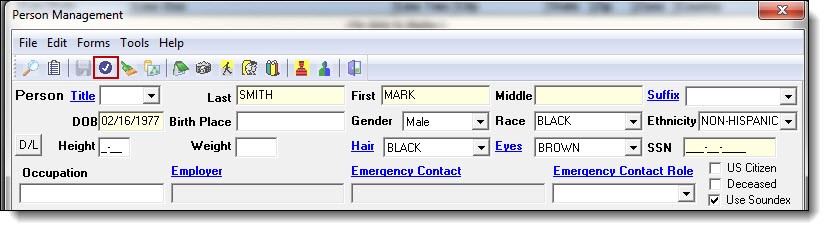
6. Once the person record has been chosen from the results grid, click the “Choose” button from the Person Management window to use the record.
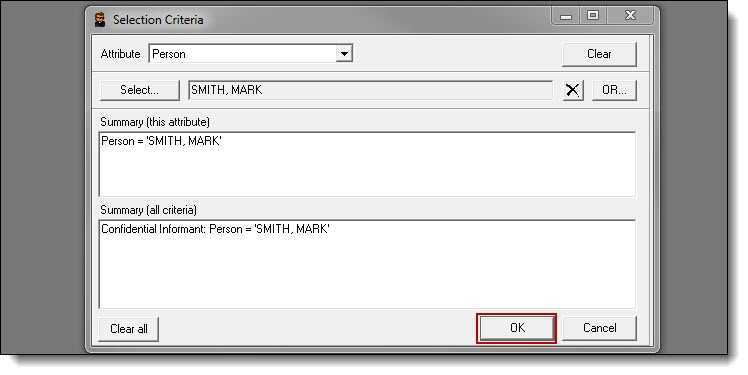
7. Click the “OK” button on the selection criteria window to search CI Management for an existing record.
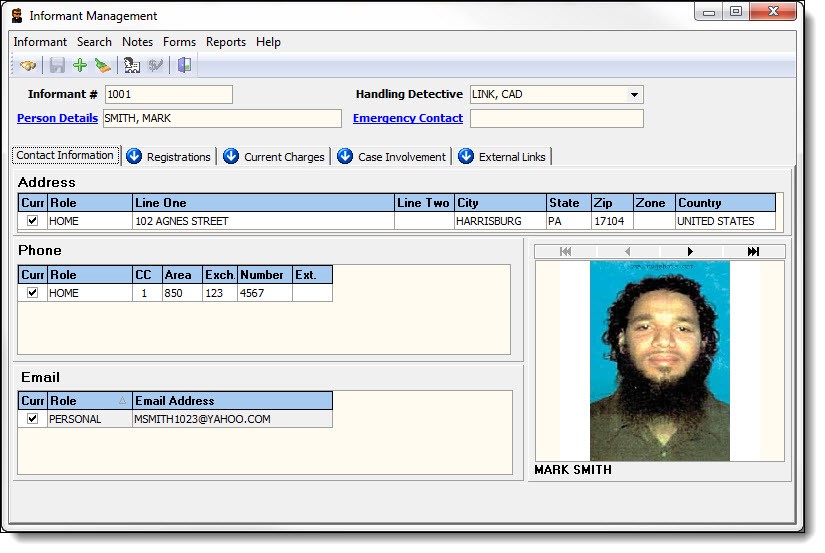
8. The Informant record will populate into the CI Management window.
Was this article helpful?
That’s Great!
Thank you for your feedback
Sorry! We couldn't be helpful
Thank you for your feedback
Let us know how can we improve this article!
Feedback sent
We appreciate your effort and will try to fix the article
X