
No recent searches
Popular Articles

Sorry! nothing found for
Searching for existing Custody Records
Created by Russ Hartle, Modified on Thu, 3 Apr, 2025 at 3:04 PM by Russ Hartle
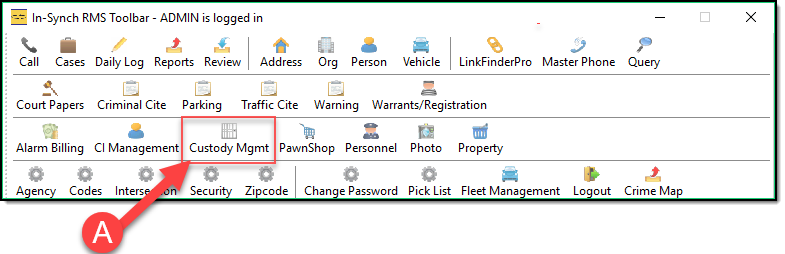
1. Click the Custody Mgmt button (A) on the main RMS toolbar.
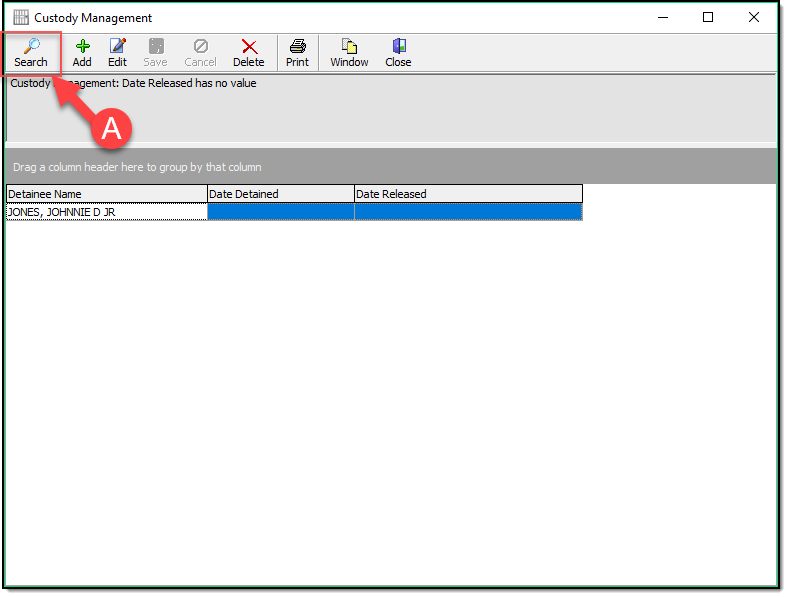
2. Click the Search Button (A).
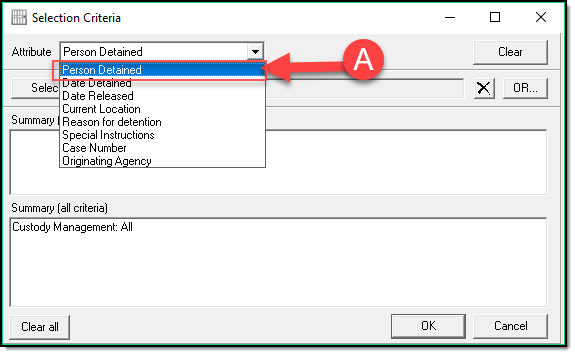
3.Choose your search Criteria (A).
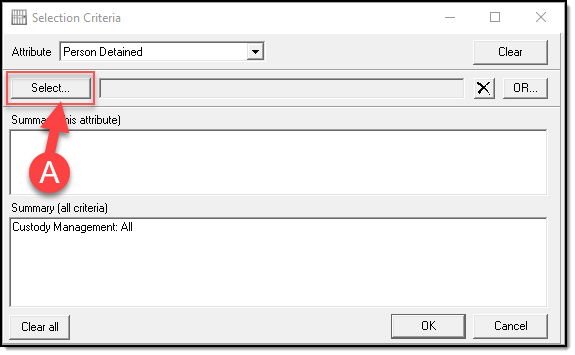
4. After selecting the Criteria from STEP 3 above you will need to hit Select (A). (for this example we used Person Detained as our criteria)
5. In the Person Search window Type the persons Information (A) and hit the Search Button (B). (for this example I only used last name, the more details you enter the fewer results you will see)
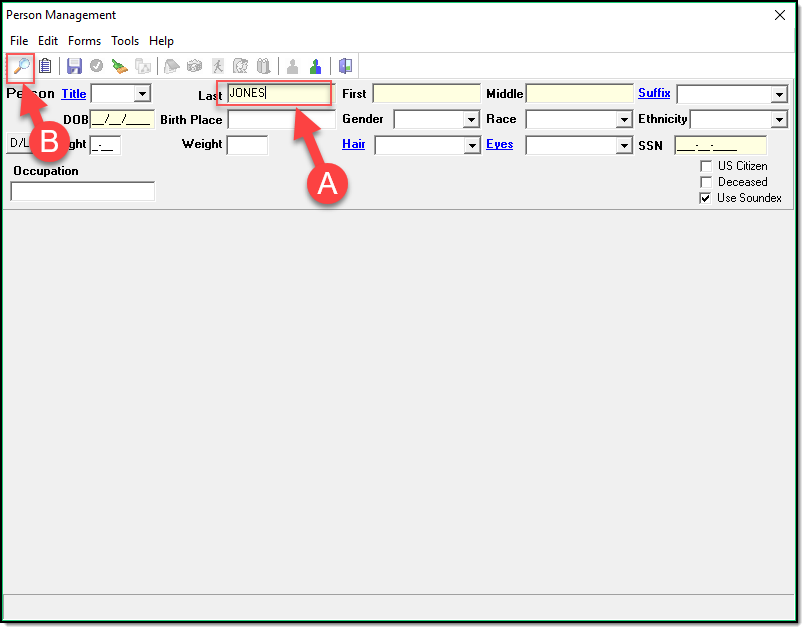
6. In the Search Results Grid highlight the person you are looking for (A) and hit the Choose Button (B).
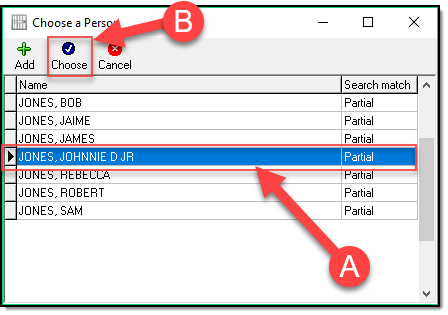
7. In the returned person result hit the choose button (A) to confirm this is the person you were looking for.
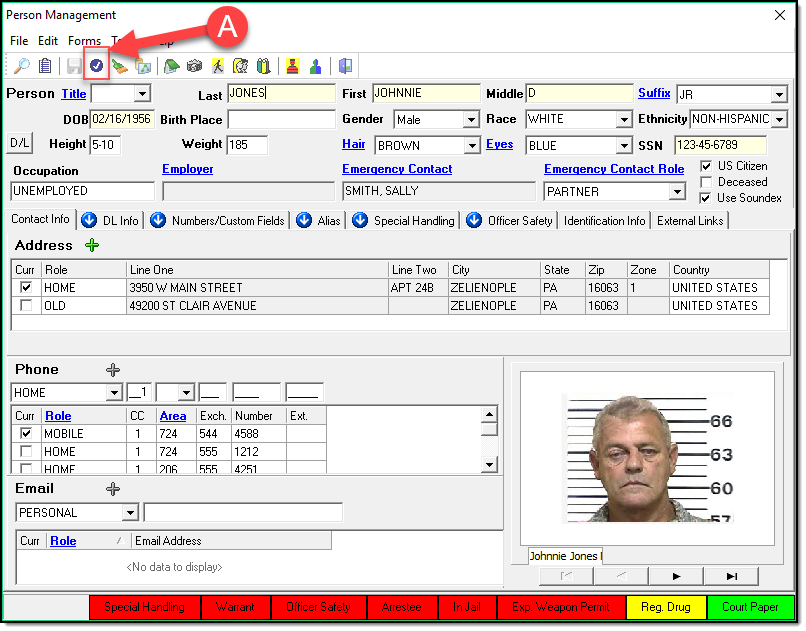
8. Now verify your selection criteria by clicking ‘OK’ (A).
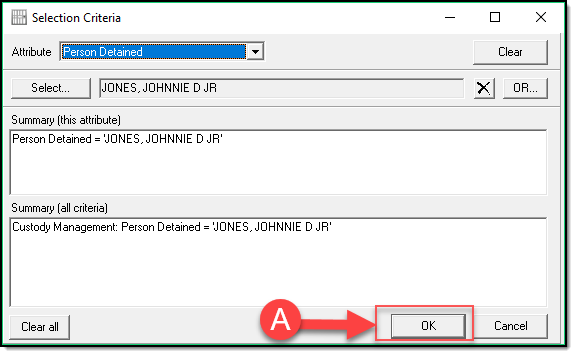
*TIPS:
You can select multiple people by hitting the OR button in STEP 8 and Repeating Steps 4-7. Once you have selected multiple people you can then Click OK (A) as depicted in the STEP 8 Image.
9. Your Custody Mgmt window will now show the results of the search in the results grid (A).
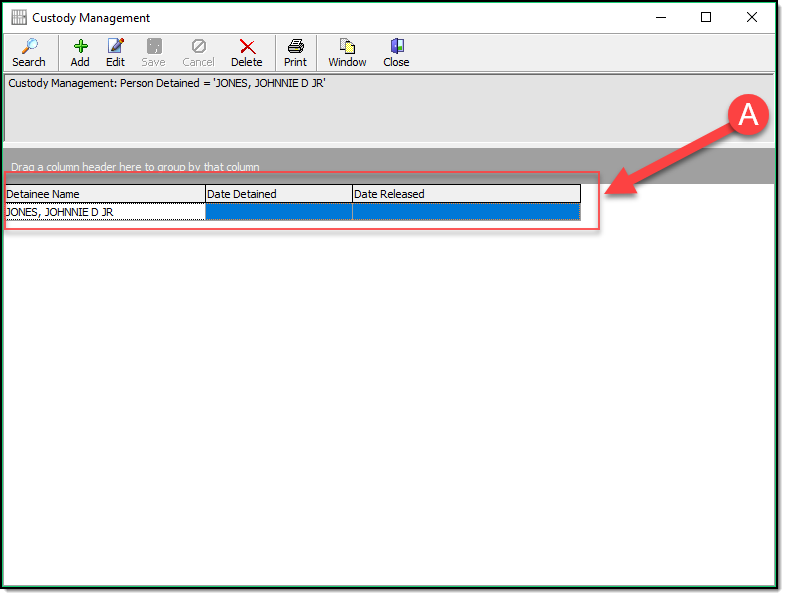
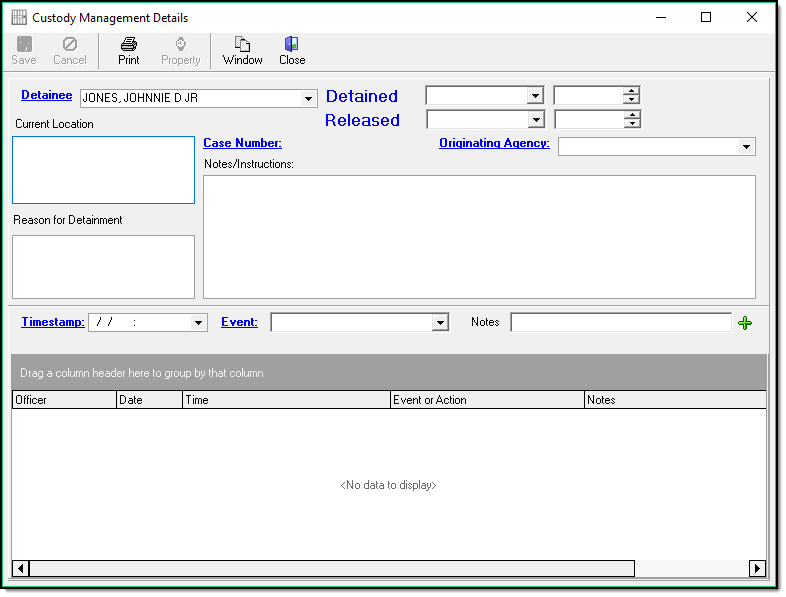
10. By double-clicking the Person in the Grid (A) you will be provided with the Custody Management Details for this individual where you can edit and view any existing information
Was this article helpful?
That’s Great!
Thank you for your feedback
Sorry! We couldn't be helpful
Thank you for your feedback
Let us know how can we improve this article!
Feedback sent
We appreciate your effort and will try to fix the article
X