
No recent searches
Popular Articles

Sorry! nothing found for
Selecting the Current Records After a Merge
Created by Russ Hartle, Modified on Mon, 31 Mar, 2025 at 10:18 AM by Russ Hartle
Immediately after a Person or Organization merge takes place, there may be multiple records marked as “Current” for Address, Phone, and Email. This happens when both the Primary and Secondary Record(s) have a “Current” Address, Phone, and/or Email selected. The user must then decide which record should be marked a “Current” moving forward.
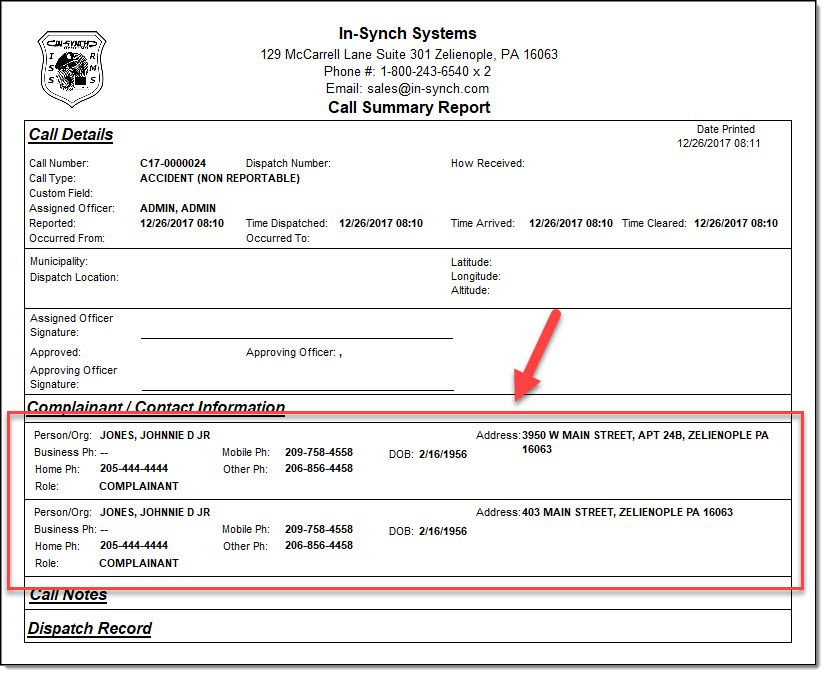
!Did You Know?Failure to select just one “Current” record can cause the Person or Organization to display multiple times in the Call Details window, Case Builder window, and on reports.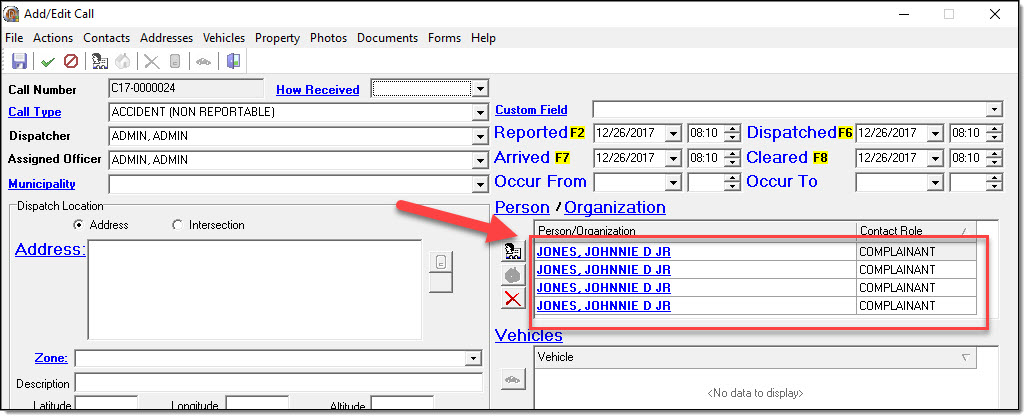
In the “JONES, JOHNNIE” and “JONES, JONNY” merge that was previously completed, notice that both the address and phone number grids have more than one “Current” record selected. 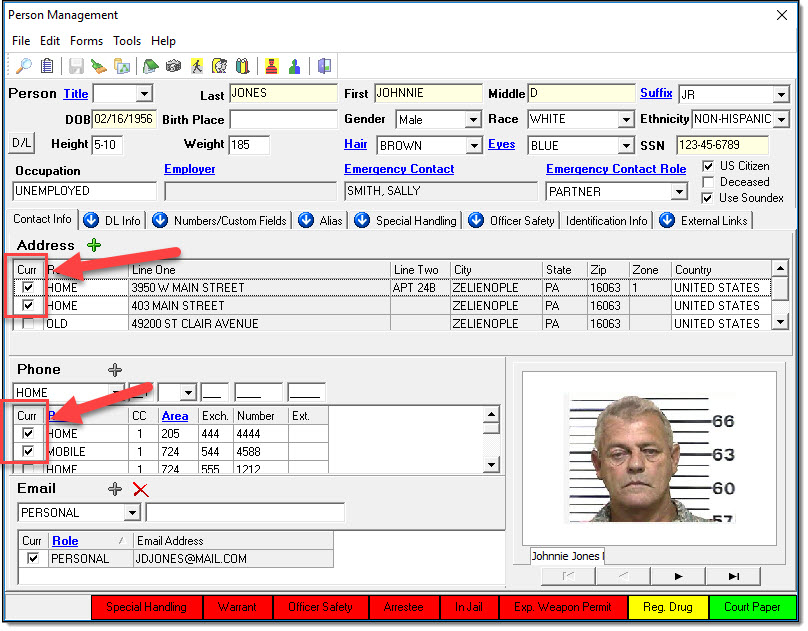
Left-click on any of the duplicate “Current” marked Address, Phone, and/or Email records to deselect all of the entries. 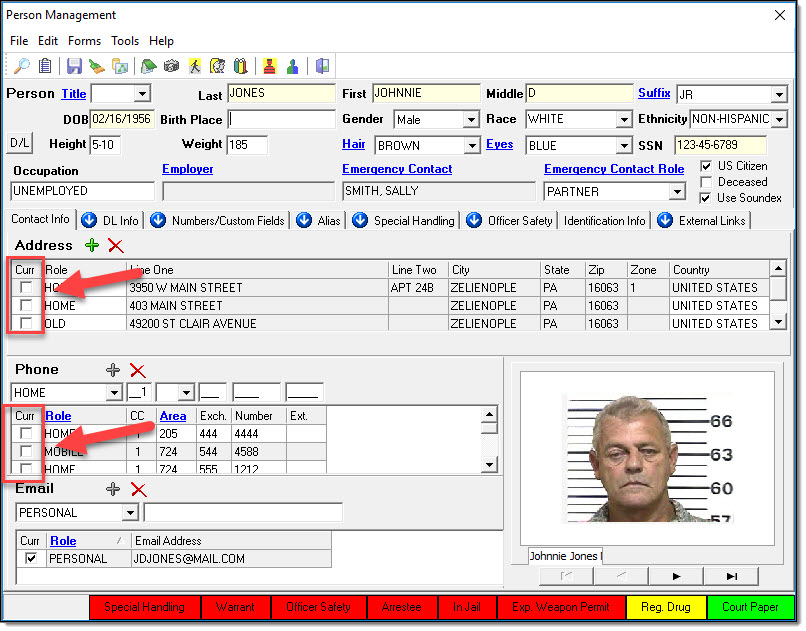
Select the “Current” checkbox next to the correct Address, Phone, and/or Email record for the Person (or Organization) (A) and then select the “Save” button (B).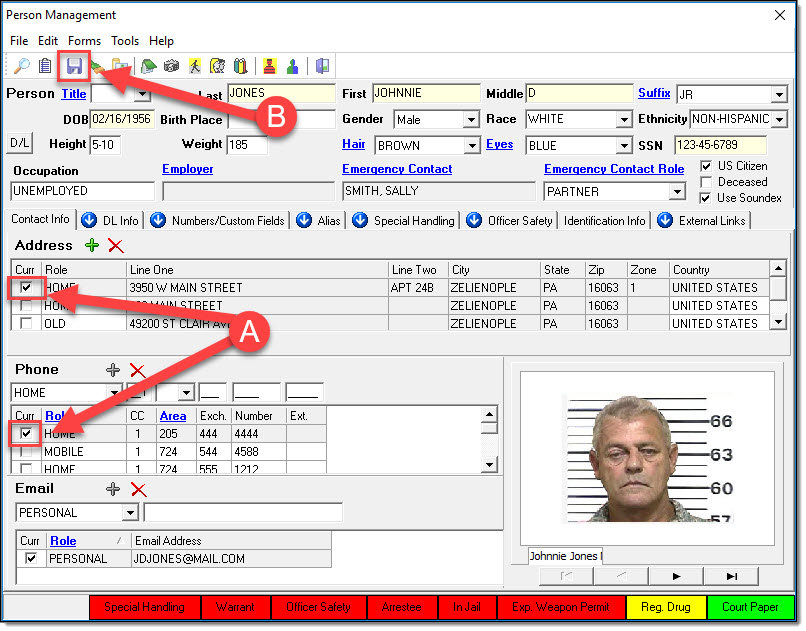
*Tips
After a singular Address, Phone, and/or Email record has been selected, the user may change the role(s) of the other items (in the grids) to reflect historical values.
Was this article helpful?
That’s Great!
Thank you for your feedback
Sorry! We couldn't be helpful
Thank you for your feedback
Let us know how can we improve this article!
Feedback sent
We appreciate your effort and will try to fix the article
X