
No recent searches
Popular Articles

Sorry! nothing found for
UCR Classification
Created by Russ Hartle, Modified on Thu, 11 Sep, 2025 at 3:56 PM by Russ Hartle
How to set UCR Classification on a Crimes Code
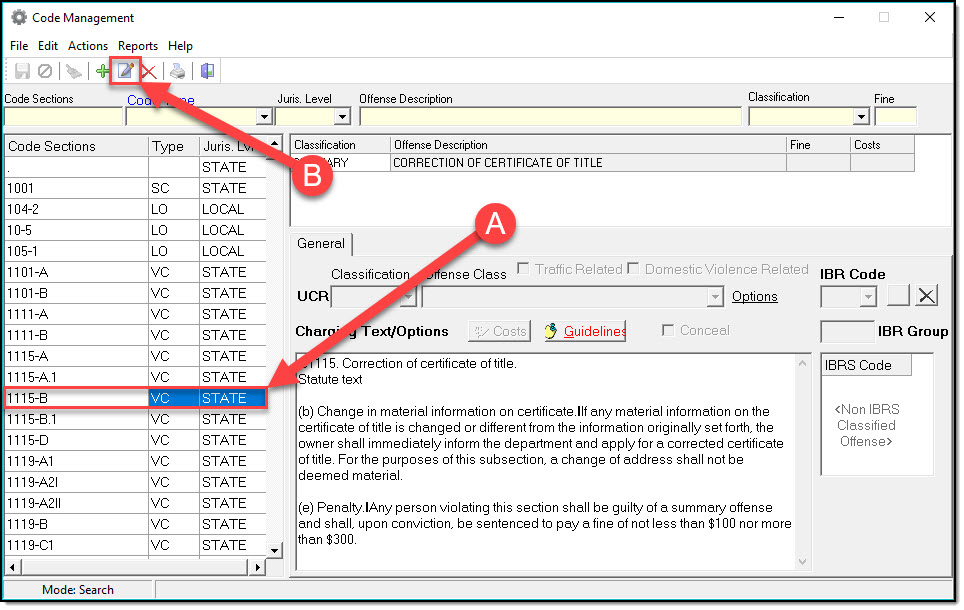
1. Select your Crimes Code (A), and then press the edit button (B).
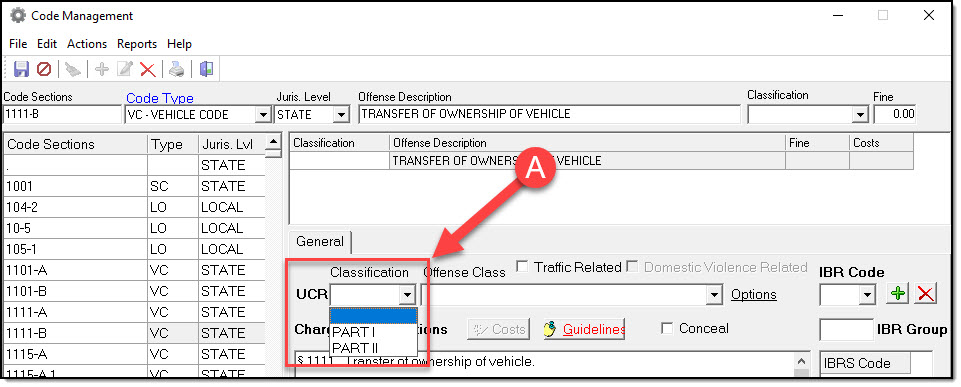
2. In the edit mode, choose Part I or Part II from the Classification drop down list (A).
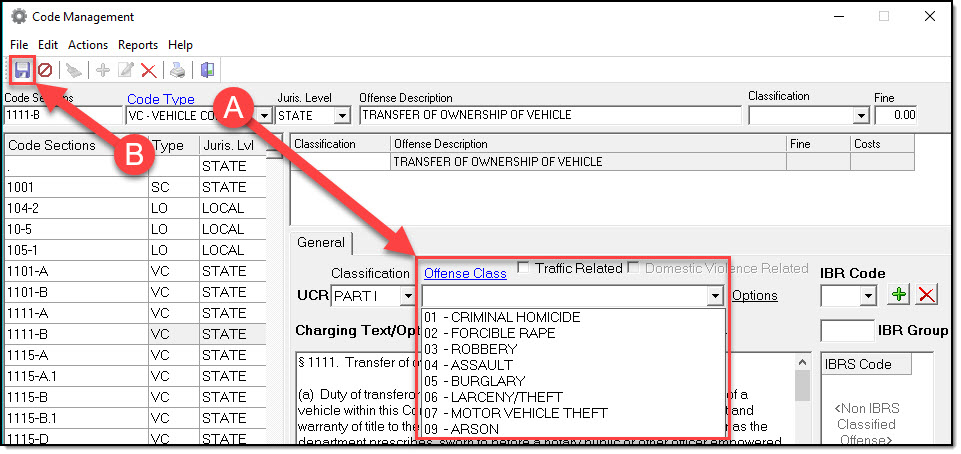
3. With a Classification set, choose an Offense Class from the drop down list (A). Click the Save button when finished (B).
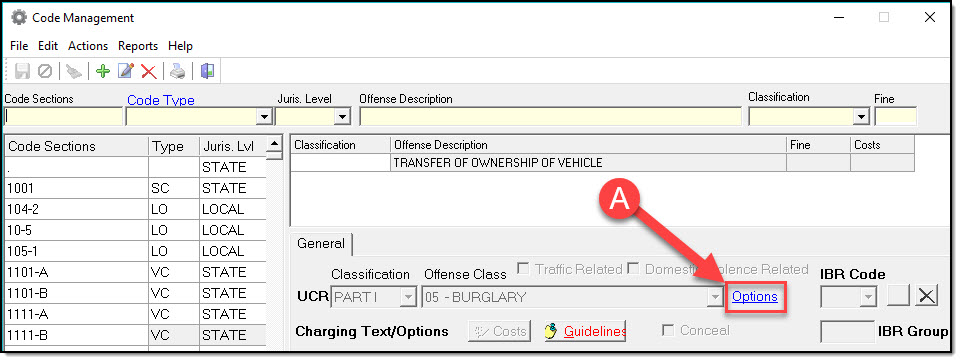
4. Certain Offense Classes have more options. To access these, press the ‘Options’ hyperlink (A).
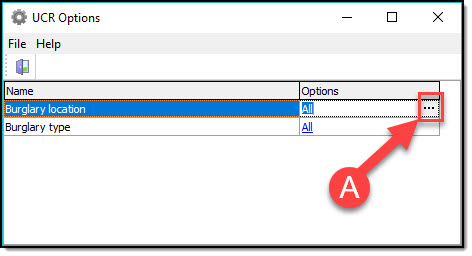
5. With the UCR Options module open, you can refine the choices available for the Offense Class by pressing the three dots (A).
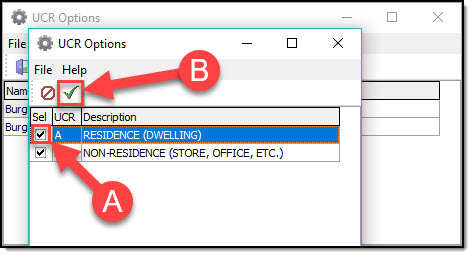
6. Select the Options you want available by checking or unchecking the Sel box (A), and then save by pressing the Check mark button (B).
!Did You Know?
For steps 4-6 the users will need the MANAGEICTUCR right that can be granted within the Security module. That right can be granted to groups or individual users. If you need assistance managing rights please contact our Help Desk.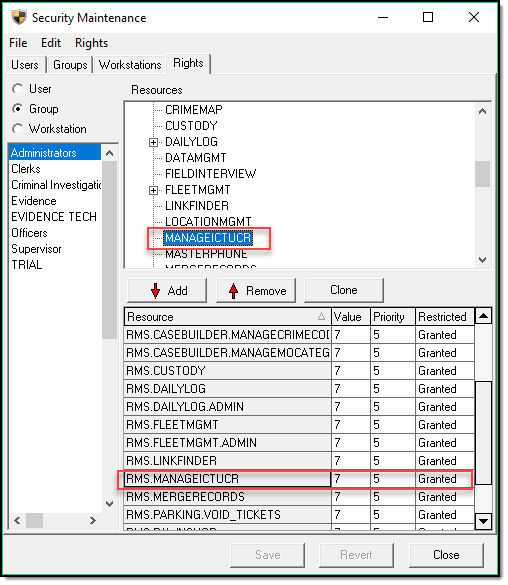
Was this article helpful?
That’s Great!
Thank you for your feedback
Sorry! We couldn't be helpful
Thank you for your feedback
Let us know how can we improve this article!
Feedback sent
We appreciate your effort and will try to fix the article
X