
No recent searches
Popular Articles

Sorry! nothing found for
Warrant Notification
Created by Russ Hartle, Modified on Tue, 24 Jun, 2025 at 2:42 PM by Russ Hartle
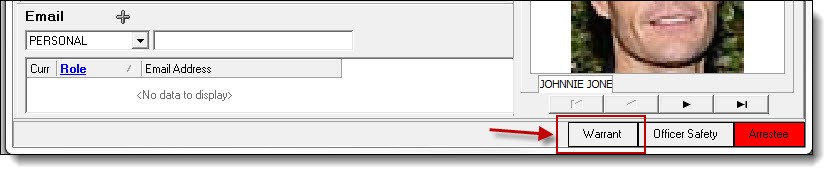
1. When an individual has an active warrant listed in the RMS, any contact with their person record will notify the user of the active warrant. By default, a flashing “Warrant” box will be visible on the individual’s person record.
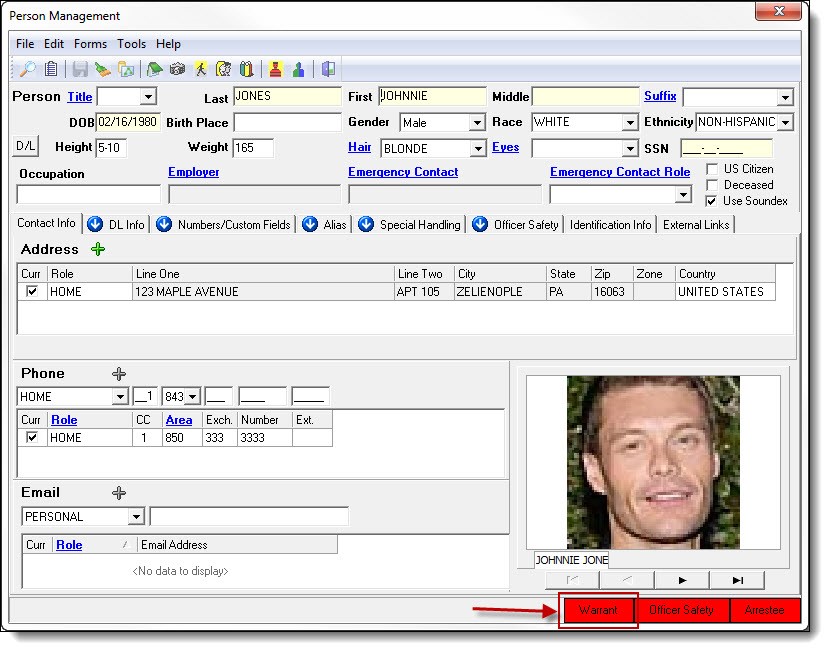
2. Users can view details on the warrant by double clicking on the warrant notification.
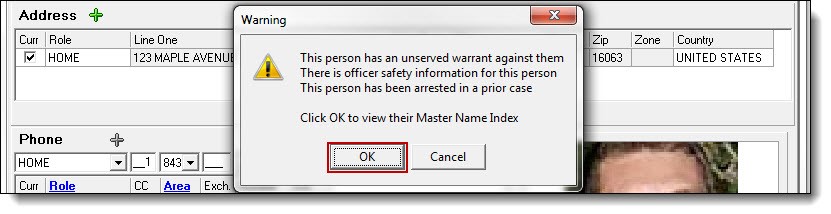
3. Click the “Ok” button to view the person’s Master Name Index.
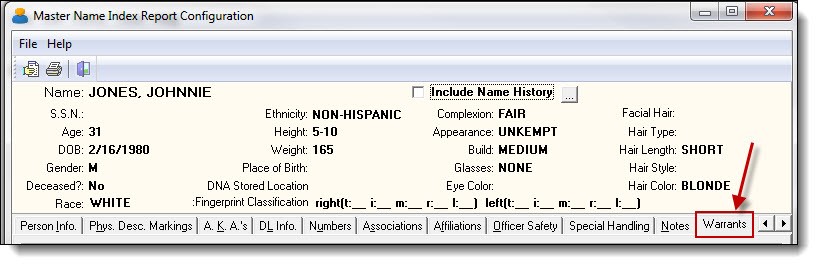
4. The Master Name Index can have various tabs for each type of the previous contact with the person. Click on the tab called Warrants.
Was this article helpful?
That’s Great!
Thank you for your feedback
Sorry! We couldn't be helpful
Thank you for your feedback
Let us know how can we improve this article!
Feedback sent
We appreciate your effort and will try to fix the article
X