
No recent searches
Popular Articles

Sorry! nothing found for
WV Criminal Complaint - Getting Started
Created by Russ Hartle, Modified on Mon, 31 Mar, 2025 at 10:28 AM by Russ Hartle
From this point forward, it will be assumed that the required criteria have been entered into Case Builder.
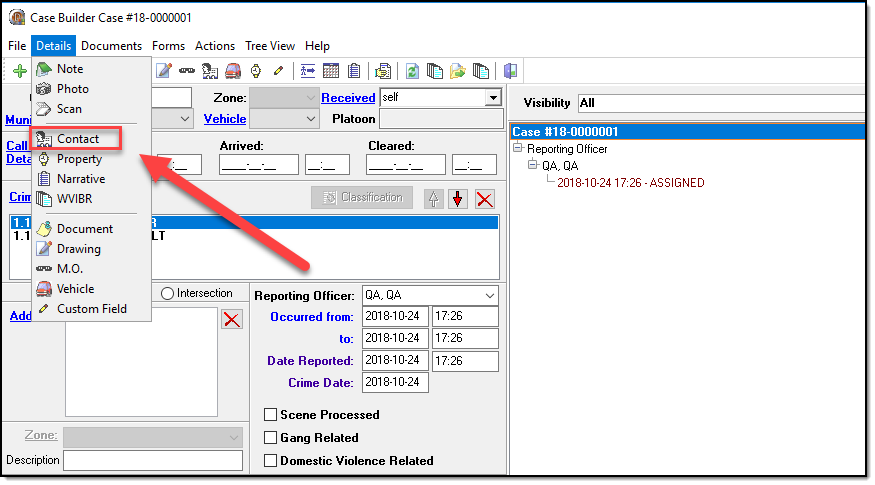
1. From the main Case Builder window, click “Contact” from the Details drop-down menu.
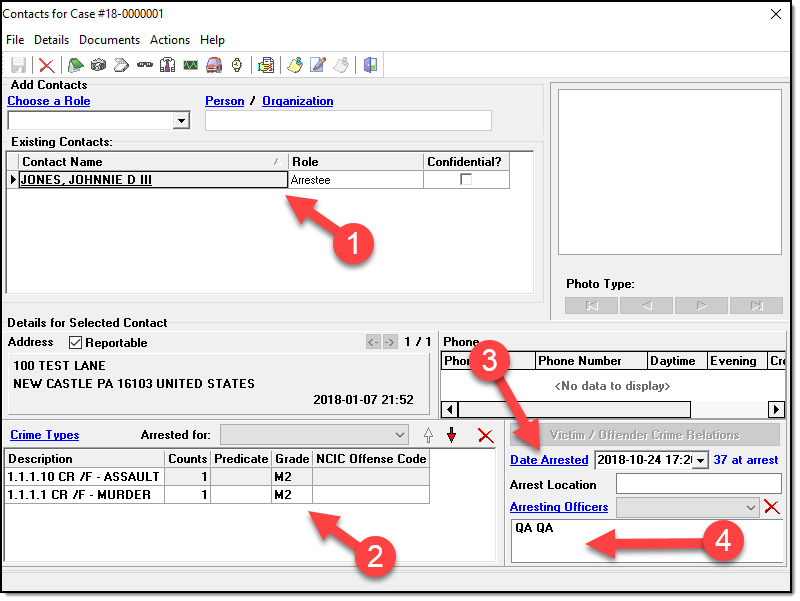
2. Add the defendant to Case Contacts. Ensure to enter 1). The defendant 2). Arresting Offense(s) 3). Date Arrested 4). Arresting Officer
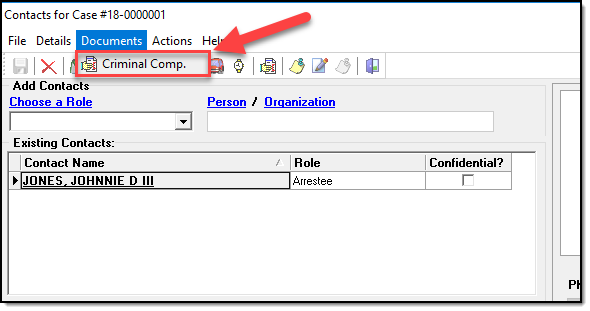
3. From Case Contacts expand the “Documents” menu and click “Criminal Comp.”.
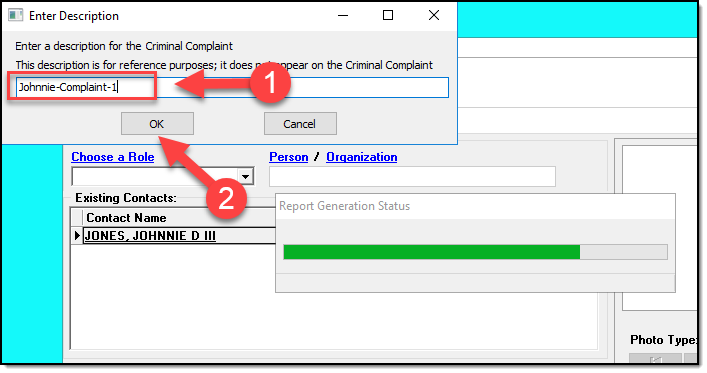
3. When prompted for a description please enter a description and click “OK”. Note, the description is only used for reference purposes in the In-Synch RMS. It does not display on the Criminal Complaint.
Was this article helpful?
That’s Great!
Thank you for your feedback
Sorry! We couldn't be helpful
Thank you for your feedback
Let us know how can we improve this article!
Feedback sent
We appreciate your effort and will try to fix the article
X