
The Code List of the Setup Menu is where ARMS keeps any codes for the system. Most fields that are in a drop-down menu or a yellow field are populated by the codes held in the Code List.
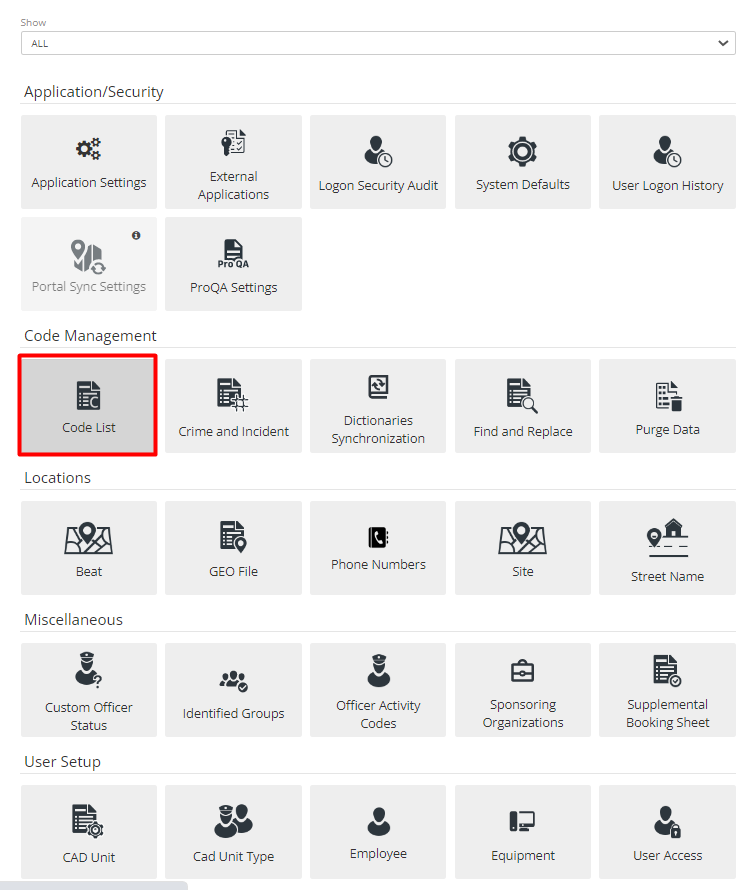
Figure 1 Code List Tab
It is separated into two parts, Category and Subcategory. Category lists display all main modules of ARMS and Subcategory, as the name suggests, display subdivisions of that category.
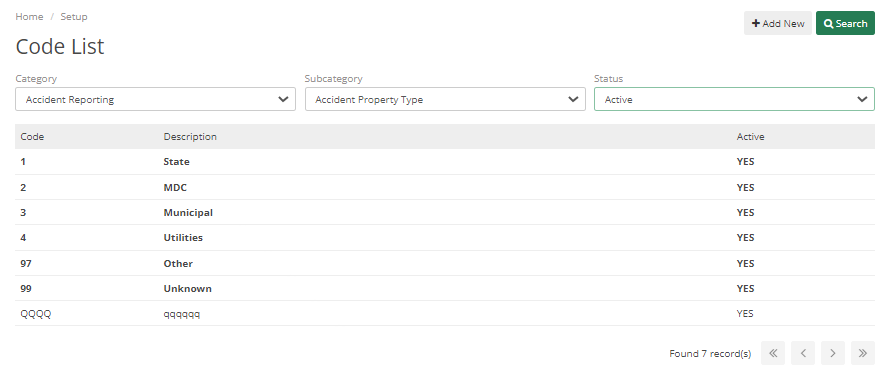
Figure 2 Code List
Once the user chooses a Category, the Subcategory drop-down menu will be populated with all the subcategories within the chosen ARMS category. Once they have selected a code, they can add and modify codes. The codes can be personalized by changing the Code and the Code Description. If the user would like to stop using a code, we recommend marking that code as inactive.
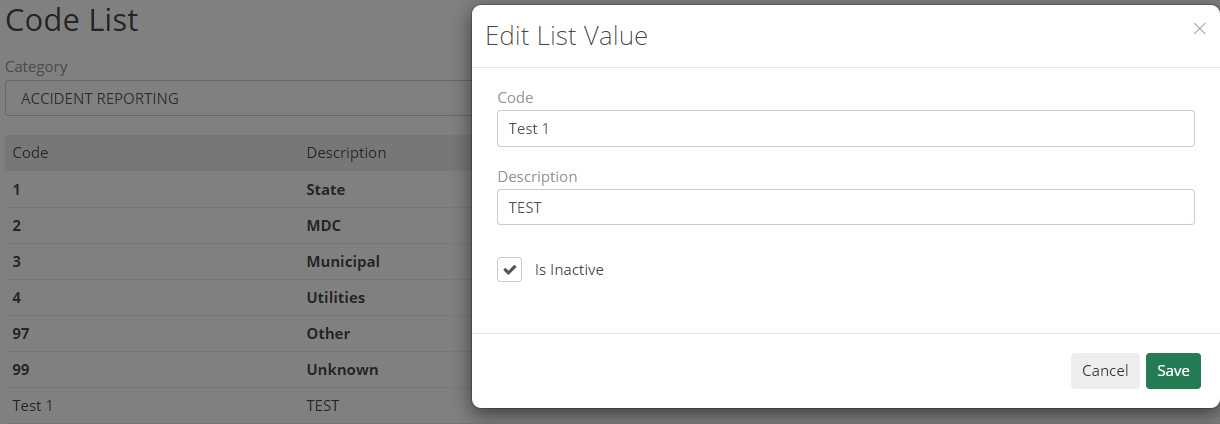
Figure 3 Edit Code List
Status has multiple different options like:
- Active - any code is active
- Inactive- codes which can be seen by the Admin but can’t be included in CAD or Case
- Show All – which will show all active and inactive codes.
- System Code – it’s any bold code that can’t be deleted, and was added by ARMS
- Show Synced – It will show codes synched by Admin during Dictionary Synchronization
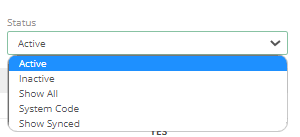
Figure 4 Status dropdown