
Reporting Person and Location History
After first saving a CAD event, users can access reporting person history and location history by clicking on the blue, underlined hyperlinks that lie to the left of the reporting person and location text boxes.
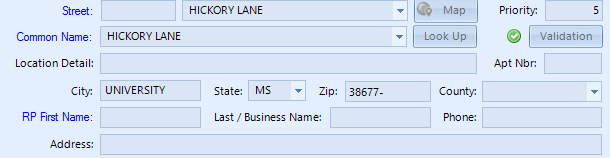
Doing so will access any existing information about a reporting person or a location that has been entered into those respective text fields.