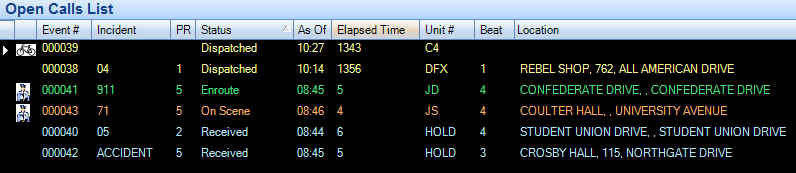
Open Calls List
The Open Calls List displays information about all officers that are currently assigned to calls. The information is updated in real-time on all computers running the ARMS system.
Clicking on any of the rows that are being displayed in the Open Calls List will pull up that CAD event.
|
Column Name |
Description |
|
Event # |
Indicates the CAD Event number that the open call entry is associated with. |
|
Incident |
Indicates the reported incident for the open call entry. |
|
PR |
The priority of the call. |
|
Status |
The status of the call is given in the officer assignment area. |
|
As Of |
The time that the call was given its status |
|
Elapsed Time |
The amount of time that has elapsed since the call was placed in its current status. |
|
Unit # |
The unit number of the office that has been assigned to the call. |
|
Beat |
The beat of the officer that is assigned to the call. |
|
Location |
The location that was reported for the call. |
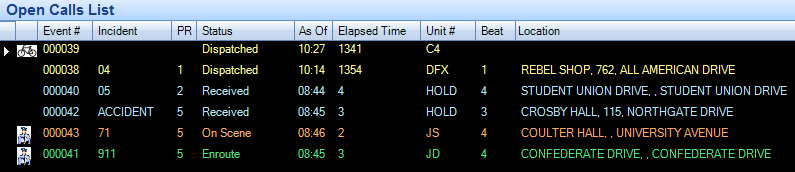
The open calls list is by default sorted with respect to whether a priority number is given for the call or not, as well as when the call was received. The following describes how the Open calls list is sorted from top to bottom:
1. Calls on Hold that have an assigned priority number
2. Calls on Hold that do not have an assigned priority number; sorted by time received
3. Calls that are assigned to an officer that has a priority number.
4. Calls that are assigned to an officer but do not have an assigned priority number; are sorted by time received.
In addition to this sorting order, users could click on the headers of each column which will in turn sort the open calls list by that column.