
Finding an Existing CAD Event
Once the CAD is open, existing records can be found in a couple of different ways. The first way is to use Ctrl-f and put the CAD into find mode. Doing so will essentially put the CAD interface into a write mode. Once in write mode, the user can search for records either by typing information into the Date and Time, CAD Event Nbr, Report Nbr, or Reporting Person Last/Business Name field, and then pressing the Find button or hitting the Enter key.
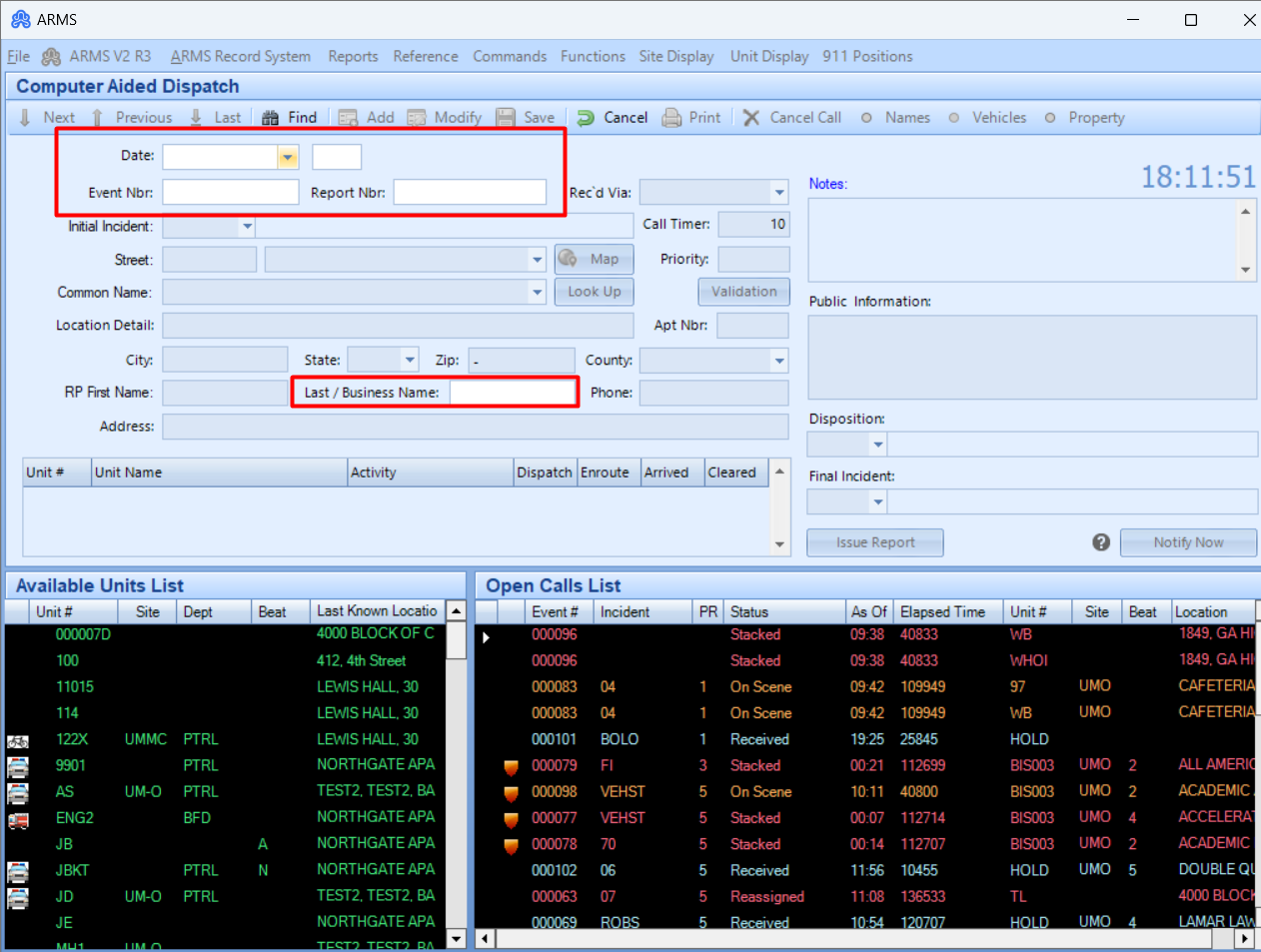
When searching for a record by date, CAD will return the first record that was entered on that date. When searching by CAD Event Nbr or Report Nbr, and no exact match is found, CAD will display an error message saying “No Matching record found. Check your input and try again.” If searching by reporting the person’s last/business name, CAD will return records that match exactly, or CAD will display an error message saying “No Matching record found. Check your input and try again.”