
Vehicle List

Figure 113 Side Menu >> Vehicle List
This section allows the admin to view, search, and filter all existing vehicle records, as well as add new vehicles.
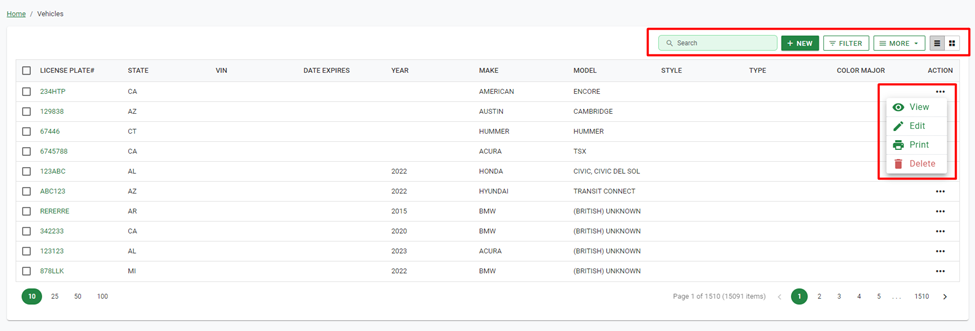
Figure 114 Vehicle List
Like prior sections, the admin can Merge duplicates, Export, and Delete records.
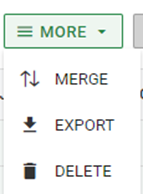
Figure 115 Vehicle List >> More
Add Vehicle
Clicking the New button allows the admin to create a new vehicle record. Once selected, the admin can input all needed vehicle details like: License Plate number, Make, Model, VIN number, et cetera. Clicking Save will complete the vehicle record creation.
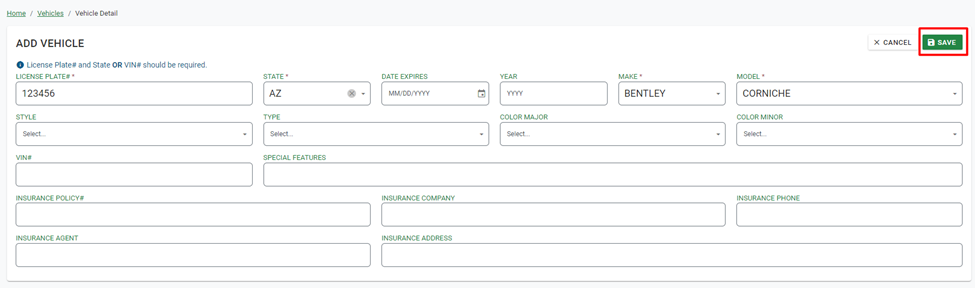
Figure 116 Add Vehicle
After creating the vehicle record, its detail page will be displayed. Here the Admin can edit any existing details, link the vehicle to a person or permit, as well as view any attached citations, notes, or photos.
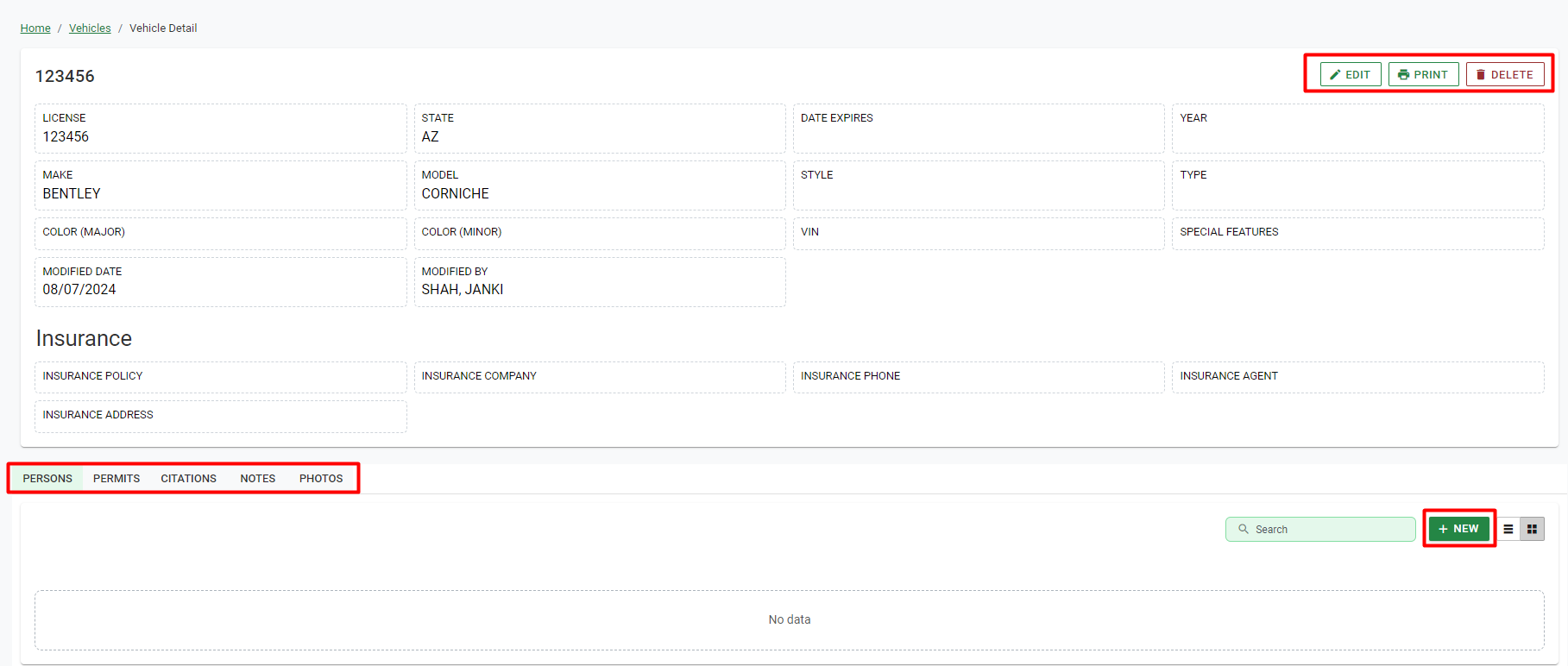
Figure 117 Vehicle Detail Page