
CAD Preferences
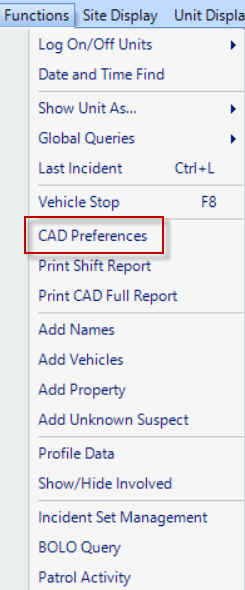
The CAD preferences window, found under Functions >> CAD Preferences, gives a quick access point for changing the behavior of the CAD interface.
The CAD Preferences window contains areas to change to Dispatch by Beat, Enable filtering by Unit Type, Stamp the received time in the Police Information field, and choose whether the CAD screen is split into two monitors or not.
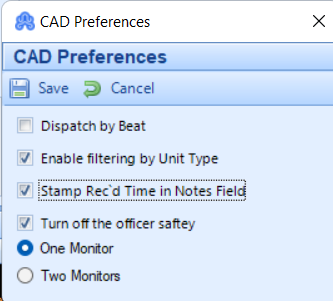
Dispatch by Beat – This option works in correspondence with the Location codes. In the set-up menu, users have the option to include a beat number. If this has been done, when an officer is logged on, they can also have a beat number included. When the location code is used in CAD that has the same beat number as an officer that is logged on, CAD will automatically assign an available officer to that call.
Enable filtering by Unit Type – This option will allow the dispatcher to use the Unit Display menu to only display specific unit types in the Available Units List.
Stamp Rec’d Time in Notes Field – This will automatically stamp the Rec’d time of the call into the Police Information.
Turn off the officer safety - this will turn on/off Officer Safety alerts.
One Monitor – This option will display the CAD information, Available Units List, and Open Calls List all on one screen.
Two Monitor – This option will display the CAD information on one screen and the Available Units List and Open Calls List on another screen.
Once changes have been made to the CAD Preferences window, pressing Save will commit those changes.