
User Reporting
The ARMS Courtyard URL can be linked where students and users can access or can be shared with your IT department. The Courtyard URL is located under Agency Details. This URL contains a simple form with multiple fields to be added by students or users.
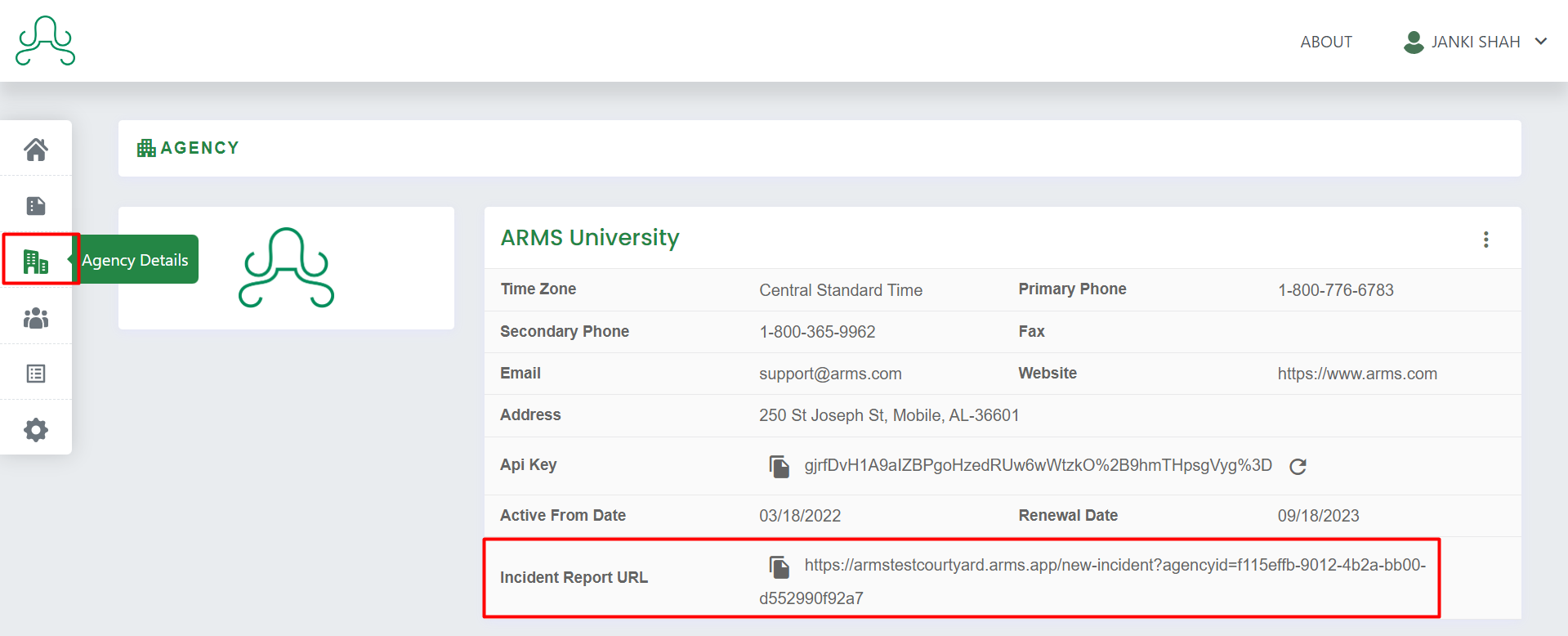
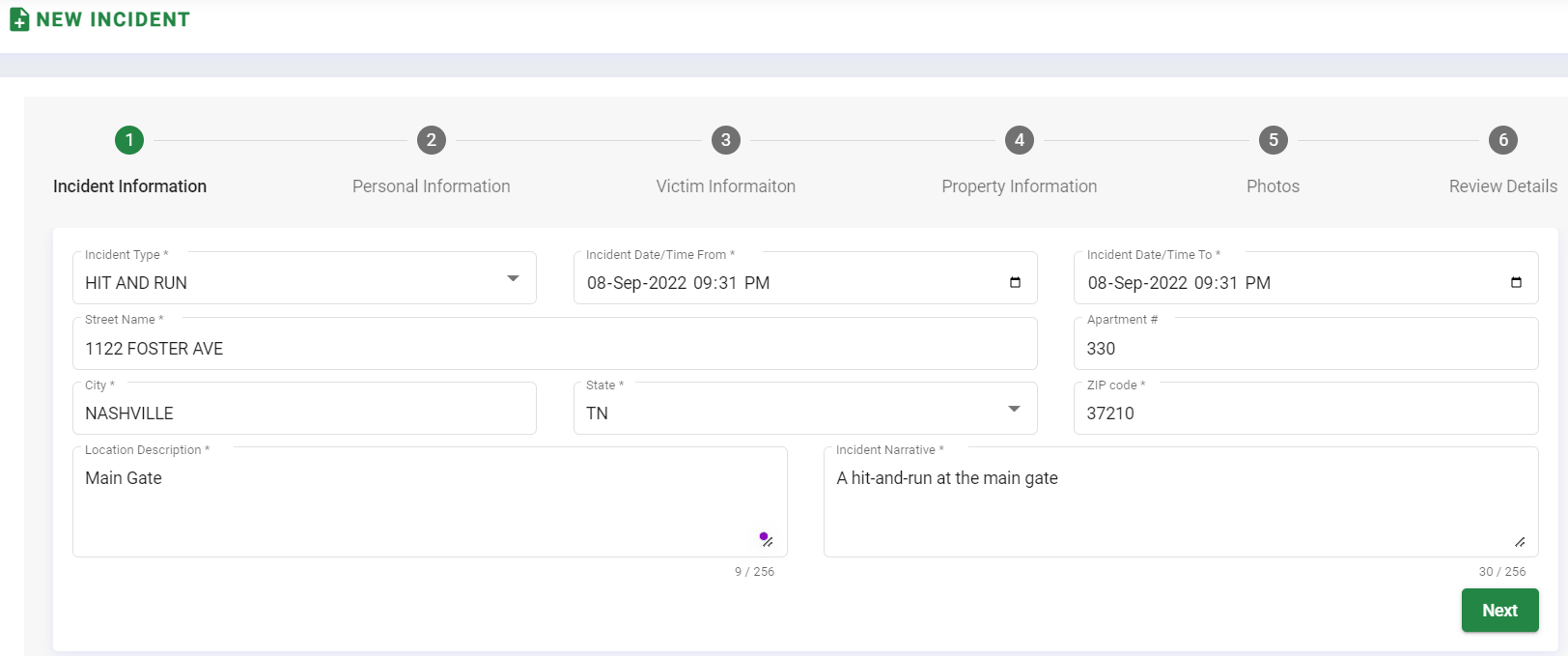
The incident form contains fields such as Incident Type, Incident Date/Time From, Incident Date/Time To, Street Name, and other location information, they can put a simple Narrative of what happened during that incident.
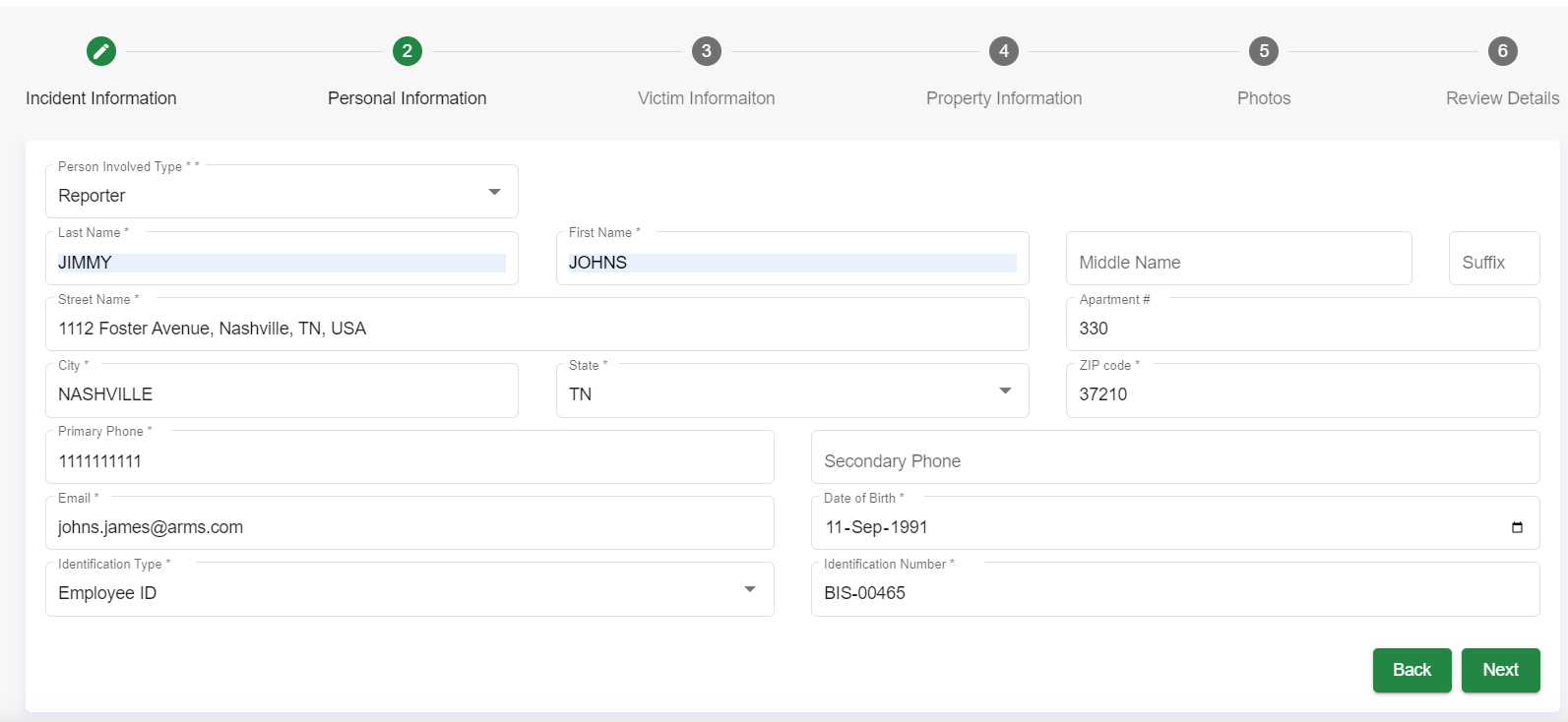
Personal information such as Person Involved Type whether reporting party is reporter or victim, then First Name, Last Name, Middle Name, Address Details, Email, Date of Birth, Identification Type, and Identification Number can all be entered. You can also include Incident Images if there are any.
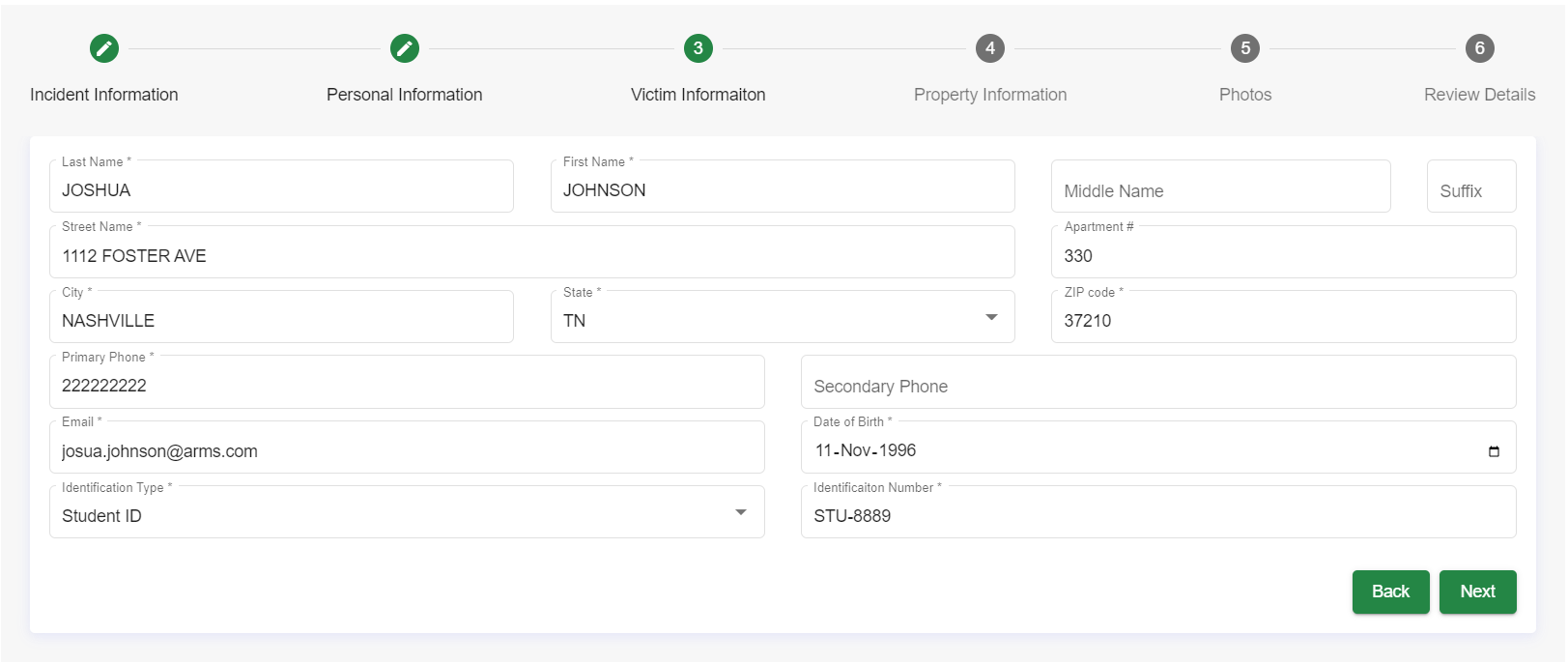
Once users enter their email id, the user and agency admin will receive an email showing details of the report submitted by them. The victim Information tab allows you to log all Victim details.
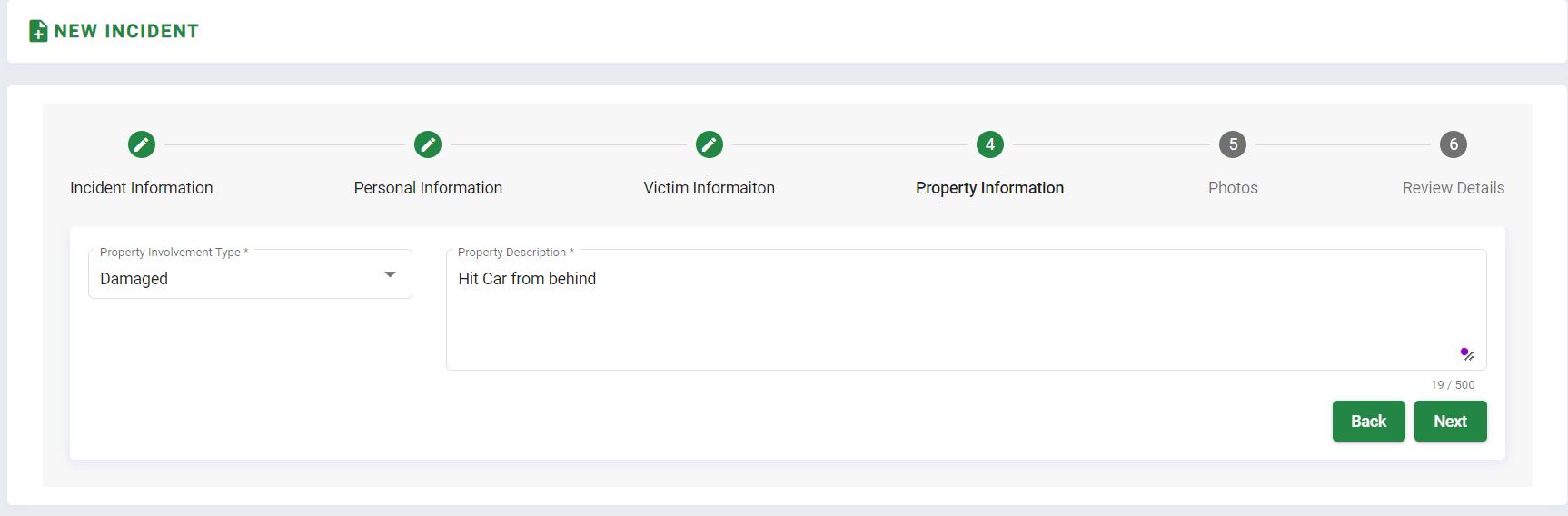
Other tabs such as the property tab only appear in an incident that has Property in it.
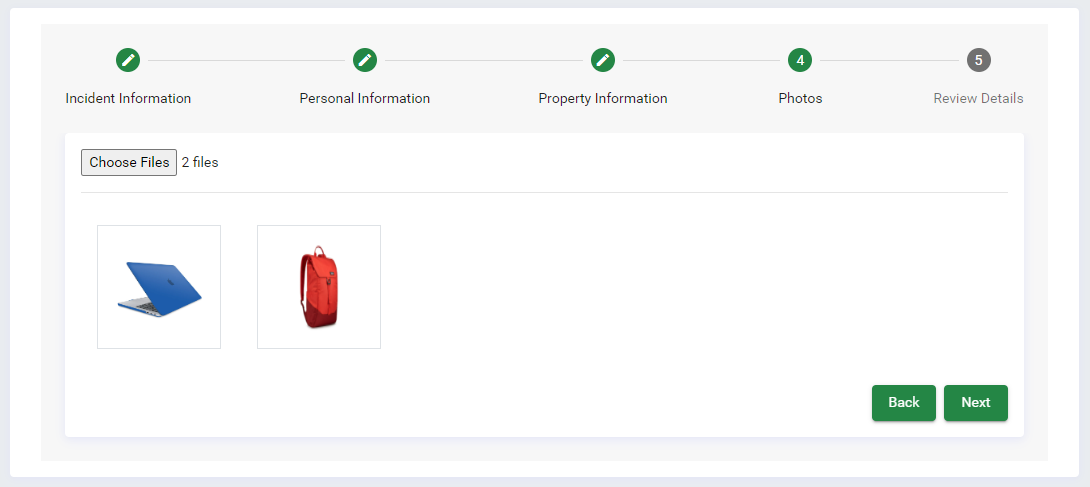
The user can then add any photos that apply to their incident.
Before final submission, the Review Tab helps to verify all entered details.