
GEO Files
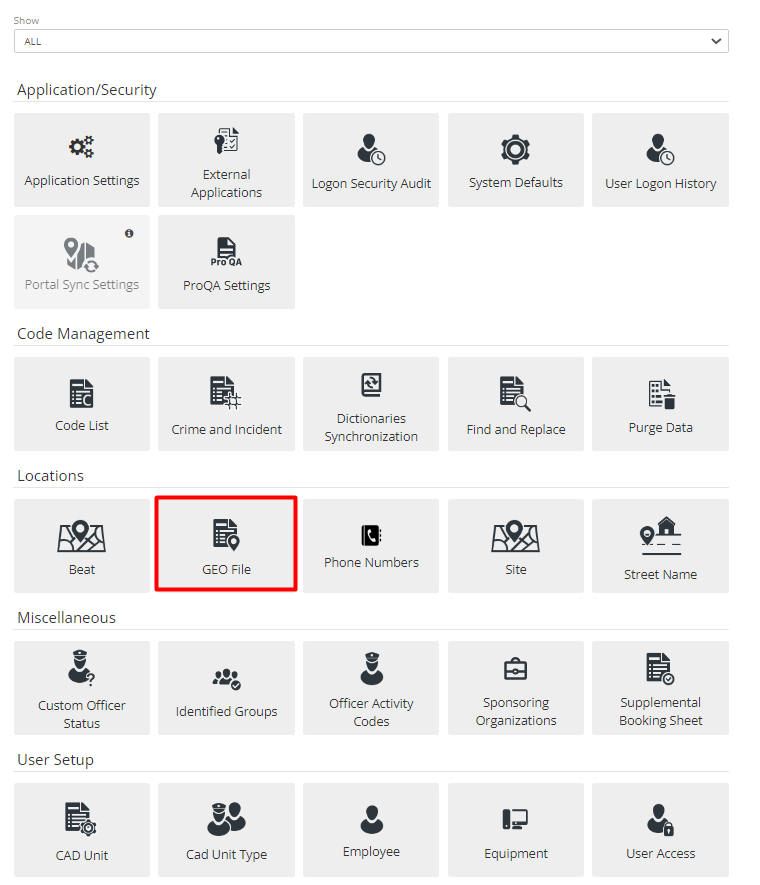
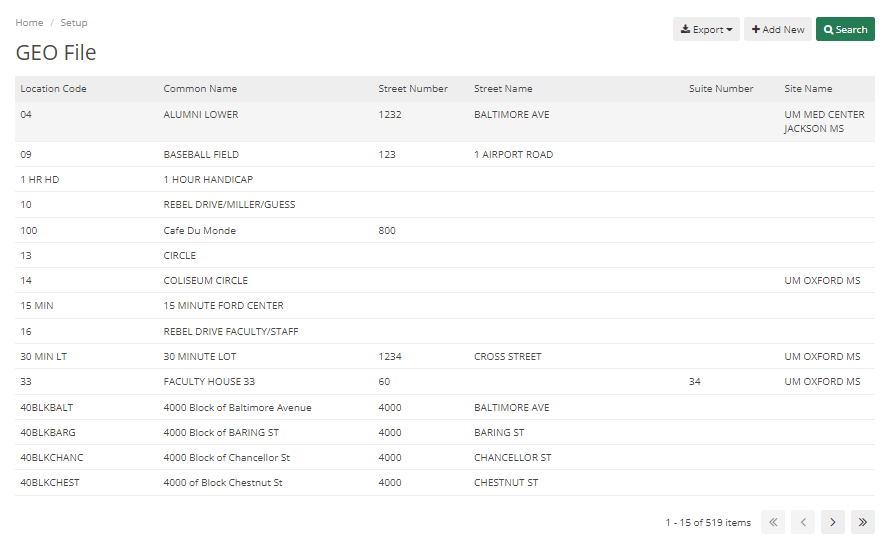
The GEO file is a section that encompasses the Site, Beat, and Street Name. It is more of Locations within the Department’s Jurisdiction. In this section, an Admin can Search, Export, and Add New Geo Files.
There are multiple tabs to add details in Geo File like General, Officer Safety, Security Matrix, Clery Data, Haz Materials, Contact Information, Photos, Other Media, and Alias.
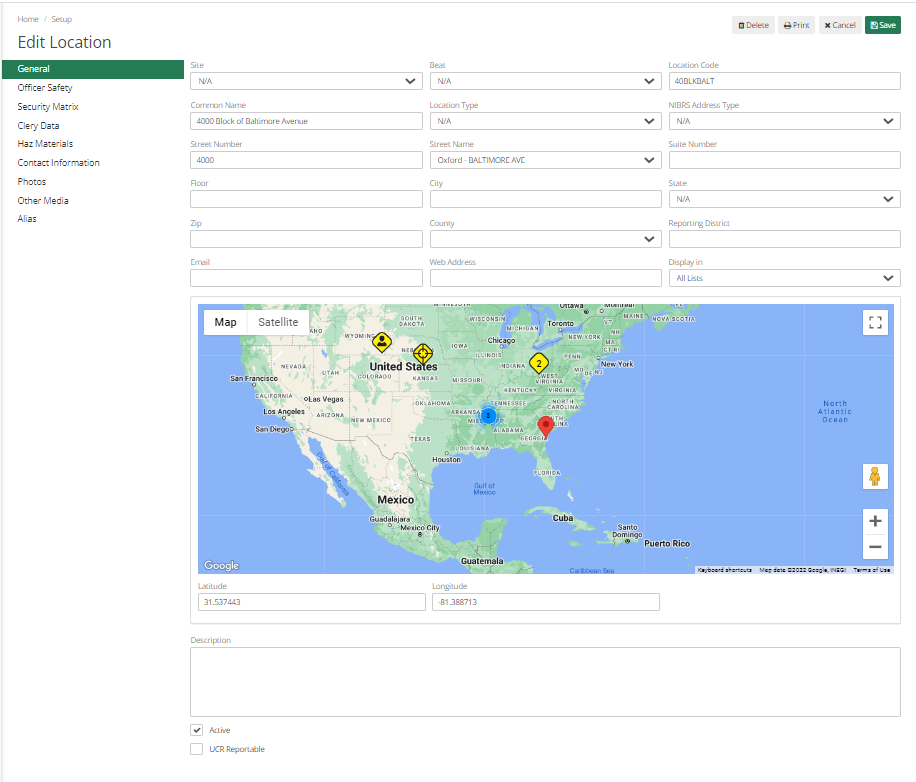
In General Tab, there are multiple fields they are as below:
Site - Select Site from dropdown, Admin can generate Lots of Reports based on Sites track Cases as per Site, the Dispatcher can display their Unit type or Locations based on Site.
Location Code – It helps to quickly pull locations by the location code.
Common Name – It would be the Normal Name of a Location that is commonly used.
Location Type – More values can be added to this dropdown through Code List.
NIBRS Address Type – If the Department Reports NIBRS, then this field can be selected.
City, State, Zip, County, etc. basic Location-related Information. Other information like the Email Address and website of that location can be filled in.
Admin can also Map actual location in Map by adding Latitude and Longitude.
The description field helps to describe location details.
If details are being added for UCR Reporting, then UCR Reportable can be marked.
Officer Safety Tab - If there is any kind of Information regarding the location that the Officer/ Dispatcher needs to know, then that information can be added here. It will Pop-Up as an Alert.
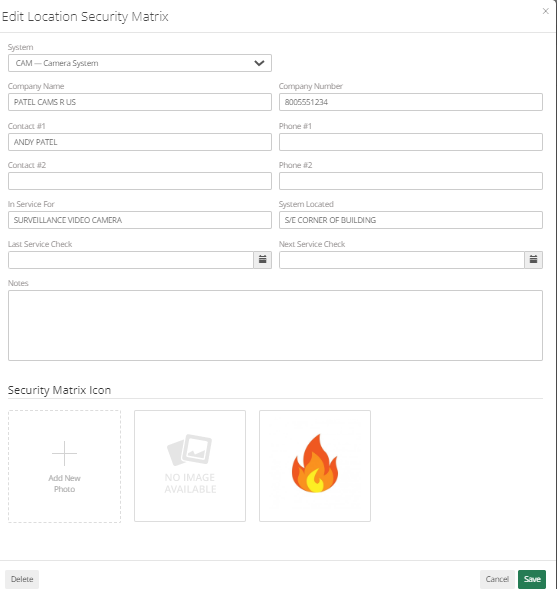
Security Matrix Tab - This will allow the Admin to add Information about the Location if that location has any security System. Details Like System, Company Name, Category Number, Phone Number, In Service For, System Located, Last Service Check, Next Service Check, Notes, and Security Matrix Icon can be added.
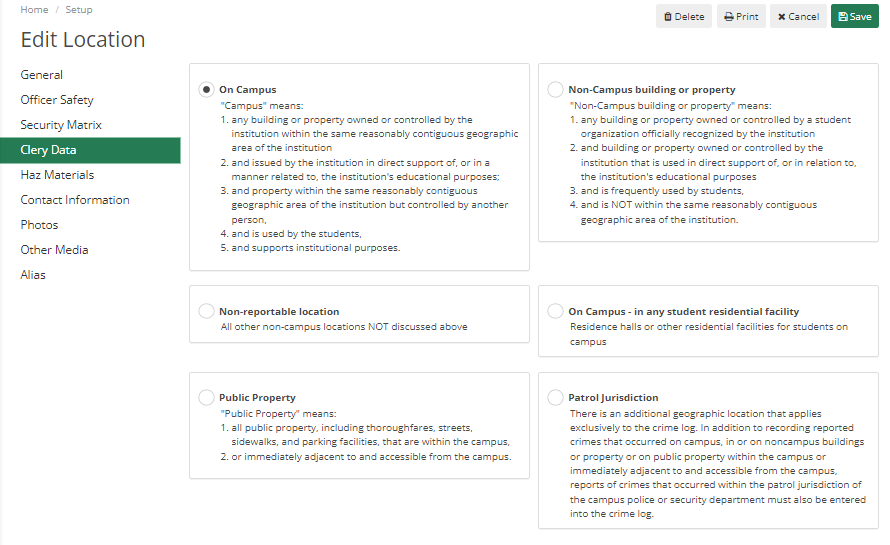
Clery Data – Here Admin can choose where the location would be for Clery Reporting. It Defaults to On Campus and can be changed if required.
Haz Materials – It will alert for any kind of dangerous materials at the Location.
Contact Information – Add location-related Contact Information.
Photos – Add location-related Photos. Generally, it would be used to add Blueprints.
Other Media – In case Blueprints or any related information is in pdf form then it can be uploaded in this section.
Alias – If the location is called by some other name for some people, then it can be mentioned here.
Once done, click Save. Anything added here will be displayed to Officer/Dispatcher when they select the Location.