ARMS Maxient Overview
Maxient is an incident reporting system that Student Conduct offices of colleges and universities use to manage behavior records. The system is used for collecting data from a variety of origins on campus to supplement the judiciary processes in place.
Maxient establishes a web-based report form for each of its campus and university customers. This web page is usable by students, faculty, staff, and even by Police and Security officials for feeding report data into Maxient, which then becomes available to personnel in the Office of Student Affairs, or similiar departments. ARMS customers may choose to deploy the add-on module named “Maxient”. This additional module enables the department to electronically add a new Incident Report into Maxient by selecting an ARMS case report to be electronically posted into Maxient.
This helps the department avoid redundant data entry (from having to type the case report into Maxient after already typing it into ARMS).
Maxient’s online Incident Report form is the basis of the electronic interface for systems, like ARMS, to use to electronically post data into Maxient. The ARMS “ARMS Maxient” writes to the Maxient Incident Report online form. After submitting an ARMS case report to Maxient, that case report will be ingested into the hands of the appropriate personnel on campus, and that informational routing is managed by Maxient
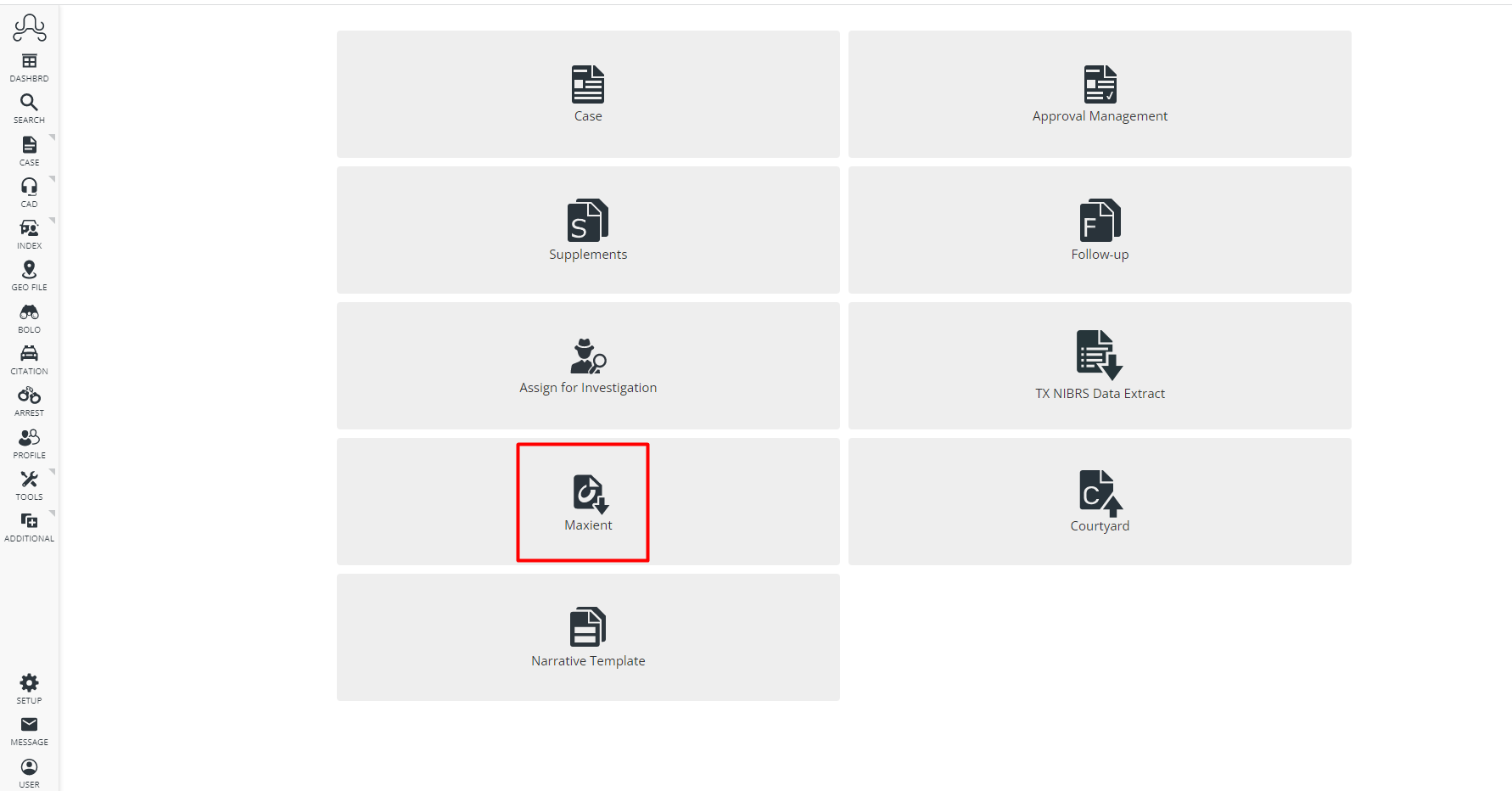
The Maxient option can be found under Case Management from the Home Screen. You must be licensed for Maxient for
the module to appear here.
Information Needed
- The static IP address of your ARMS application server. ARMS Maxient will send the user’s submission out of the ARMS server. Maxient allows up to two IP address rules through its firewall policies. The public-facing IP of the firewall behind which the UPD network results may also suffice to give to Maxient.
- You will need to submit the static IP address of your ARMS application server to your Maxient contact to get them to allow that IP address through their firewall policies.
- The Maxient Incident Report URL for new Incident Reports. The URL is used to manually enter a new Maxient Incident Report.
- The Maxient Institution Code. The “view source” of that specific URL will give us the Institution code that Maxient uses (in combination with the URL) to route the electronic insertion of new Incident Reports into the correct University’s data.
If you are new to Maxient, you will need to get the Maxient Incident Report URL and the Maxient Institution Code from Maxient.
Below is a template for contacting Maxient:
Hello Maxient Support,
The Department of Public Safety for [YOUR CAMPUS] wishes to electronically submit incident reports into Maxient from its law enforcement records system, ARMS. The ARMS vendor has provided the electronic data submission capability to us and has made known to us, the need to share our primary IP address for the interfacing system with you, for your firewall access purposes.
The IP address is: [YOUR ARMS APPLICATION SERVER IP ADDRESS]
In addition, can you please confirm/provide the following for our agency, as these values will be shared with ARMS for use in the interface:
Incident Report URL: [YOUR INCIDENT REPORT URL IF YOU HAVE IT] Institution Code: [YOUR INSTITUTION CODE IF YOU HAVE IT]
Thank you for your assistance.
ARMS Maxient Submission Settings
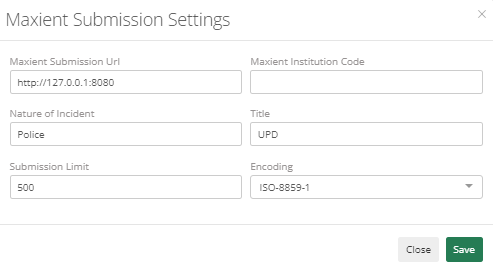
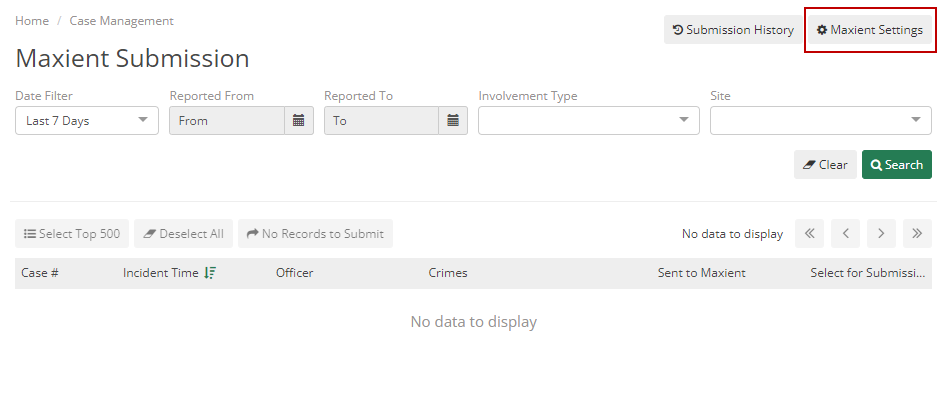
Maxient Submission Settings allows you to configure settings related to Maxient such as Maxient Submission URL, Maxient Institution Code, and Nature of Incident. To open this dialog, go to Case Management > Maxient > Maxient Settings.
Generally, the user must enter “Police” as the Nature of Incident, Title as “UPD” by default, and Submission Limit as 500.