Scofflaw
Scoff Codes
In ARMS Parking, you can set up Scoff Codes that will allow the system to automatically track the number of citations a user has received for a specific violation type and increase the fine or instructions however you would like.
For example, this can be configured to have the system automatically increase a $25 fine for parking in a handicapped spot to $50 the second time they get a citation for it, then increasing to $85 on the 3rd violation, then increasing to $150 and also give the officer the alert to boot the vehicle on the 4th violation.
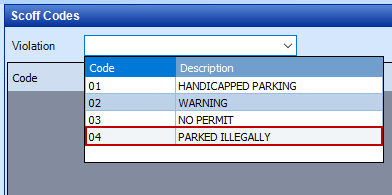
The first step for setting these up is selecting the violation from the drop-down menu.
Then click the New Item button and choose to use the wizard.
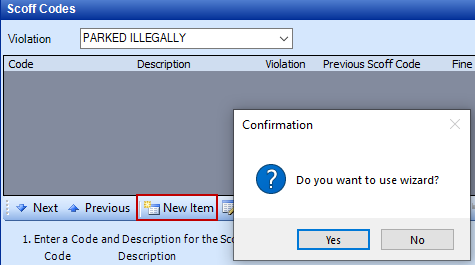
Afterward, you can choose the date from and to that you would like to set up the Scoff Laws to last until. Many departments will just do this for the school year and reset them when the new school year starts, but you can customize it however you’d like.
You can then choose how many out of 5 offense presets you’d like to set up. If the user gets the 5th violation then it will repeat those fines and instructions for any citations after the 5th.
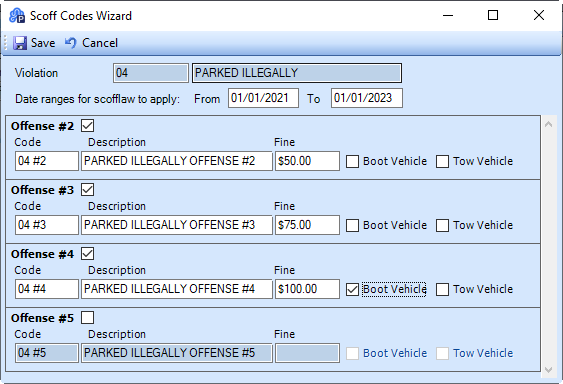
The fines will automatically increase for the violation on the citations, and the instructions will appear as an alert on the Quick Citation screen and/or Parking Handhelds.
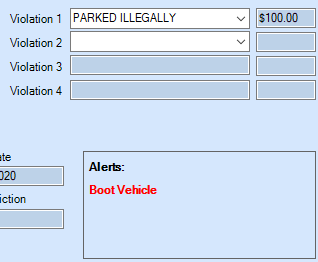
Once you save, you’ll now see however many preset offenses you created as a row for that violations Scoff Codes and the setup is complete.
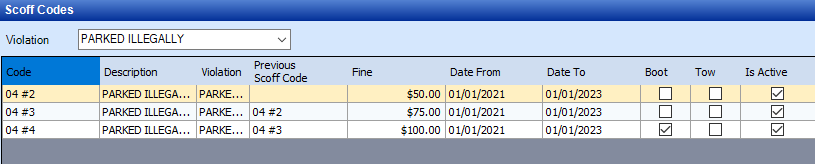
If you want to reset them for a new year, you can go to one of the rows and click the Reset button. This will open the wizard again and allow you to change the date range. The new date range can include dates that are within the original data range. Be aware that when these violations Scoff Codes are reset, the old rows will be marked as Inactive and all the citations that were being tracked will no longer be tracked. This means that even if they have two citations for this violation from last year if they get a new one it will be seen as the first offense for this Scoff Code.
It will still show the old rows for the Scoff Codes for record-keeping purposes, but they will be unchecked as Active, and the new rows will be marked as Active.
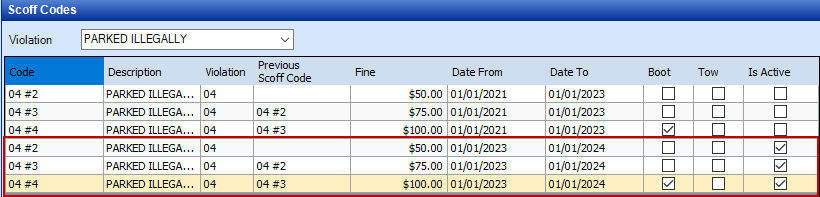
You can also adjust the date range for the currently active one if you want to extend or shorten the range instead of resetting it.
Manual Scoff Codes
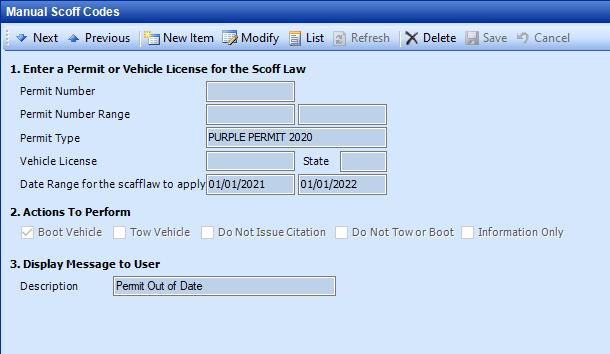
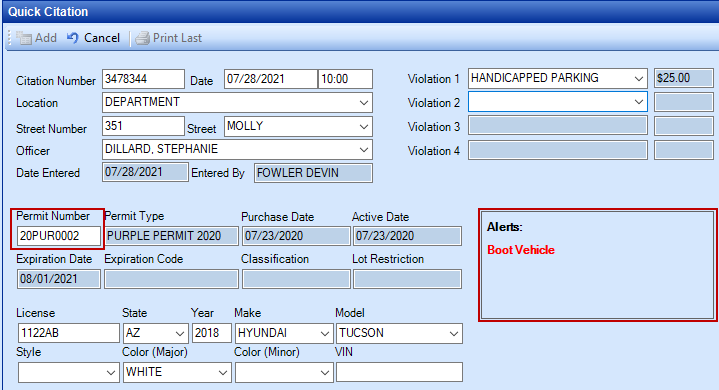
Manual Scoff Codes are meant for your department to be able to fully customize alerts or information for a specific permit, a range of permit numbers, a permit type, or a specific vehicle. For whatever criteria you choose, you can then choose to have an alert anytime a citation is created for a permit or vehicle that meets that criteria for Boot Vehicle, Tow Vehicle, Do Not Tow or Boot, Do Not Issue a Citation, or just display Information Only. Information Only will show the description typed into the Manual Scoff Code when you are using the Parking Handhelds.
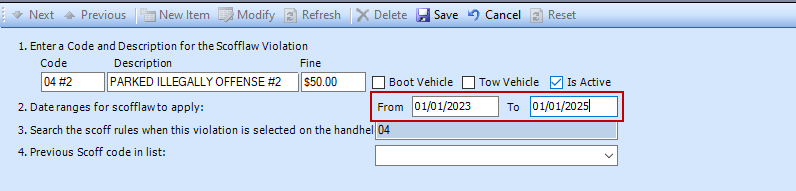
Below you can see a Manual Scoff Code to boot any vehicles that are the type “Purple Permit 2020”. Then you can see that the alert will appear in Quick Citation or the Parking Handheld.
Scoff List
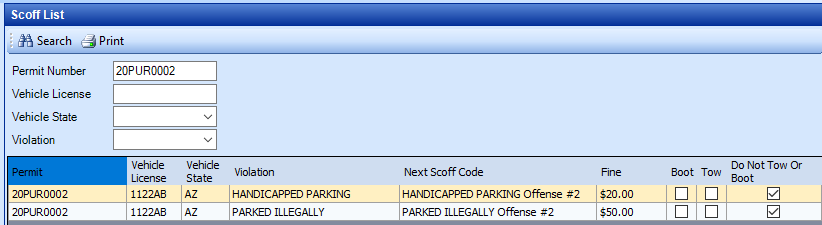
Scoff List is a way to see where a user is at in the Scoff Code offenses. Below you can see an image with two Scoff Codes for one user. This shows the Scoff Codes that they have and the level of that Scoff Code they are on. Currently, this user is on level 1 of both offenses so it shows what their next Scoff Code and fine will be if they receive another one of those violations. You can search this list by permit number, vehicle license, vehicle state, and violation.
Violation Independent Rules
Violation Independent Rules (VIR) are similar to Scoff Codes, but they count the citation regardless of their violations. There are two types of Violation Independent Rules; Multiple Citations and Late Citations.
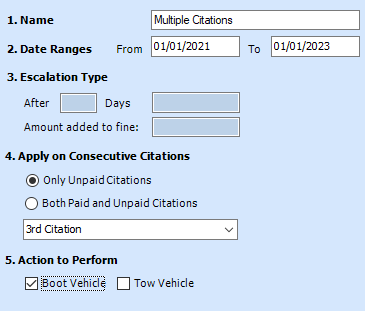
For Multiple Citations, you’ll want to put in the date ranges you’d like the rule to apply for, then choose whether you want it to apply to just unpaid citation or both paid and unpaid citations, then you’ll choose what number citation (up to the 10th citation) the user will receive the Action to Perform being either Boot Vehicle or Tow Vehicle.
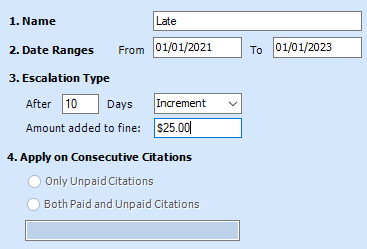
For Late Citations, you’ll want to put in the date ranges you’d like the rule to apply for, then choose how many days after the citation until they get a charge for it being unpaid. Then choose whether you want to just double the charge, or add an amount based on the increment you type into the amount added to fine.