Code List
The Clery Act requires all colleges and universities that participate in federal financial aid programs to keep and disclose information about crime on and near their respective campuses. Compliance is monitored by the United States Department of Education, which can impose civil penalties, up to $58,328 per violation, against institutions for each infraction and can suspend institutions from participating in federal student financial aid programs.
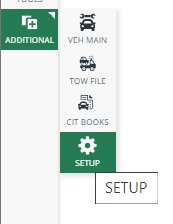
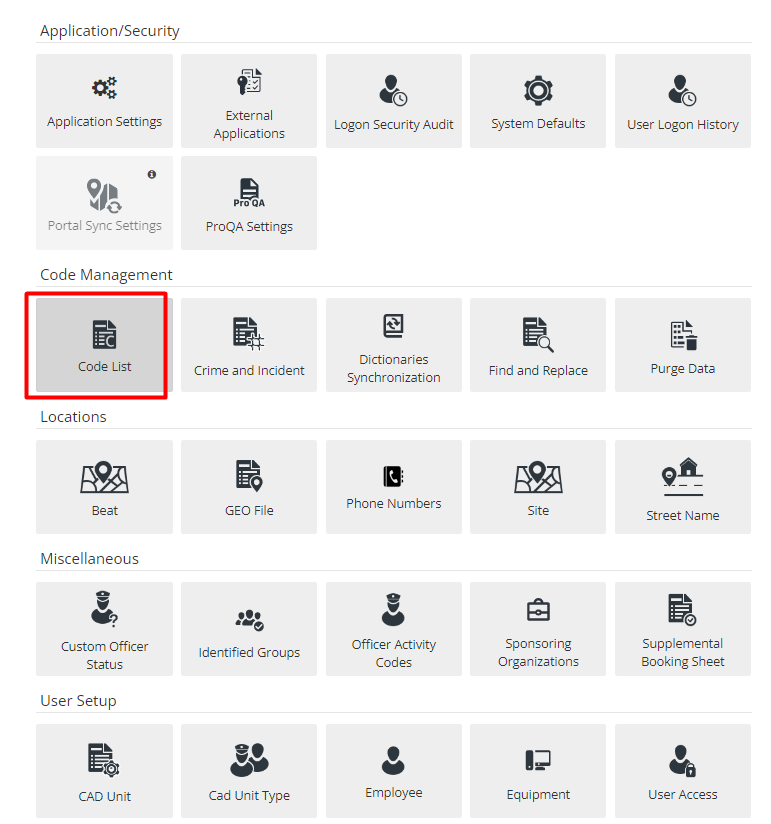
To report Clery through ARMS, the first step is to set up all codes in the system. Start by hovering over the Additional tab from the ARMS home screen, select Setup, then select the Code List module.
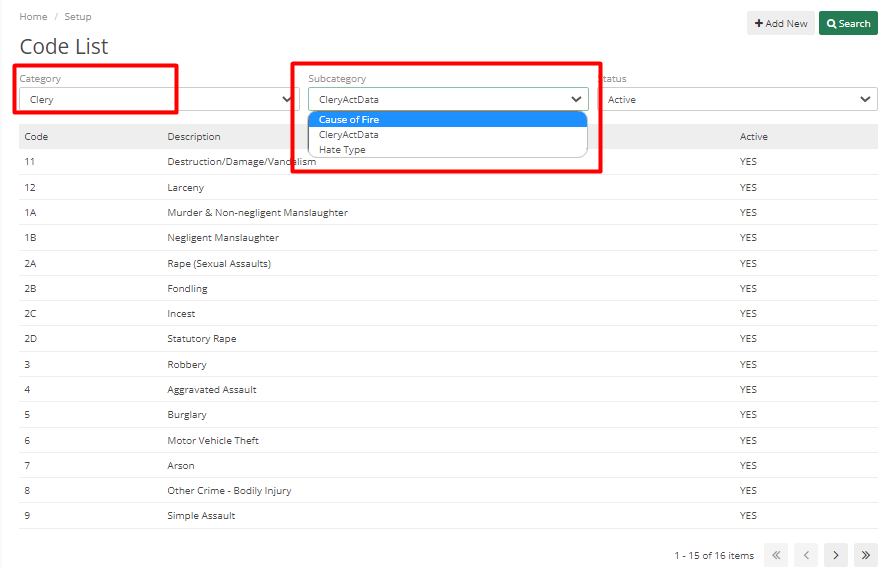
In the Code List Screen, Select Clery from Category Drop-down. There are three options in the Subcategory – Cause of Fire, Clery Act Data, and Hate Type. These three options are standardized codes from Clery.
First select Cause of Fire from the Subcategory. Make sure all the codes and descriptions are added properly. Check similarly for the other two i.e. Clery Act Data and Hate Type.
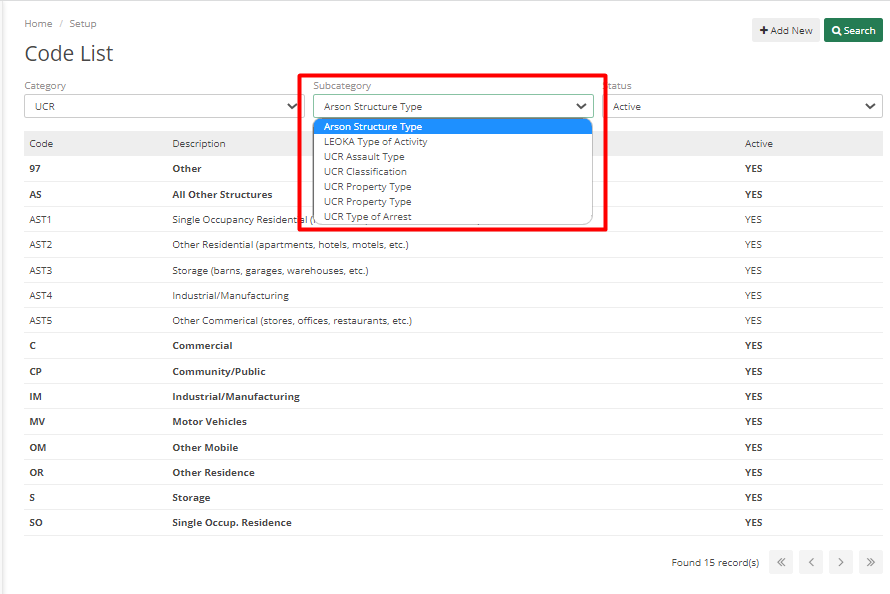
The next Category to select is UCR, which is mainly used for Arson. Add all Arson Structure types in the Arson Structure Type Subcategory.
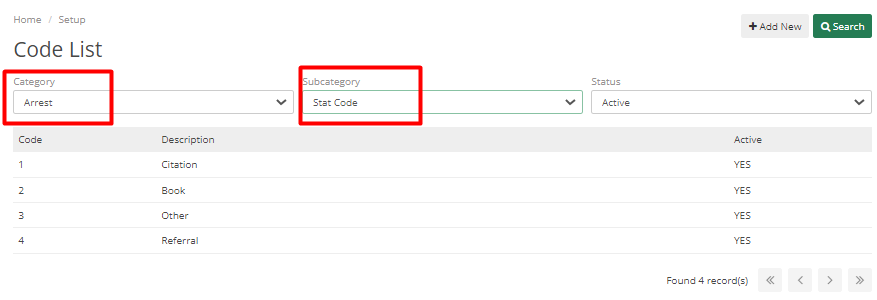
The next category is Arrest and the subcategory is Stat Code. All the codes in the system should match the description in the system.
Crime Codes
The next step for setting up Clery code is going to the Crime and Incident Module from the Setup menu.
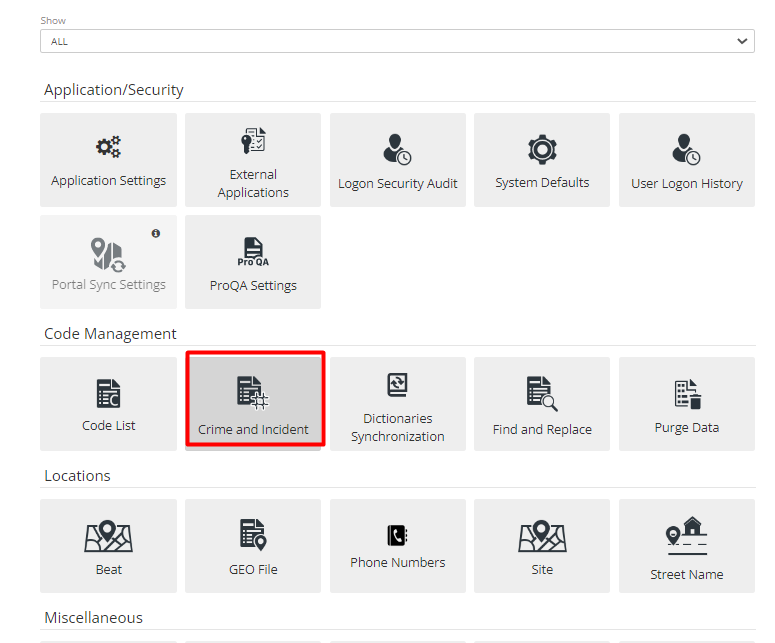
Department users can set their crime codes up in this module to report Clery data. Some crime codes may already be in the system.
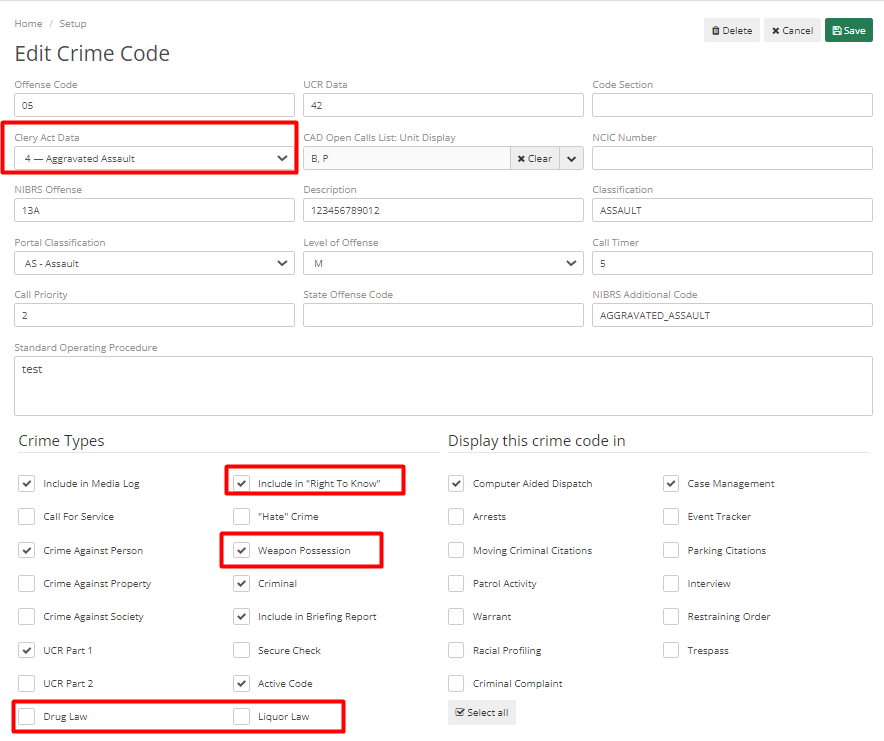
The important thing to note while reporting for Clery is the Clery Act Data field. This field should be matched with the Offense Code, if the Clery Act Data is filled for the Crime Code and is uploaded for Clery Review in Case then this will determine what crime codes show on ASR (Annual Security Report)
Other parts which go into Clery Reporting through ARMS are in the Crime Types.
Include in “Right to Know” – Crime codes marked with this box will appear in the daily crime log regardless if it’s a case or CAD event.
Drug Law, Liquor Law, and Weapon Possession are all related to Clery’s Reporting. Weapon Possession is to track a call that has a Weapon Possession.
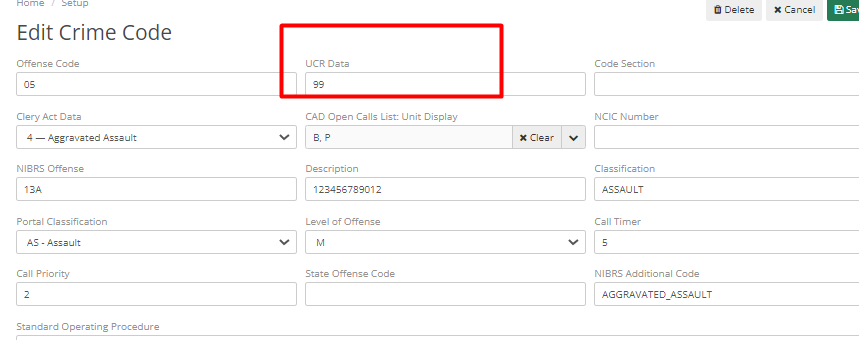
Any Clery Crime Types that are not UCR Reportable still need to have a value in the UCR Data field, in such case put code 99 to complete Clery Reporting. Code 99 is not related to any crime codes, it’s just a way to show up this crime code in the list for review.
Location Codes
This is the last part of setting up Clery. For this go to Additional > Setup > Geo File.
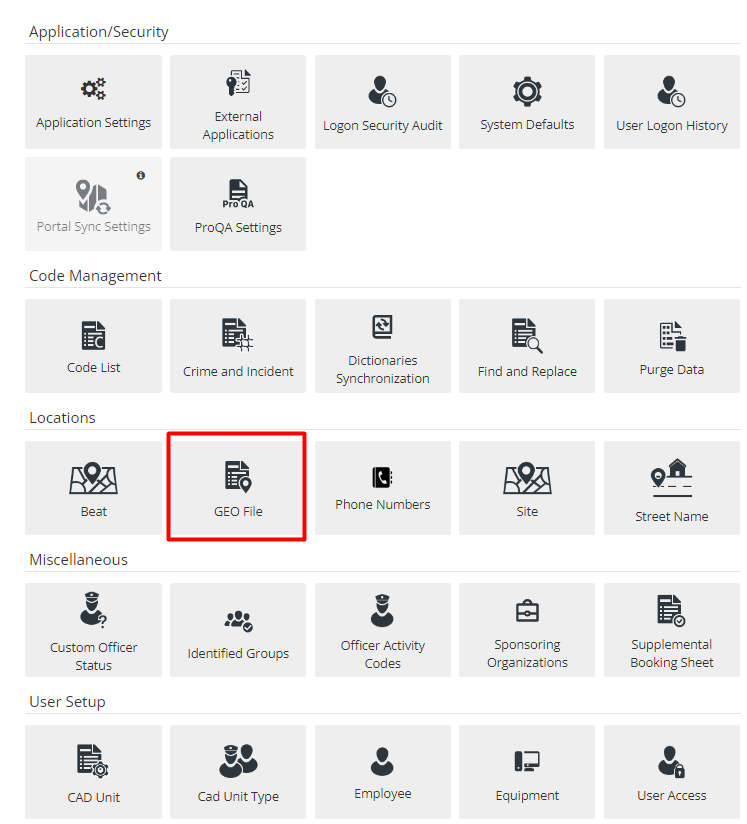
It will show a list of all locations in the system and If their Clery location needs to be designated.
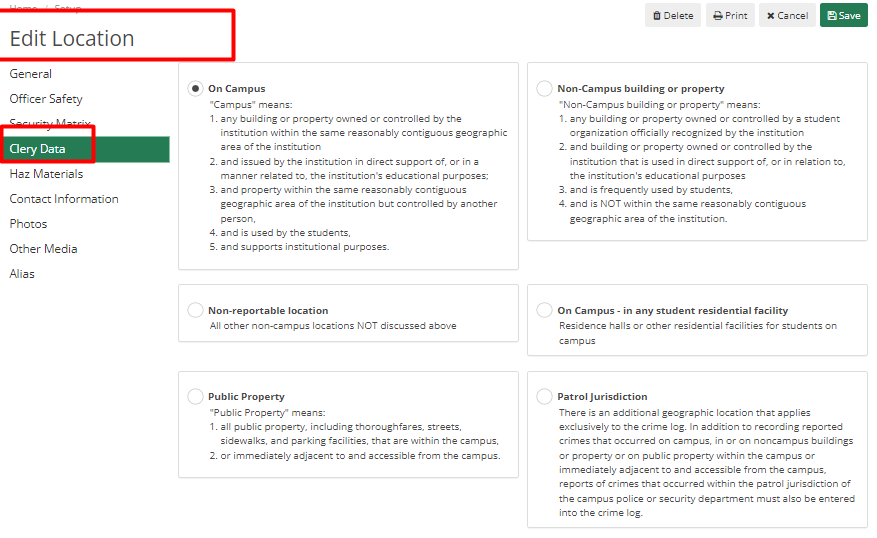
Locations are defaulted to On Campus. To modify this, go to Edit Location in Clery. Select the Clery Data tab. There are multiple options to choose from. Select the option most applicable. Choose from multiple radio buttons as per the location i.e. On campus, Non-Campus building or property, Non- reportable Location, On Campus – in any student residential facility, Public Property, and Patrol Jurisdiction.