
Case Data Entry
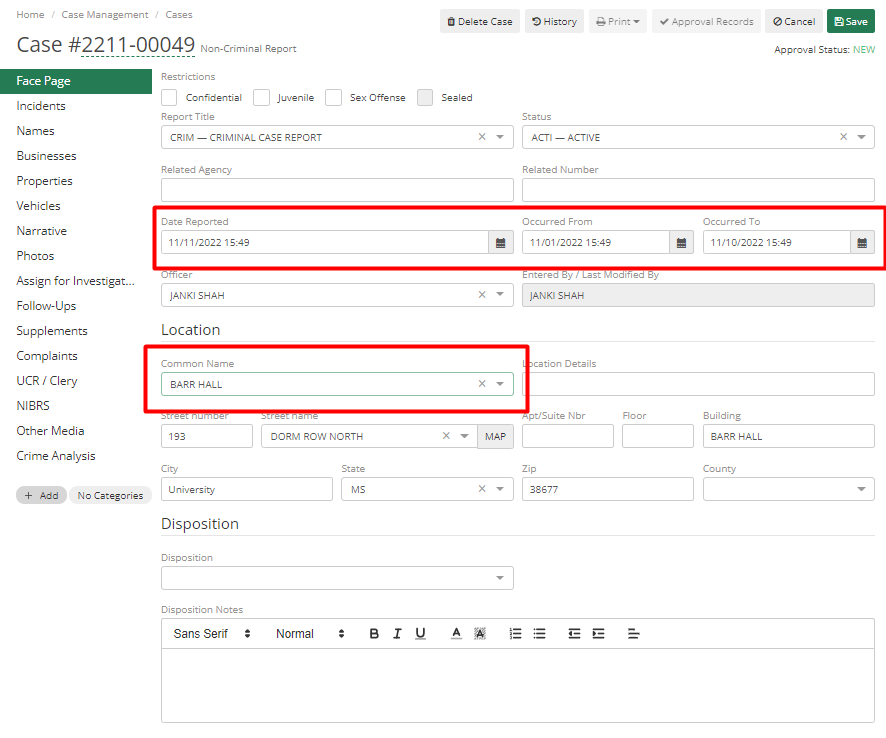
To add a case in Clery, first, add a case in ARMS through Case Management. Here we are describing only fields related to Clery Reporting. In the Face Page tab, important fields for Clery Reporting are Date Reported, Occurred To, Occurred From times, and Location to add information regarding where it occurred.
In the Incident tab, add the Crime code and information related to Clery. These fields if not filled by an Officer, then can be added later by an Administrator in UCR/Clery Review.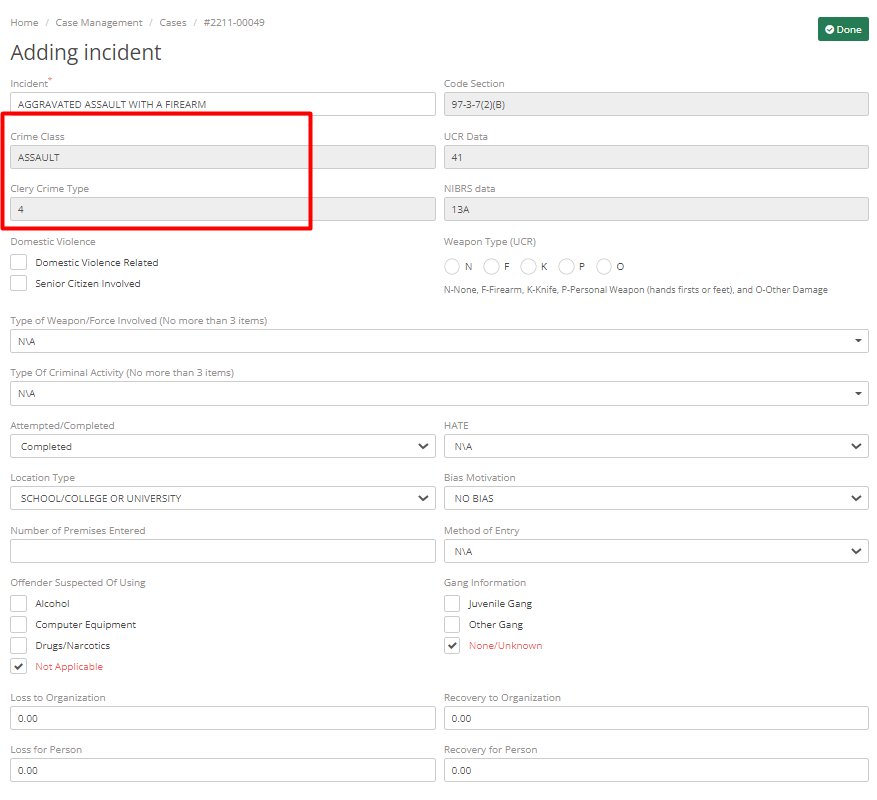
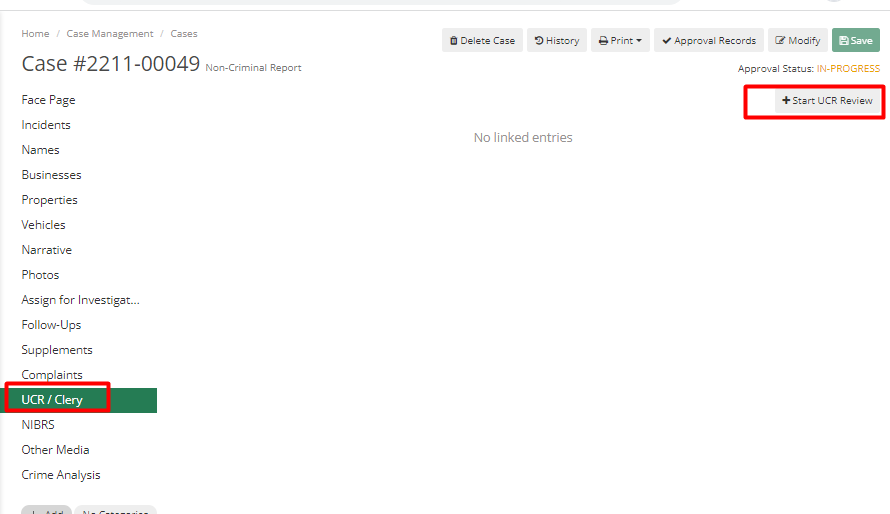
In the UCR/CLERY tab, click on Start UCR Review.
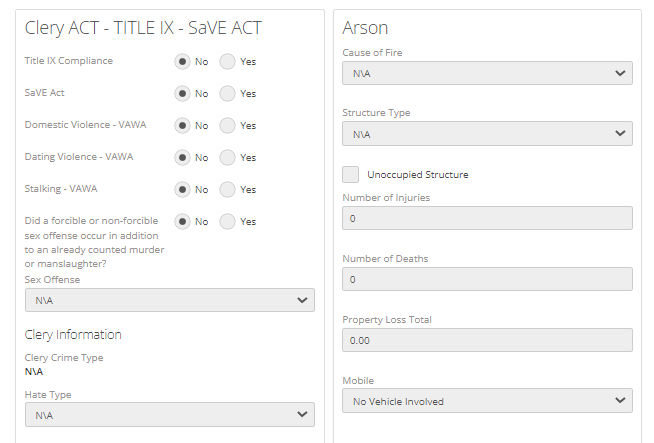
It will pull data from Case Entry. Scroll down on the screen to go up to the Clery section and tick mark the one that applies. When completed click Save.
Arrest Data Entry
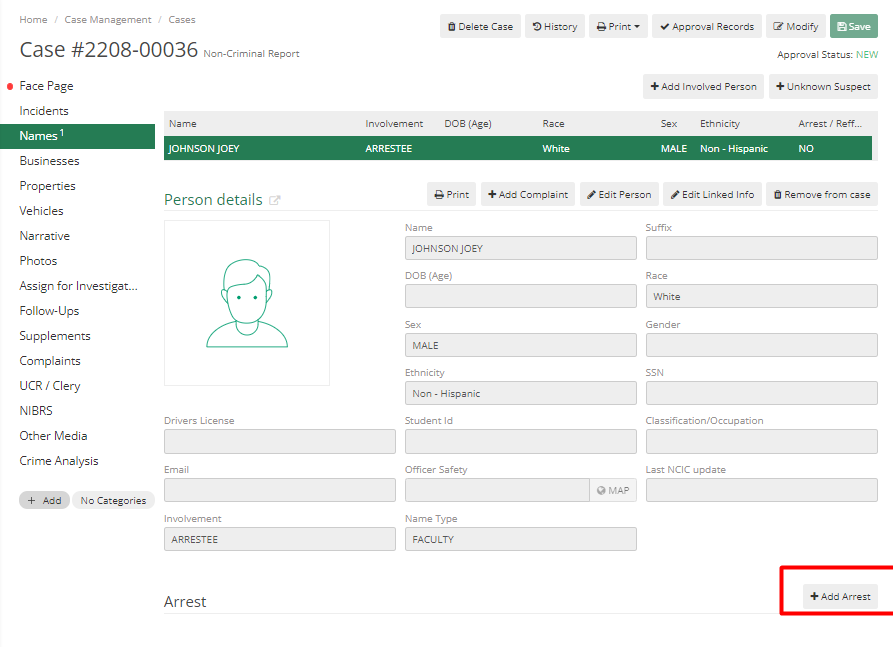
For reporting Weapon Possession information in Clery, the officer needs to add arrest information. Select the Names tab from Case and click on Add Arrest.
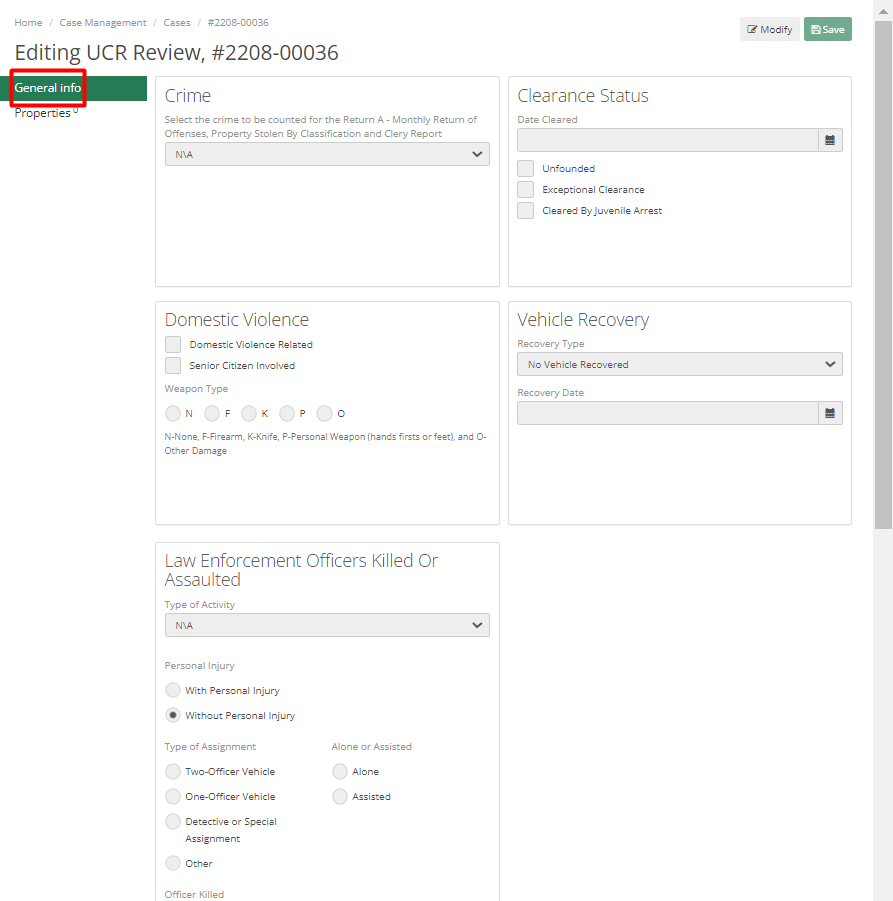
First, fill in the required General Information in the General Info tab,
Then add charges detail in the Charges Tab. Charges added here need to be checked with Drug Law, Liquor Law, or Weapon Possession.
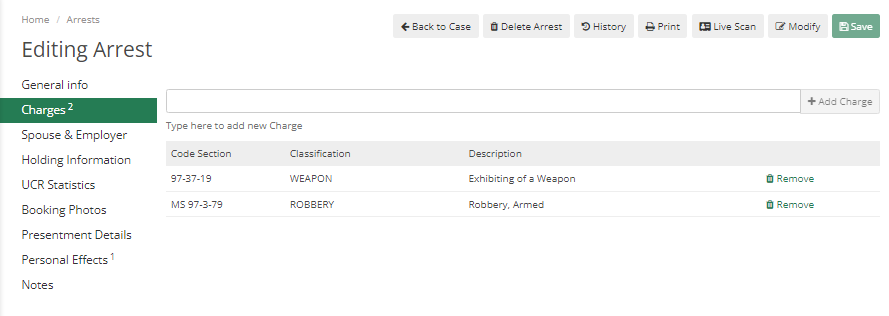
Multiple charges can be added. For Location, [JW1] [JS2] the location must be a Clery Reportable Location. The most important and required tab for Clery Reporting is the UCR Statistics tab.
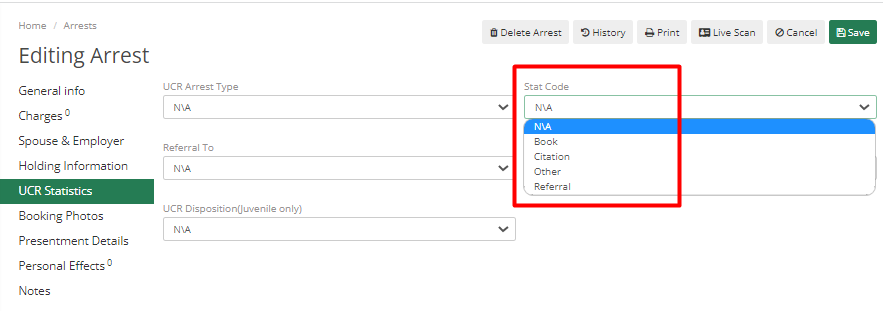
Stat Code – They are code that to be looked on Code List and can be used to find out whether it is booking, referral or citation