
Your Trimble Juno device can be used to scan the barcodes on parking permits.
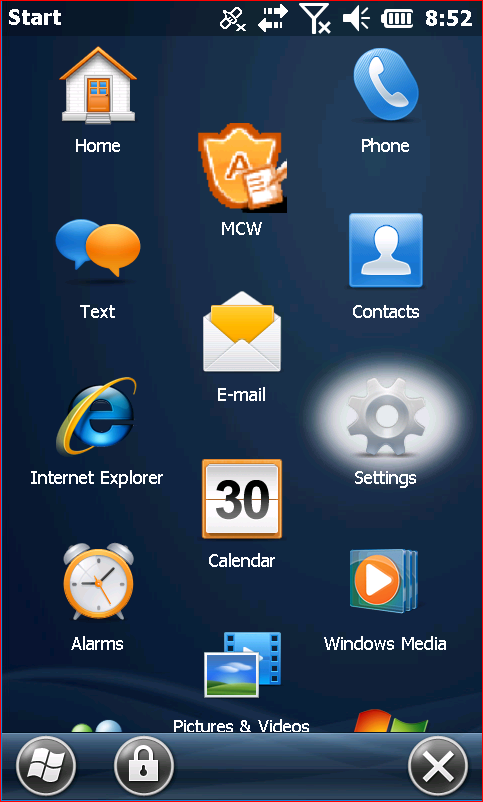
First, select the Windows Key to open the Start Menu. From there, select Settings.

In Settings, select Personal.
Select Buttons.
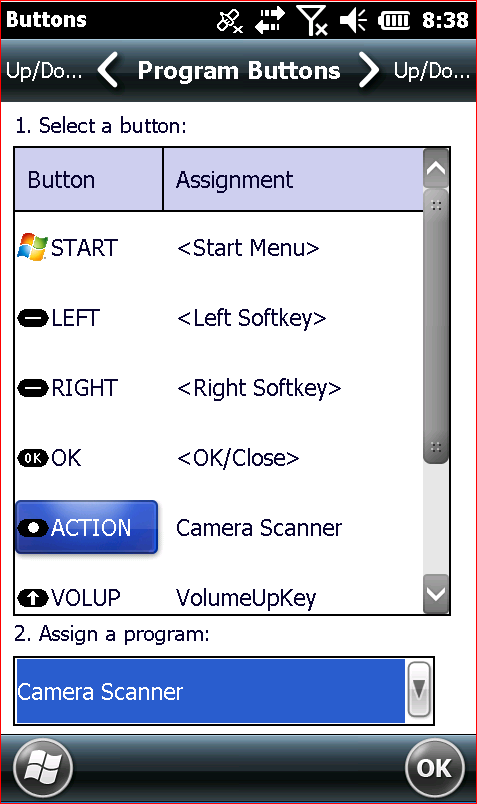
On this screen, select ACTION under step 1, then select Camera Scanner under step 2.
Start a new Citation in MCW. With the text cursor in the Permit field, hit the Action button. (Found between the two volume buttons.)
The scanner should now open up. For optimal results, hold both the barcode and handheld steady and make sure there is minimal glare on the barcode.
Once the barcode has been scanned, the Permit number should automatically fill in the field.