
To correct this behavior, you can add Divisions to a Case Approval, Instant Message by navigating to File -> Install Set-Up code Menu-> Set-Up-> Code Lists
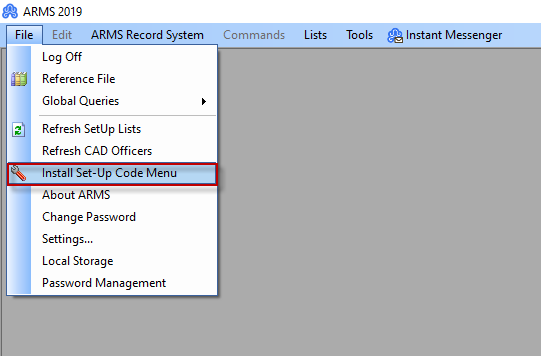
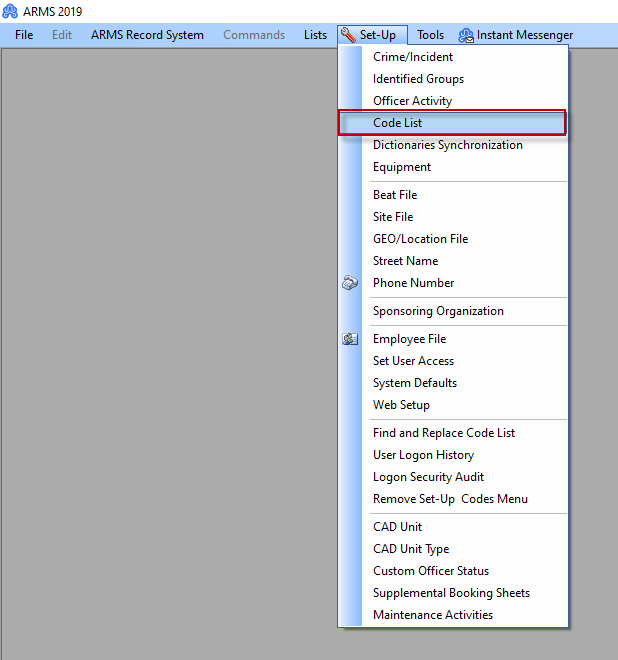
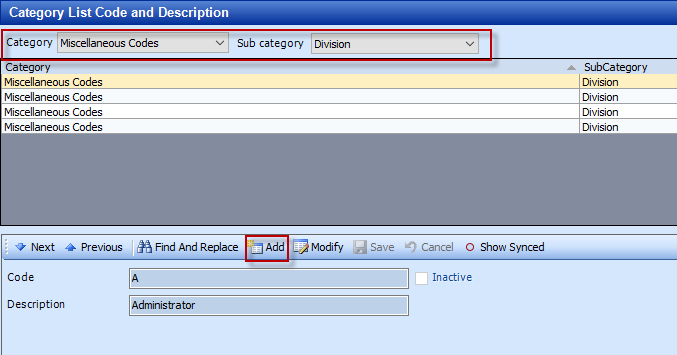
On 'Code List' make sure the category is on 'Miscellaneous Codes' and Sub category is on 'Division'.
You will then be able to set up divisions here by clicking add and filling out the details.
 To make these divisions available on Case Approvals you will need to add them to an employee file once they have been created.
To do that you will need to go to the Employee file tab under File -> Install Set-Up code Menu-> Set-Up-> Employee File.
Find the users you want to assign a Division.
Click modify on the user and add the Division as needed.
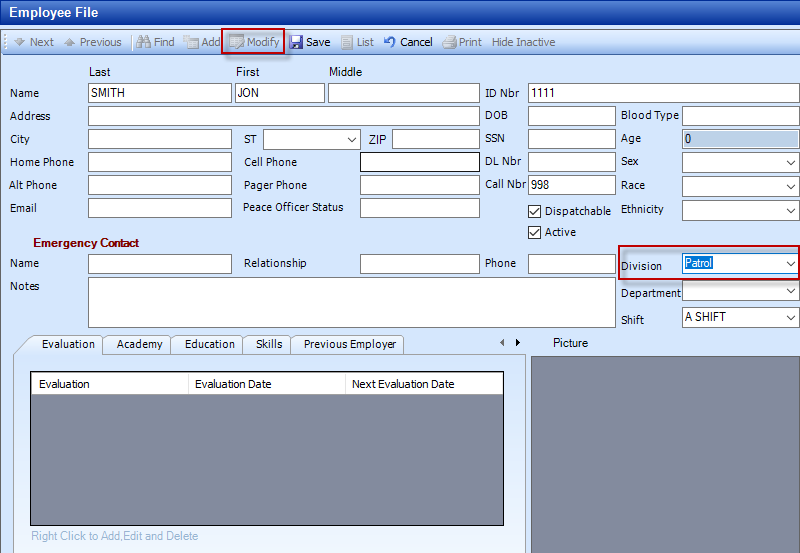
Now save the file and your list will be populated with select-able divisions on case approval.