Encumbrance Process
Most university’s accounting departments want all the departments to process all charges through the Accounting/Payroll or Bursar office.
The reason for this is that the Bursar Office has the right to hold students' diplomas if they have not paid all the charges, and for employees, the Accounting/Payroll Department has the right to deduct any charges from their payroll. With this in mind the ARMS Parking module generates an Encumbrance file by User Type.
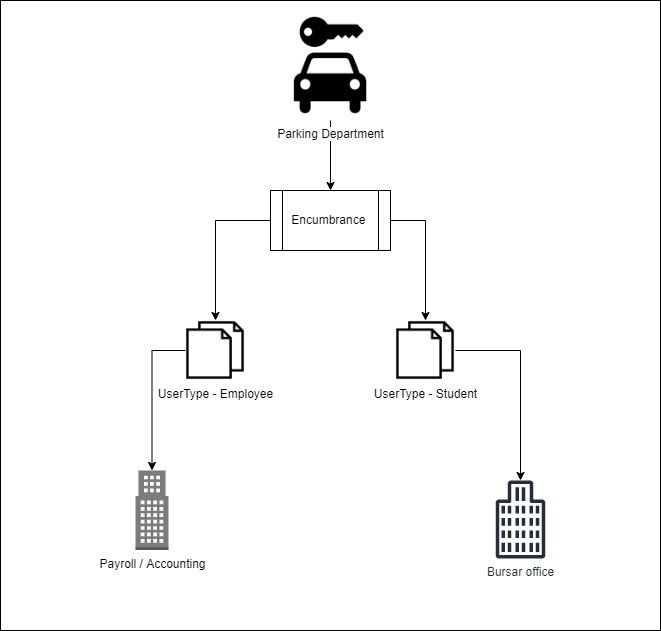
Once the encumbrance process is executed all charges (Citation and Permit) will be marked as paid / Encumbrance.
Encumbrance runs for permits and citations linked to a person. If a citation is not linked to a person, then it is not included in the encumbrance export.
Who can do the Encumbrance Process?
Any agency user who has access to the Settings menu can generate a file for the Encumbrance Process as per User Type.
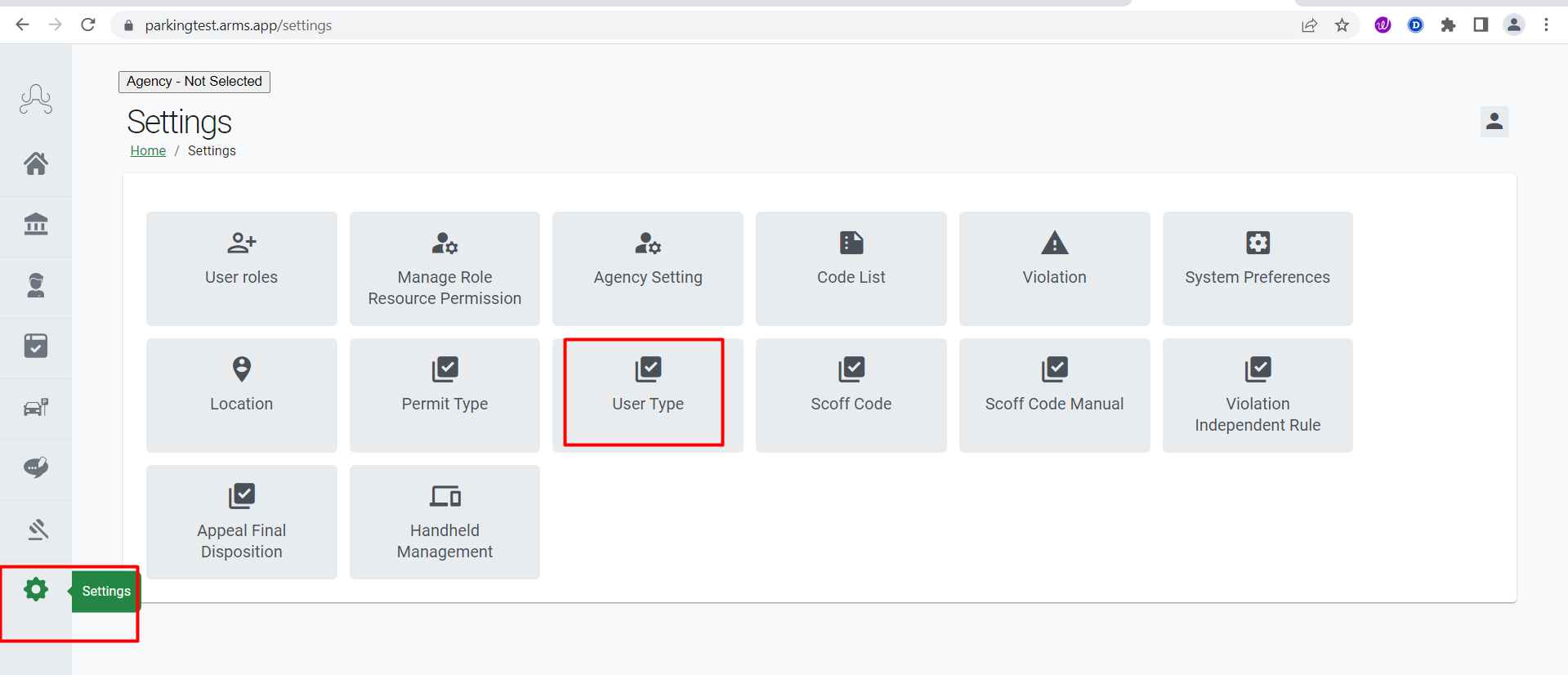
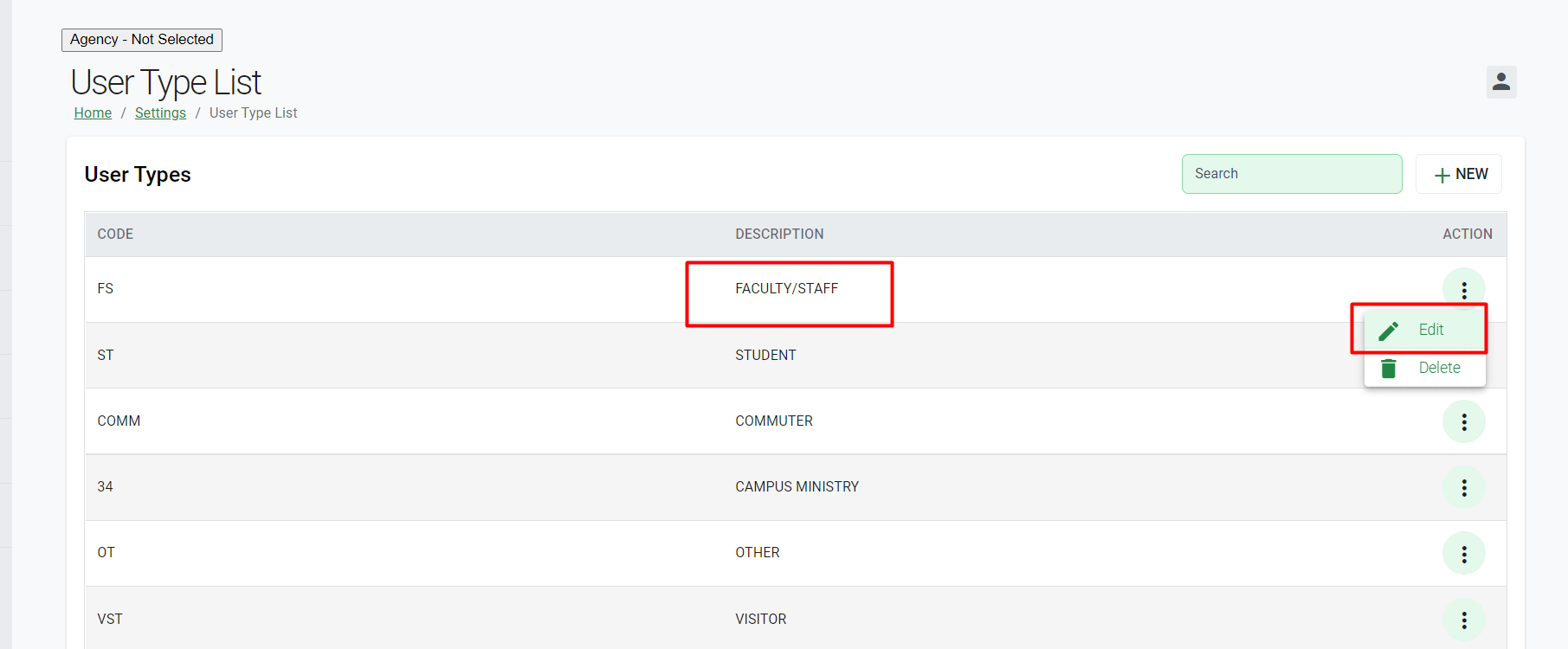
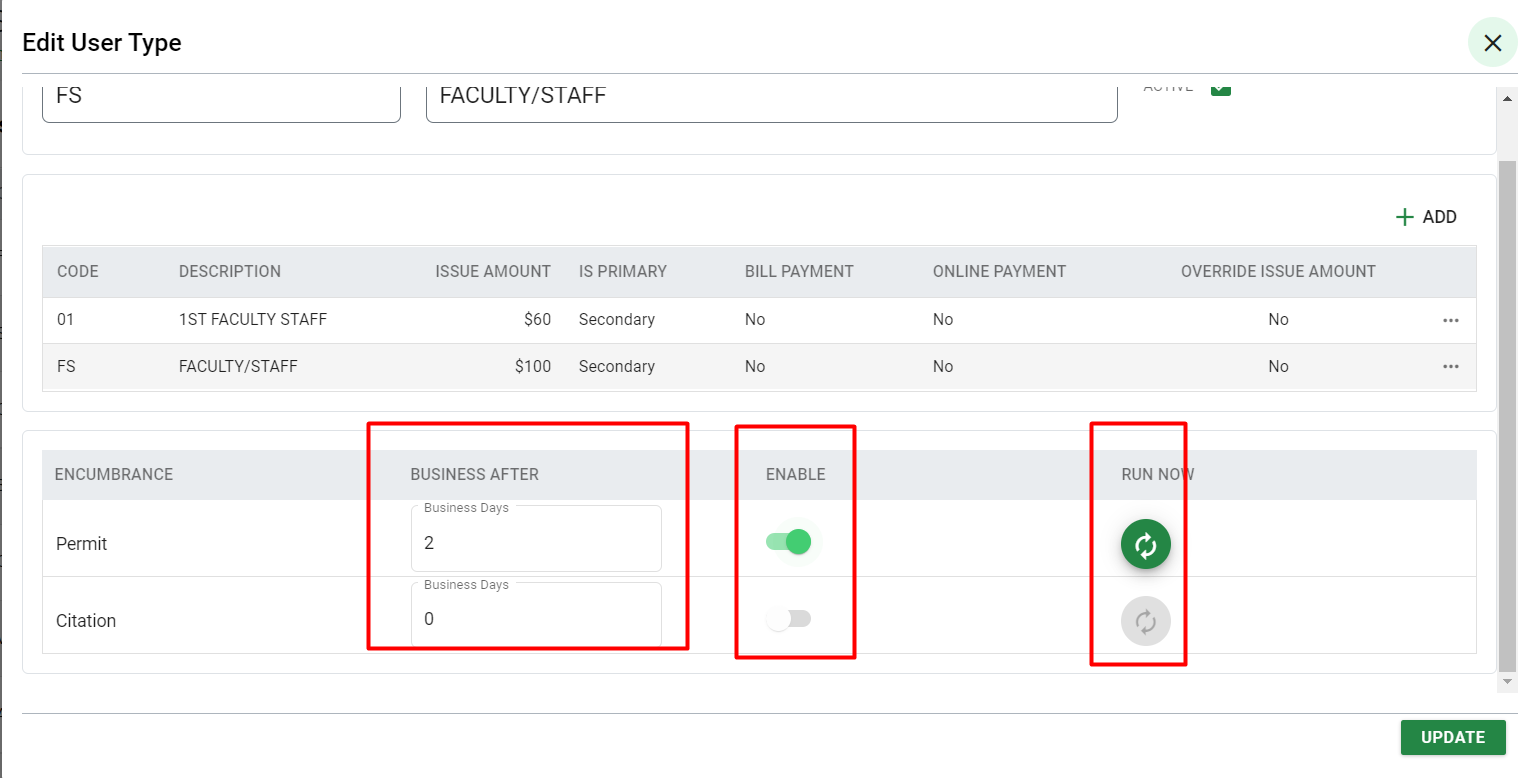
To configure the Encumbrance Process as per User Type, go to User Types> Click on three dots under the Action column for the User Type you want to modify > Click Edit.
The Encumbrance Process can be generated in two ways manually and automatically.
When you click on Run Now it will generate encumbrance for the selected type i.e., permit or citation for that User type.
It runs automatically as per the set no of days in the “Business After” field. For example, if business days are set to 2 then encumbrance will run after 2 business days of permit.
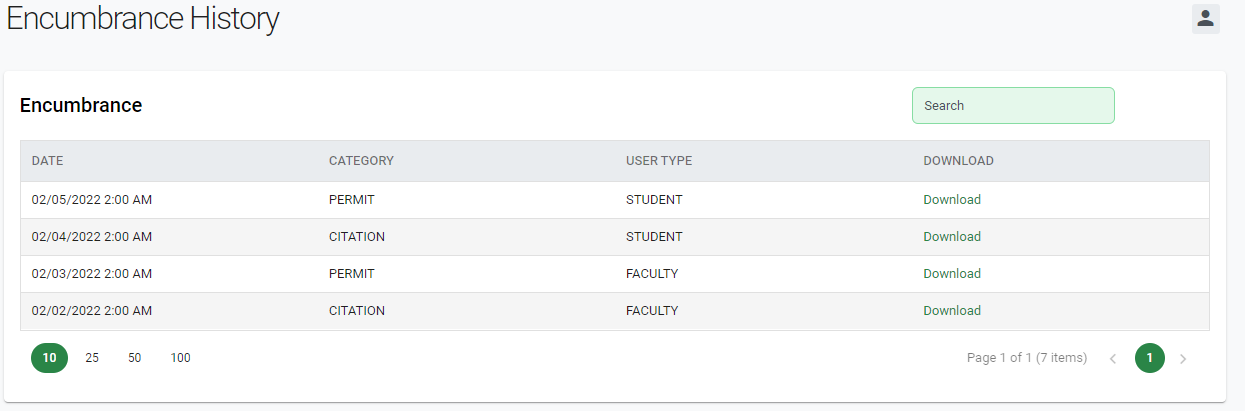
Encumbrance History
To view Encumbrance History, go to Accounting > Encumbrance History.
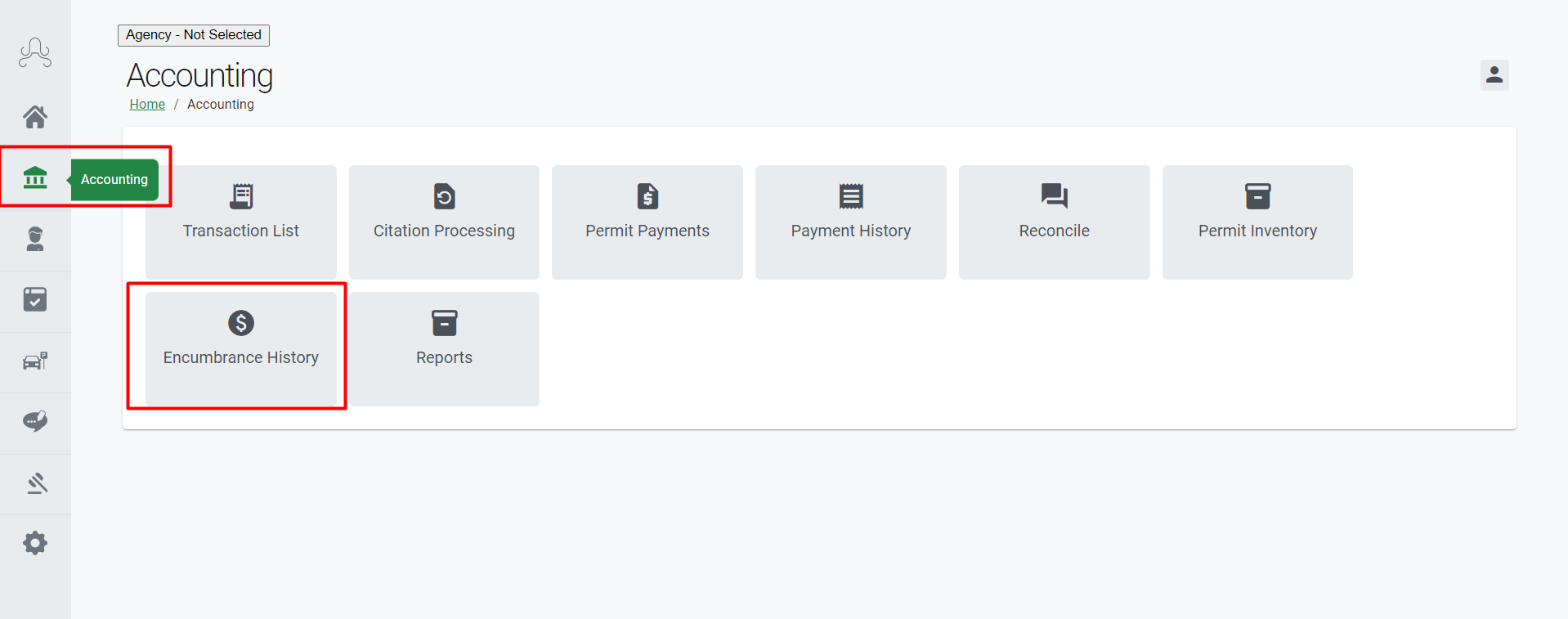
This section keeps a detailed log of all encumbrances processed by the agency. Users have the ability to download a CSV file of records to review which encumbrance's have been processed.